

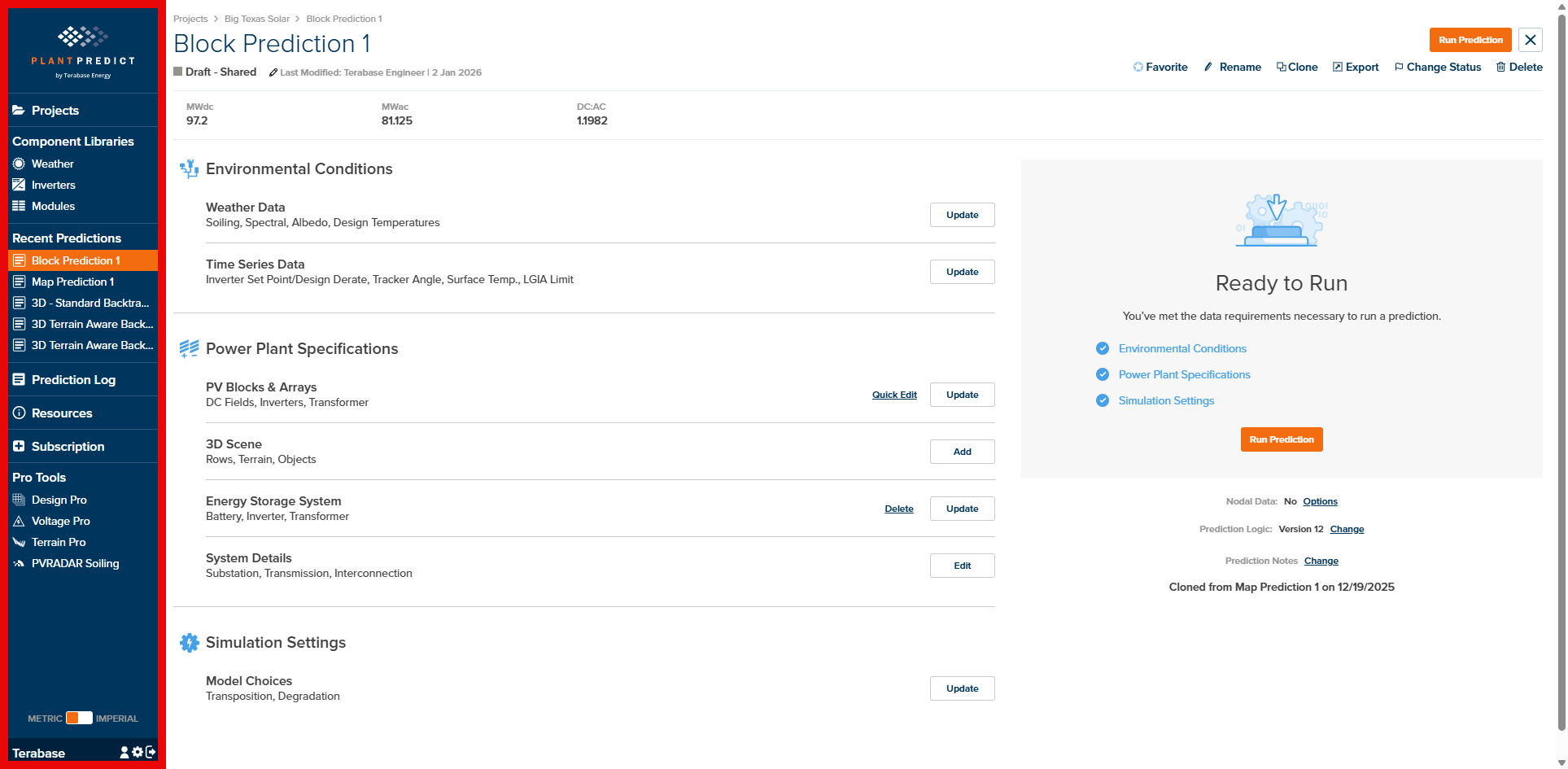
PlantPredict Sidebar Navigation
Projects
The Projects link opens the Project Library, the central hub for all your solar energy projects. From here you can:- Browse and search existing projects
- Create new projects with geographic locations
- Import, export, clone, and manage project status
- Access the Predictions Library within each project
Component Libraries
PlantPredict organizes reusable technical specifications into three component libraries, accessible from the sidebar:Weather
The Weather Library stores all weather files available to your organization. Weather data drives the solar resource calculations that underpin energy predictions. From this library you can:- Download weather data from integrated providers (NSRDB, SolarAnywhere, Meteonorm, SolarGIS, Solcast)
- Upload custom weather files in various formats
- View weather file details including irradiance, temperature, and quality checks
- Compare multiple weather files side-by-side
Inverters
The Inverter Library contains inverter specifications from major manufacturers plus custom models created by your organization. You can:- Browse Global inverter specifications shared across all PlantPredict users
- Create new inverters from scratch or by uploading PPI/OND files
- Review inverter parameters including efficiency curves and temperature derating
Modules
The Module Library stores PV module specifications including electrical characteristics, thermal parameters, and I-V curve data. From this library you can:- Browse Global module specifications from manufacturers
- Create new modules using datasheet values, I-V points, or full I-V curves
- Review module parameters including 1-Diode model parameters, IAM, spectral response, and shading configuration
Recent Predictions
The Recent Predictions section displays your five most recently accessed predictions for quick navigation. Click any prediction name to open it directly in the Prediction Overview page.Navigation Links
Prediction Log
The Prediction Log displays a history of your completed predictions, including run status, timestamps, and quick access to results.Resources
The Resources page provides links to white papers, release notes, user guides, training materials, and other PlantPredict documentation.Subscription
The Subscription page displays your organization’s current subscription level, license count, and feature access. Contact Terabase Energy to upgrade your subscription or add licenses.Pro Tools
PlantPredict offers advanced tools for users with Pro, Enterprise, or Extension licenses:| Tool | Description | Required License |
|---|---|---|
| Design Pro | Automated PV system design and optimization | Pro or Enterprise |
| Voltage Pro | String voltage analysis and optimization | Pro or Enterprise |
| Terrain Pro | Terrain analysis and grading optimization | Pro or Enterprise |
| PVRADAR Soiling | Advanced soiling analysis | PVRADAR Extension |
Pro Tools documentation is available in separate tabs in the main navigation. If you do not have the required license for a Pro Tool, clicking the link will display information about the feature and how to upgrade.
Settings
Unit Toggle
The Metric / Imperial toggle at the bottom of the sidebar switches between unit systems throughout the PlantPredict interface. This setting is applied immediately and persists across sessions.Account Management
Two icons at the bottom of the sidebar provide access to account settings:- User Profile — View your account information, configure personal weather provider API keys, and set accessibility options (color palette for charts)
- Company Settings — Admins can manage users, generate API credentials, and edit company default settings. All users can view company defaults in read-only mode.
- Log Out — Ends your session and returns to the login screen
What’s Next?
This User Interface section documents each page and workflow within PlantPredict. Use the navigation menu to explore:Weather
Manage weather files and download from integrated providers
Inverters
Browse and create inverter specifications
Modules
Browse and create module specifications
Projects
Create and manage solar energy projects
Predictions
Configure and run energy predictions
Account
Manage your profile and company settings