

Tab Overview
Physical & Nameplate Tab
The Physical & Nameplate tab contains general module information, physical characteristics, and Standard Test Conditions (STC) ratings.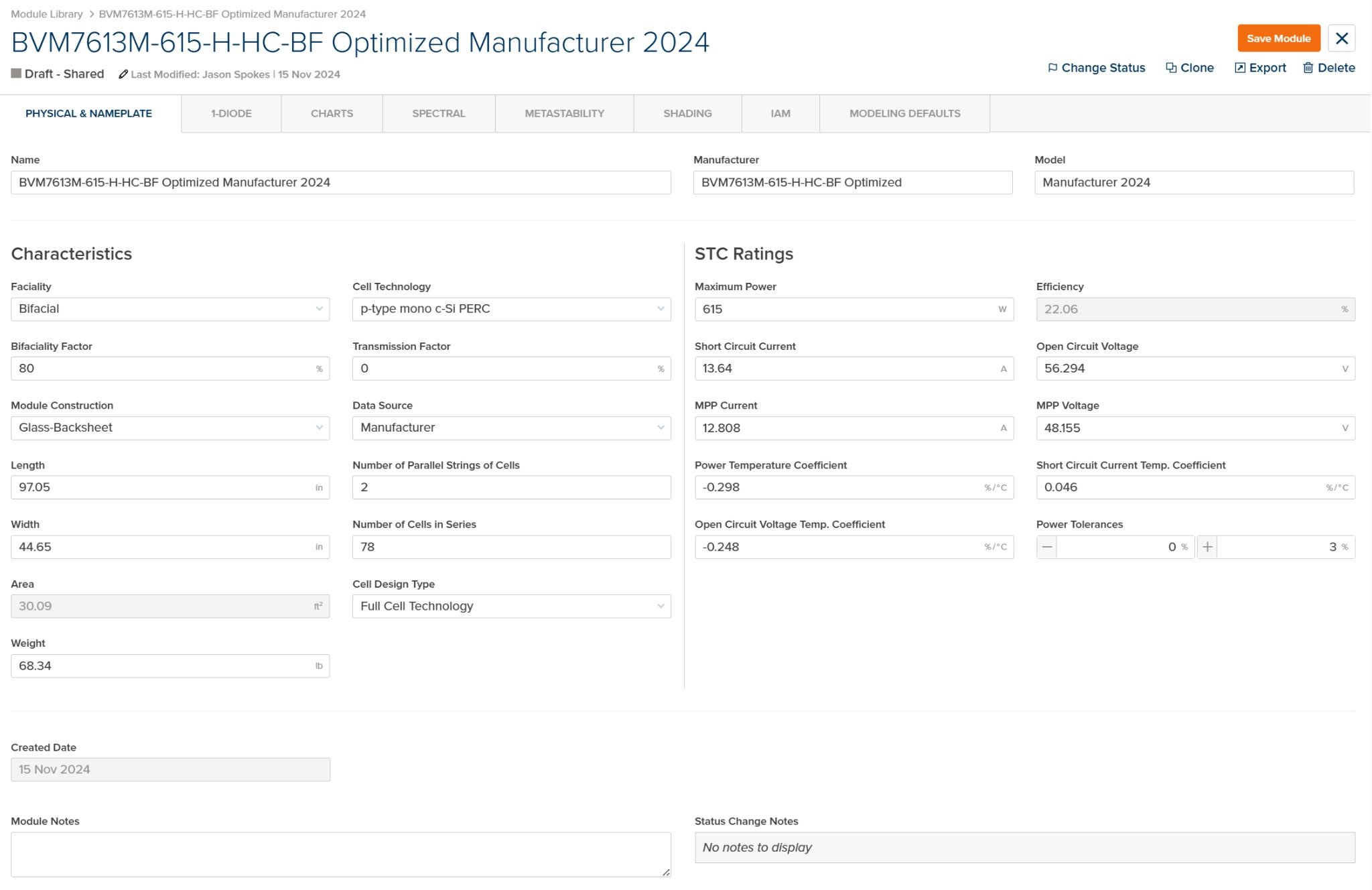
Module File - Physical & Nameplate Tab
General
Characteristics
STC Ratings
Notes
1-Diode Tab
The 1-Diode tab contains parameters for the single-diode equivalent circuit model used to generate I-V curves at any irradiance and temperature condition.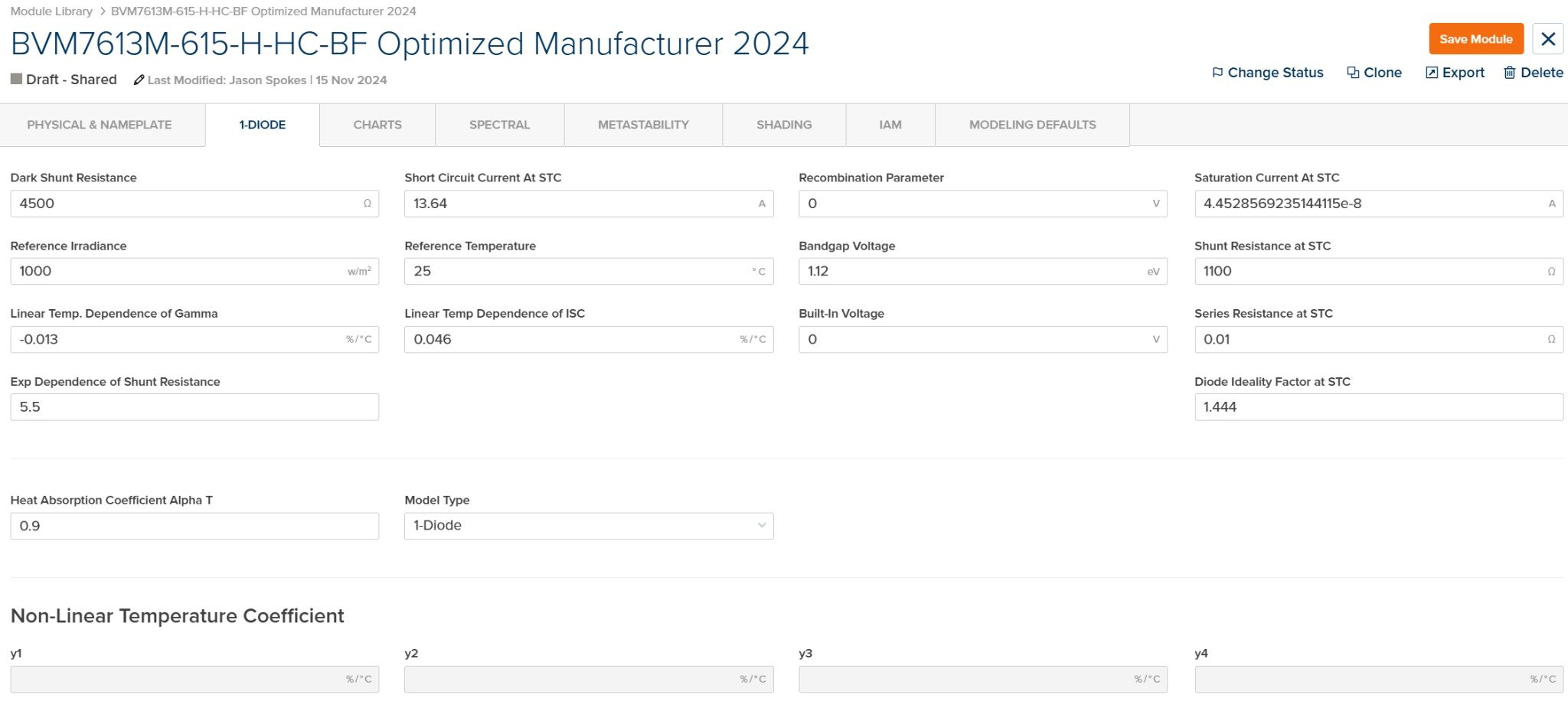
Module File - 1-Diode Tab
Single-Diode Parameters
Non-Linear Temperature Coefficient
The single-diode model parameters are typically generated automatically when creating a module from datasheet values or I-V curves. Manual editing is available for advanced users.
Charts Tab
The Charts tab displays relative efficiency curves showing module performance across a range of irradiance levels at different temperatures.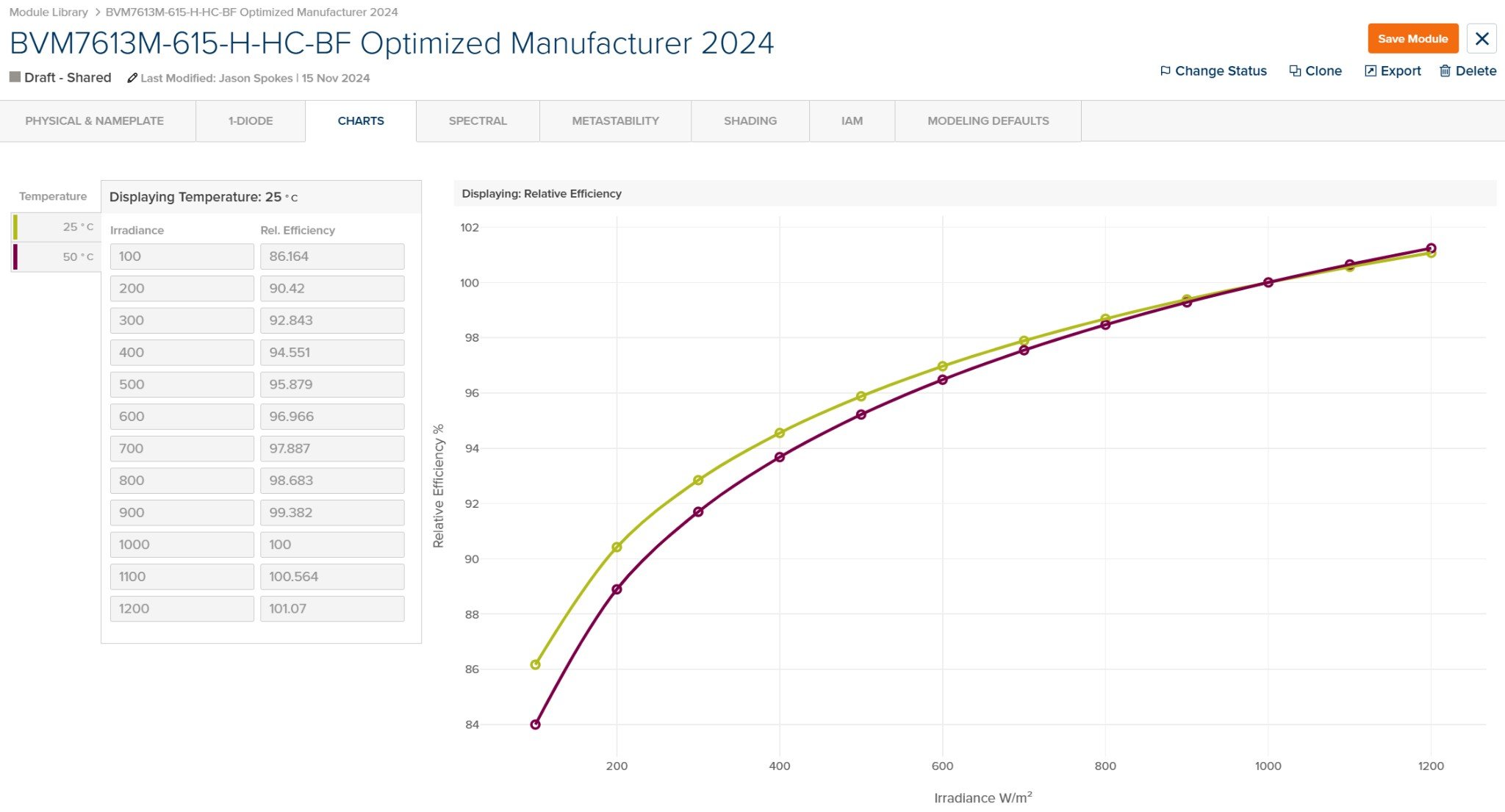
Module File - Charts Tab
Relative Efficiency Data
The chart visualizes how module efficiency varies with irradiance, with separate curves for each temperature condition. Low-light performance (below 200 W/m²) typically shows reduced relative efficiency.
Spectral Tab
The Spectral tab contains coefficients for modeling the spectral response of the module under varying atmospheric conditions.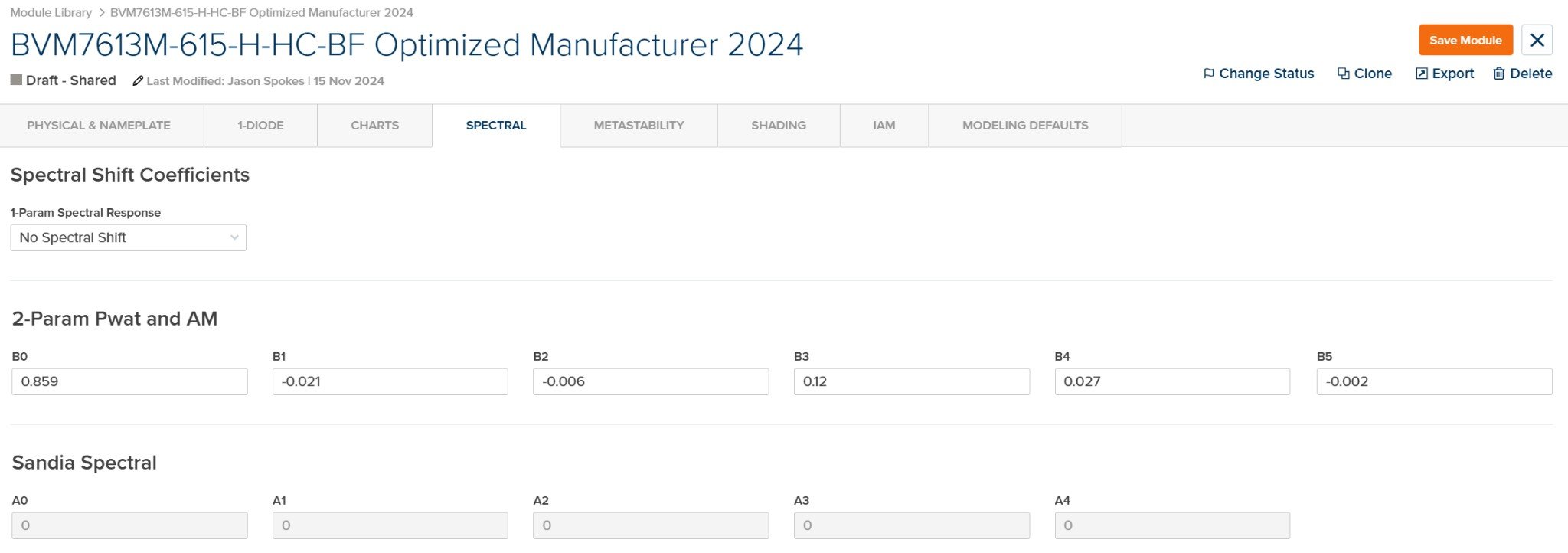
Module File - Spectral Tab
Spectral Shift Coefficients
2-Param Pwat and AM
Sandia Spectral
See Spectral Models for detailed algorithm documentation.
Metastability Tab
Shading Tab
The Shading tab configures how the module responds to partial shading conditions.
Module File - Shading Tab
Shading Response
See Electrical Shading for detailed algorithm documentation.
IAM Tab
The IAM (Incidence Angle Modifier) tab contains coefficients for modeling optical losses at non-normal angles of incidence.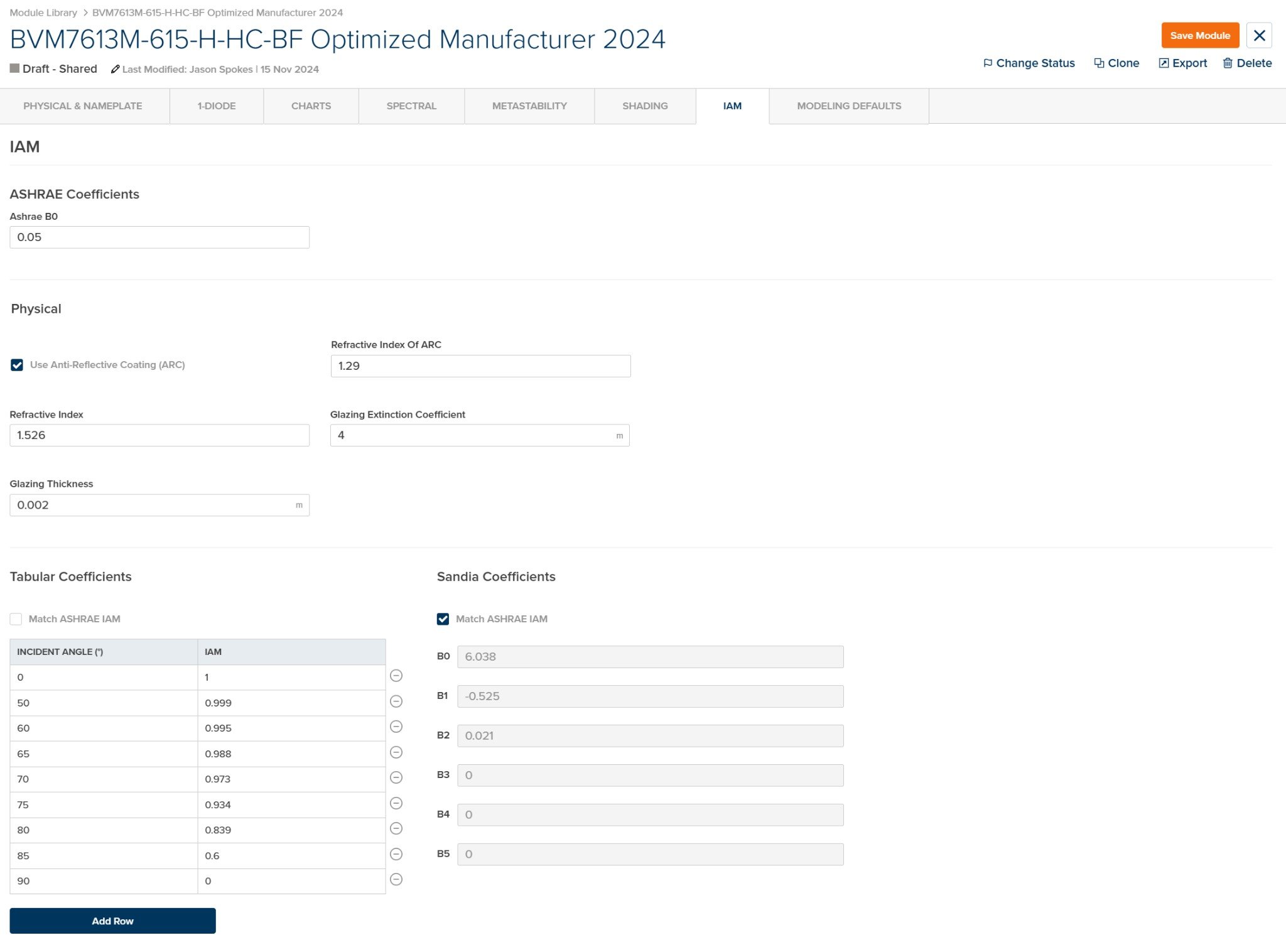
Module File - IAM Tab
ASHRAE Coefficients
Physical
Tabular Coefficients
Sandia Coefficients
See Incidence Angle Modifier for detailed algorithm documentation.
Modeling Defaults Tab
The Modeling Defaults tab contains default values for loss factors, thermal parameters, and degradation that are applied when this module is used in a prediction.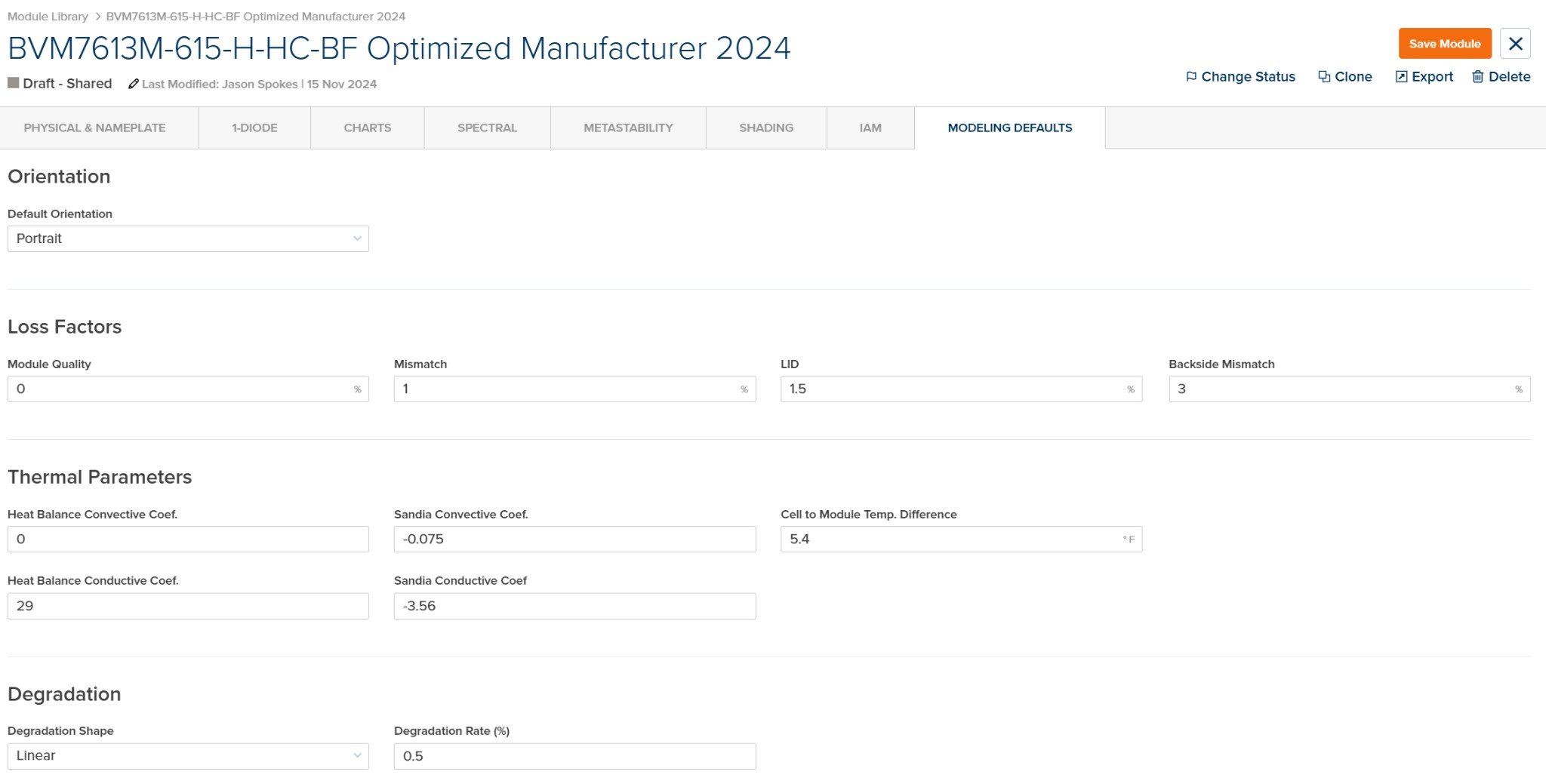
Module File - Modeling Defaults Tab
Orientation
Loss Factors
Thermal Parameters
Degradation
Modeling Defaults can be overridden at the DC Field level within a prediction. These values serve as starting defaults when the module is first added to a design.