

RELEASE 12.33.0
September 23, 2026PlantPredict
MCP Server Now Available to All Users
The PlantPredict MCP server is no longer restricted to companies with a Pro subscription. All users can now access it. Furthermore, the PlantPredict MCP connector has been approved by Anthropic and is now listed in the Claude MCP connectors directory.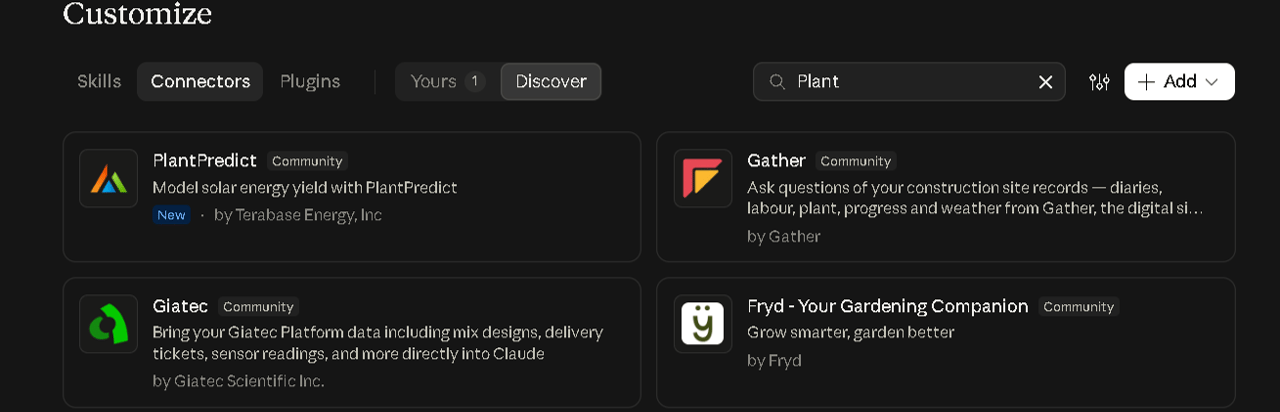
PlantPredict in the Claude connectors directory, under Customize > Connectors > Discover
Horizon Shading Applied to Sky Diffuse (V13)
The effect of the far horizon is now applied to sky diffuse irradiance—not only beam irradiance. The row in front, the far horizon, and the module’s own plane are resolved into a single silhouette. The visible solid angle of sky is then integrated against that silhouette. The solid angle integral is solved analytically piecewise—each segment of the silhouette evaluated with an explicit closed-form antiderivative. With no horizon profile the integral reduces exactly to the legacy row-shading formula, so sites without a horizon are unchanged. This change only applies to Prediction Logic 13. Results from Prediction Logic 12 and below remain unchanged.Terrain-Aware Backtracking V2 Out of Beta (V13)
Following thorough testing, the terrain-aware backtracking V2 algorithm, introduced in release 12.28.0, is now fully released. Compared with the V1 algorithm it brings:- True 3D geometry, evaluating shading in the plane of the sun.
- Support for non-north-south tracker azimuths and multi-azimuth plants.
- Wind stow and irradiance optimization, applied in that order of precedence.
Quick Edit Improvements
The Power Plant Builder Quick Edit feature now covers every editable field of Arrays, Inverters, and DC Fields. This includes mounting type (fixed-tilt or tracking), which previously could only be set through the Block Builder interface. Fields are grouped by power plant level (array inputs, inverter inputs, and DC field inputs) and each group can be shown or hidden as a whole. Your column selection is saved and restored the next time you open the page.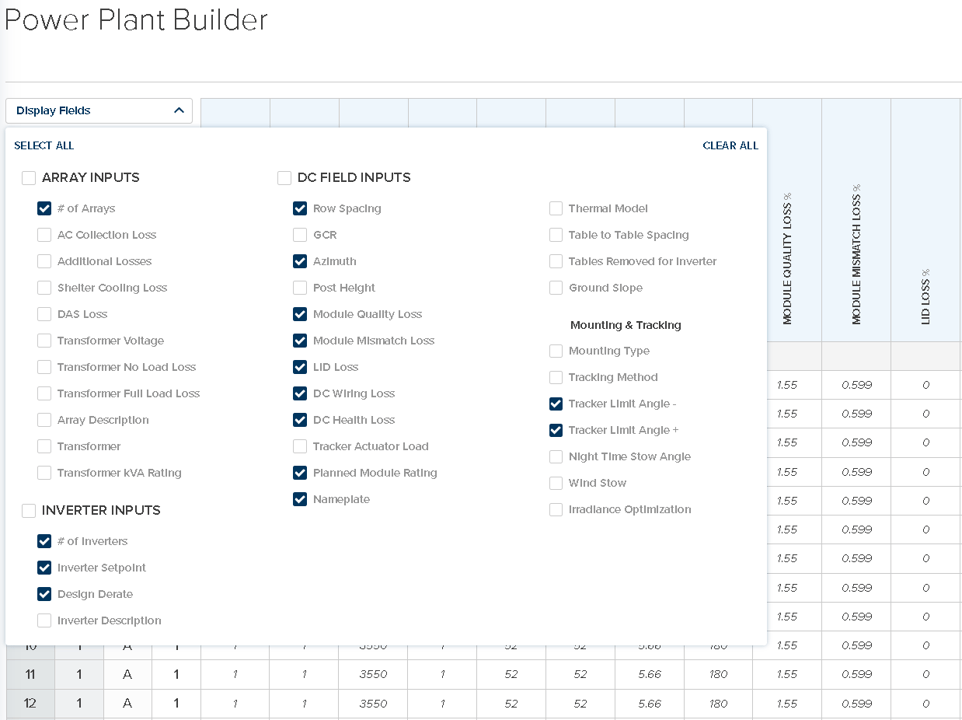
Display Fields in the Power Plant Builder, with inputs grouped by power plant level
NSRDB Multi-Year Weather Download
NSRDB weather files in custom format can now be downloaded for a range of years rather than a single year. The selected years are stitched together into a single weather file.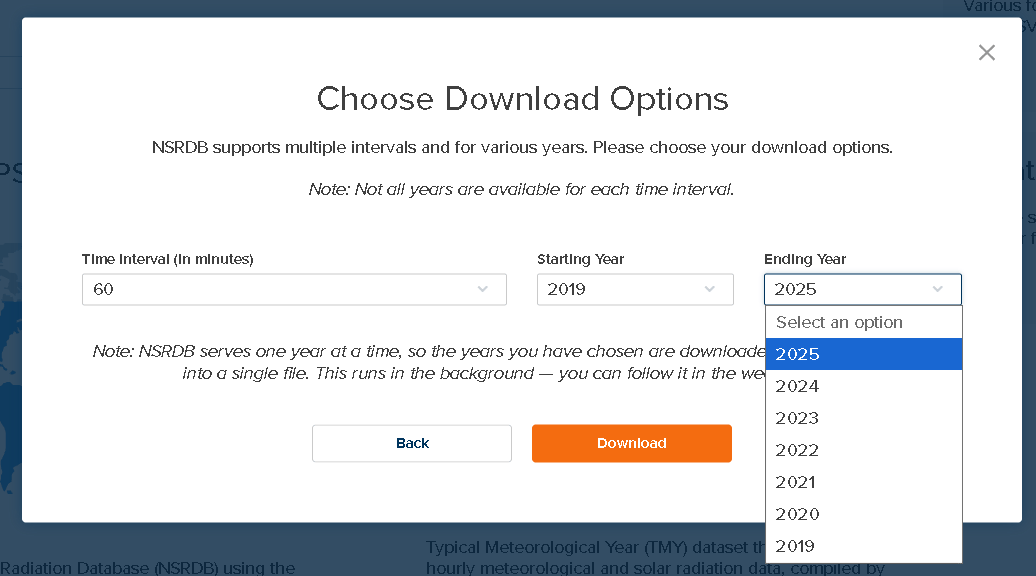
Choose a starting and ending year to download a multi-year NSRDB file
Improvements and Bug Fixes
- PVsyst import — Fixed-tilt variants facing due south now import successfully. PVsyst 7 leaves the azimuth out of its file when the array faces due south, and this is now read as south rather than as a missing value. When a 3D shade scene cannot be converted, the reason is now reported and the conversion can be retried.
- PVFARM import — More designs now import successfully, including projects whose coordinate system was previously refused. Multi-segment trackers are drawn at full length in the 3D shade scene, and created DC fields report the correct rack length. The 3D shade scene is now centered on the site, so the view opens on the plant and satellite imagery lines up more closely with it.
An optional Simplify choice combines DC fields that differ only in rack length and combines identical arrays and inverters using repeaters, resulting in lighter predictions for large designs. Module and string totals are preserved. - Weather file import — SolarAnywhere CPR 4.1 files, SolarAnywhere v4.1 files carrying a metadata row, and SolarGIS 15-minute files now upload successfully.
- Shunt resistance at STC (V13) — Shunt resistance is now normalized so that it equals the entered Shunt Resistance at STC at reference irradiance, aligning with pvlib and PVsyst. This slightly reduces modeled energy, with a larger effect on thin-film and weak-shunt modules than on typical crystalline silicon modules. Modules imported from PAN files now agree more closely with PVsyst.
- Air mass model name — The air mass option previously labeled “Kasten-Sandia” is now labeled Kasten-Young, giving the model its correct attribution. Existing selections and results are unchanged.
- SunSolve mismatch loss — The combined front and back mismatch loss is now reported in the nodal data.
- Horizon and diffuse shading (V13) — A zero-elevation point is no longer inserted at 0° azimuth when the horizon profile defines none, which added an artificial notch in the horizon; this fix applies to beam and diffuse horizon shading. An error in the width of the sunrise and sunset time intervals has been corrected, and diffuse shading on sloped DC Fields with no horizon now combines front and back obstructions correctly.
- Energy storage calendar degradation (V13) — Corrected an off-by-one error in the system age used for calendar degradation.
- Tracker angles (V13) — Negative rotation angles were reported as 0.001 in nodal data instead of their true negative value. Only predictions using wind stow were affected, and only under Prediction Logic 13. Now fixed.
- Dark theme — Dark mode readability and appearance have been improved throughout the user interface.
- User interface fixes — Cancelled predictions no longer show as “Pending” in the Prediction Log, the physical IAM glazing extinction coefficient is now shown in the correct unit (m⁻¹ rather than m), and Reassign Assets no longer fails with a “user cannot be found in company” error.