

PlantPredict
Meteonorm 9.0 Upgrade
Meteonorm weather and horizon downloads now use the Meteonorm 9.0 datasets and API, replacing version 8, which is being retired. Alongside typical meteorological years, actual meteorological years (AMY) can now be downloaded, with a year selector and a choice of time interval.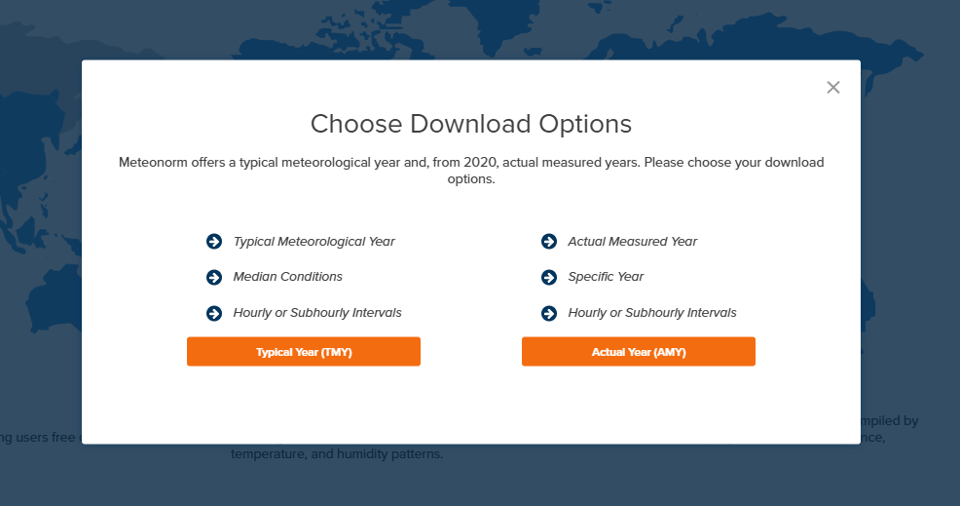
Meteonorm downloads now offer a typical year (TMY) or an actual year (AMY)
Notification Center
Messages are now kept in a notification list reachable from anywhere in the application—with a badge for unread messages—instead of disappearing when a banner is dismissed. Prediction run and report generation failures, as well as general announcements (e.g., an upcoming webinar), are delivered here.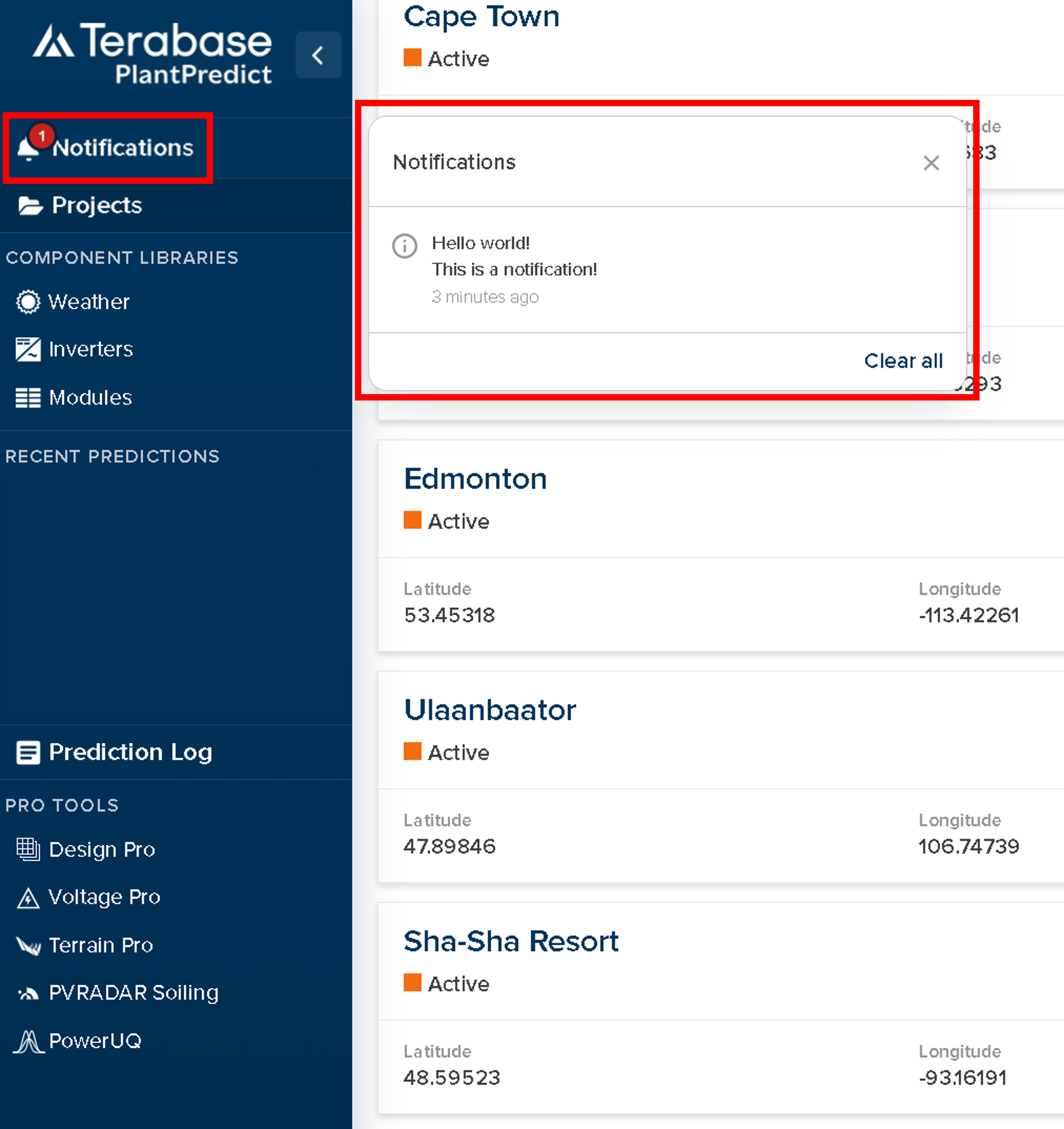
Notifications collect in a list, with a badge for unread messages
Improved File Matching on Import
When an uploaded file matches an existing record, the dialog now names that record, shows its details, and lets the user open it in the library before deciding to use the matching file or to create a separate copy. Other matching records are listed and can be chosen instead, and the two options (use existing or save separate copy) are labeled with a recommendation. Covers weather files, modules, and inverters.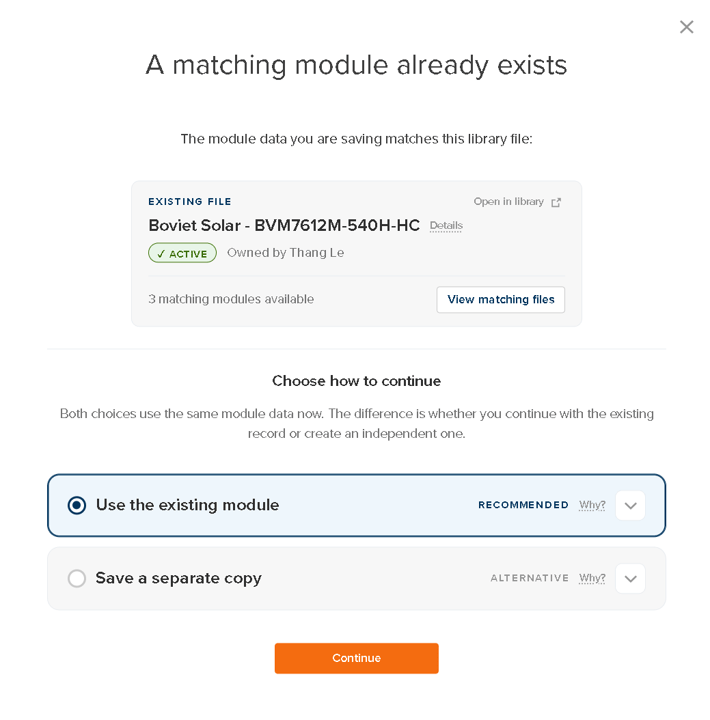
The match dialog names the existing record and explains the two options
Modules in Series in Map Builder
Modules in Series can now be entered directly in the Map Builder side panel, matching the input already available in Block Builder. This gives direct control over string sizing when building arrays on the map.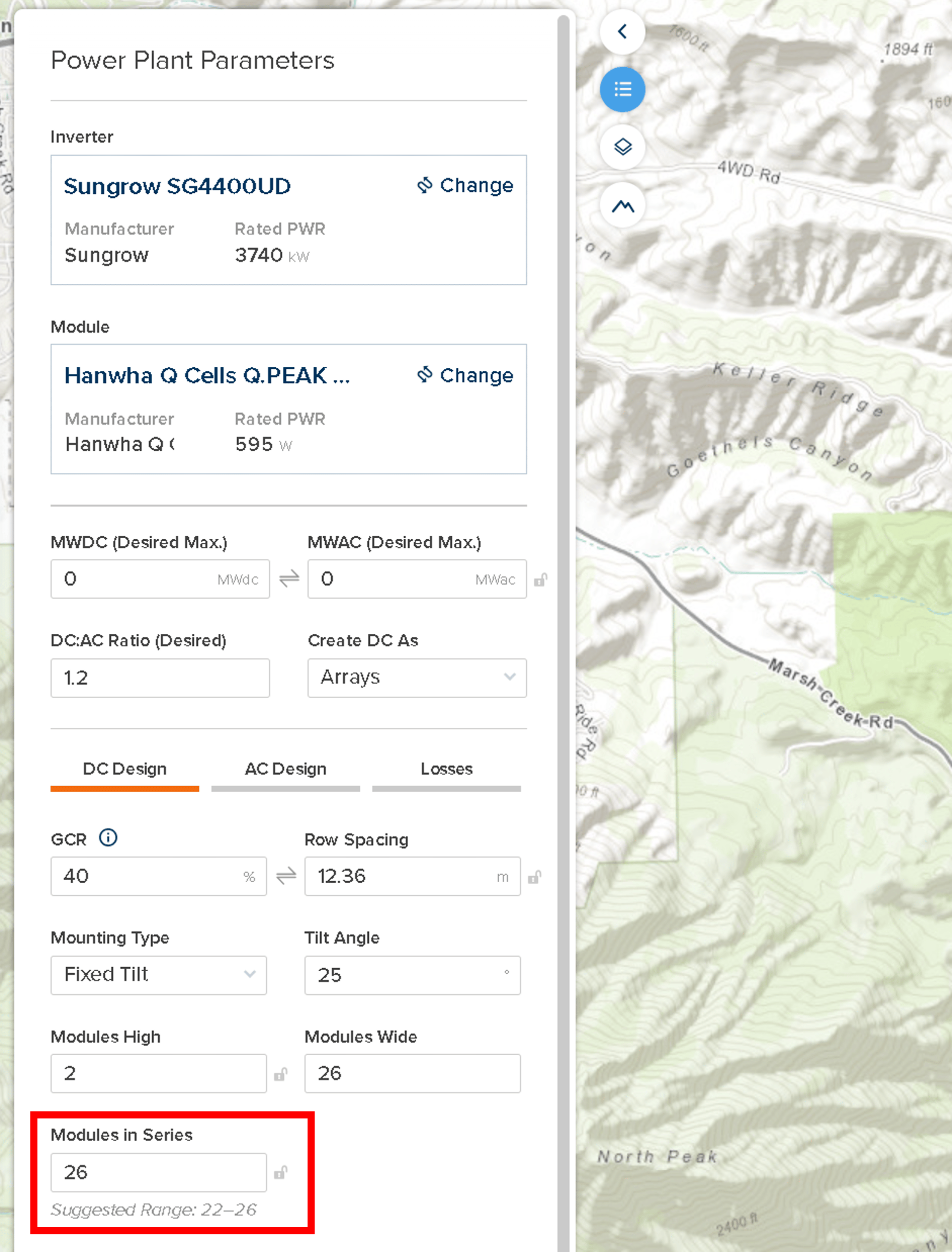
Modules in Series in the Map Builder DC Design panel, with a suggested range
PVFARM Import Simplified Workflow
Imports from PVFARM now run from modules and inverters straight to the summary. Array-level loss parameters are set to company default values rather than being populated manually during the import. The user can then adjust these directly in the prediction.Improvements and Bug Fixes
- Faster predictions — Improvements to the IV-curve solver and better management of engine memory cut runtime and memory use. Large predictions that previously ran out of memory now complete.
- Weather file naming and renaming — Default names for downloaded weather files now include details such as the time interval and the year, disambiguating when multiple files are downloaded for the same location. The restriction on renaming active weather files has also been lifted.
- Large weather file upload — Multi-year and sub-hourly uploads now report real progress and can be cancelled, and Quality Check no longer loads every reading at once.
- MCP server tools — Continuous improvement: tools added, including updating the model choices and parameters attached to a specific prediction, plus fixes to existing defects.
- Consolidated action and upload buttons — Prediction action buttons have been consolidated under a single drop-down menu on the prediction page. Similarly, the 3D shade scene upload buttons have been merged into a single Upload File button.
- Map Builder boundary handles — Boundary handles have been made larger and are now highlighted on mouse-over, so they are easier to grab without dragging the map by accident.
- Diffuse decomposition (V13) — In the DIRINT decomposition algorithm, the precipitable water is now derived from the weather file when possible (using relative humidity or dew point) instead of assuming it is unknown. Additionally, a GTI-DIRINT bug affecting timesteps where the sun is behind the modules—and no direct irradiance reaches the front surface—has been fixed.
- Other model corrections (V13) — Fixed a small bug in the custom IAM algorithm when the sun hits at normal incidence (AOI = 0°), improved the treatment of ground-reflected diffuse light in the backside irradiance algorithm, and fixed a small region classification bug in the inverter algorithm.