PlantPredict
New Features & Updates!
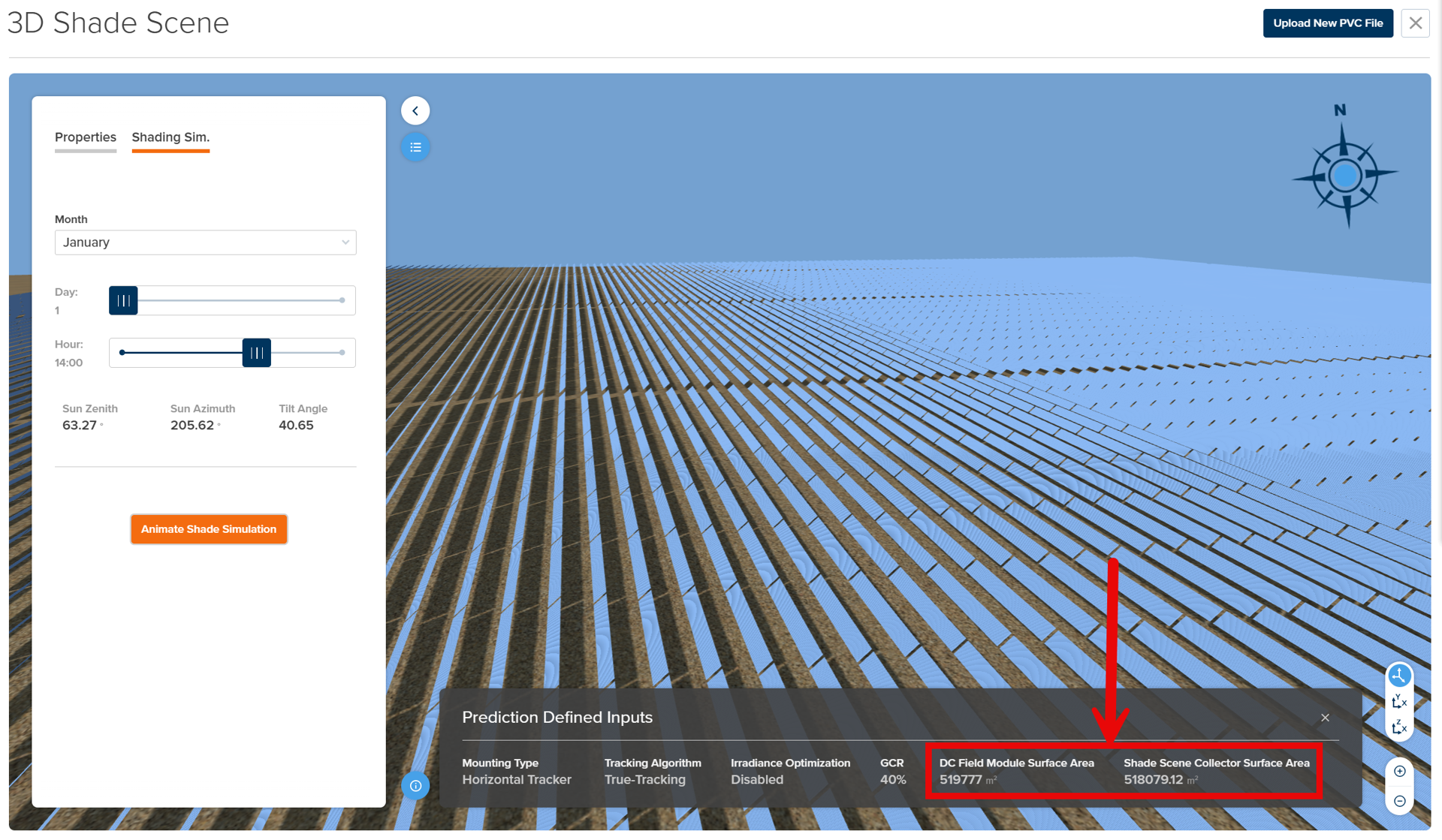
- 3D Shade Scene Validation - The 3D Shade Scene now displays a comparison between the total PV module surface area (as defined in the Prediction DC Fields) and the calculated surface area of the PV collector shade objects defined in the PVC file upload. This is a helpful sanity check to ensure the system design specified in the DC Fields oof the prediction are aligned with the system design in the shading scene. The delta between calculated areas does not prevent the prediction from running under any circumstances. However, the text color will change as follows:
- White Text (Delta <= 10%)
- Orange Text (10% < Delta <= 25%)
- Red Text (Delta > 25%)
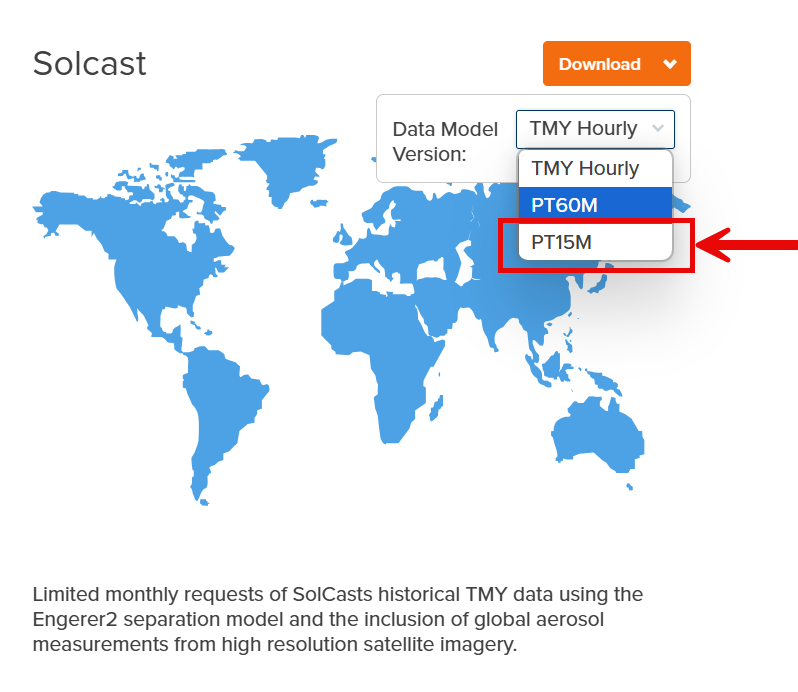
- New Solcast Weather Integrations - New 15 min interval (PT15M) weather data accessible from Solcast. (Note - Solcast subscription and API key required to access through PlantPredict).
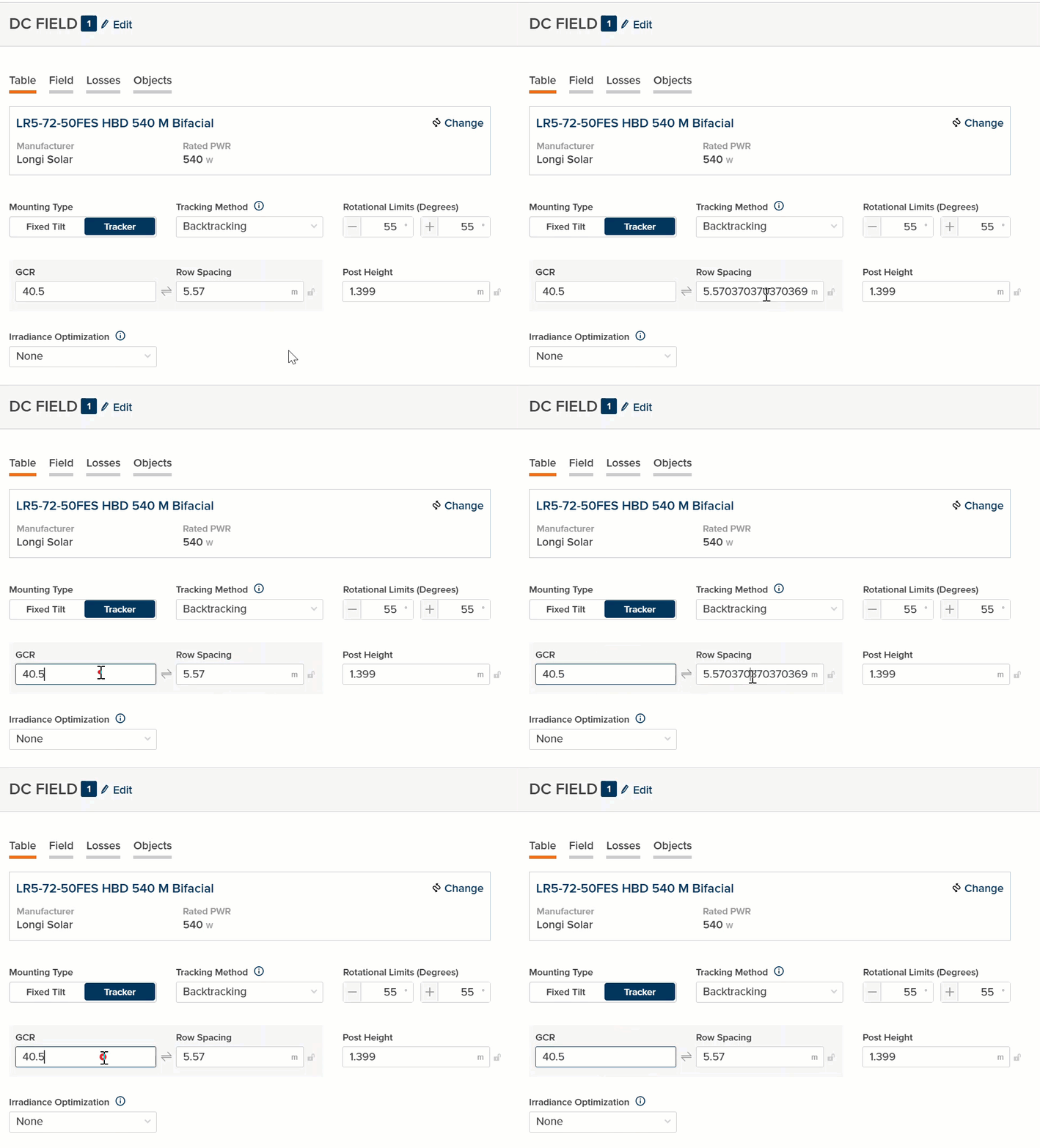
- UI Decimal Precision Improvements - Within the UI, a maximum of three decimal places of precision are now displayed by default for all user-entered fields. When a field is clicked and becomes active, a higher precision value is displayed if user-entered or calculated. In all cases, the higher precision value is what is used within the prediction. The lower precision value is for display purposes only in the UI:
- Project and Prediction Import Improvements - Project or Prediction imports will now force review of inverters or modules missing any necessary data to create them.
Bug Fixes
- Within the 3D Shading Scene, the Beam Shading Average Percent value now displays immediately upon completion of the shading simulation. Previously, this would display 0.00% initially and eventually would update within the UI to the correct value
- At extremely low inverter power levels, the inverter model would sometimes result in negative output current < -1mA. This is now set to 0A in the Nodal data export
- API parameters
blockGrossEnergyandplantGrossEnergyare now calculated correctly for sub-hourly predictions.
Terrain Pro
Bug Fixes
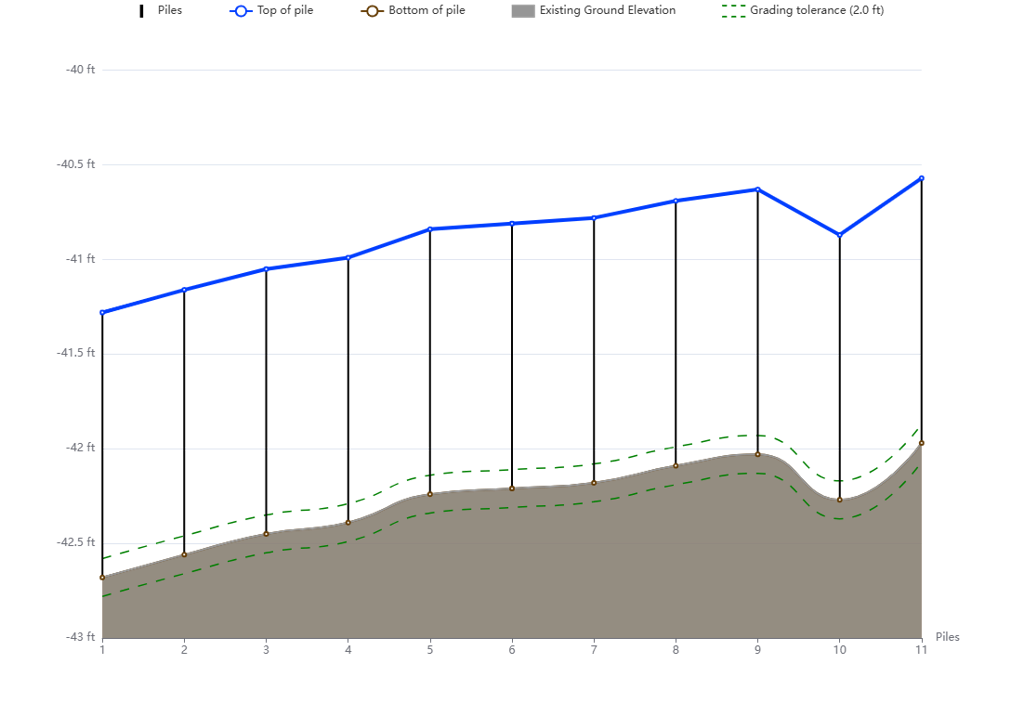
Rack navigation using the arrow controller Resolved an issue where the navigation button in the tracker profile occasionally moved to the incorrect rack on the map. The navigation now functions properly. PVC file generation Updated the PVC file generation process to correctly account for the hemisphere where the array is located. Rack profile viewer not working with negative elevations Enhanced the rack profile viewer to handle cases where the elevation is less than zero. The hatch representing the existing and proposed grade now always starts from the x-axis and extends to the lines representing the gradings.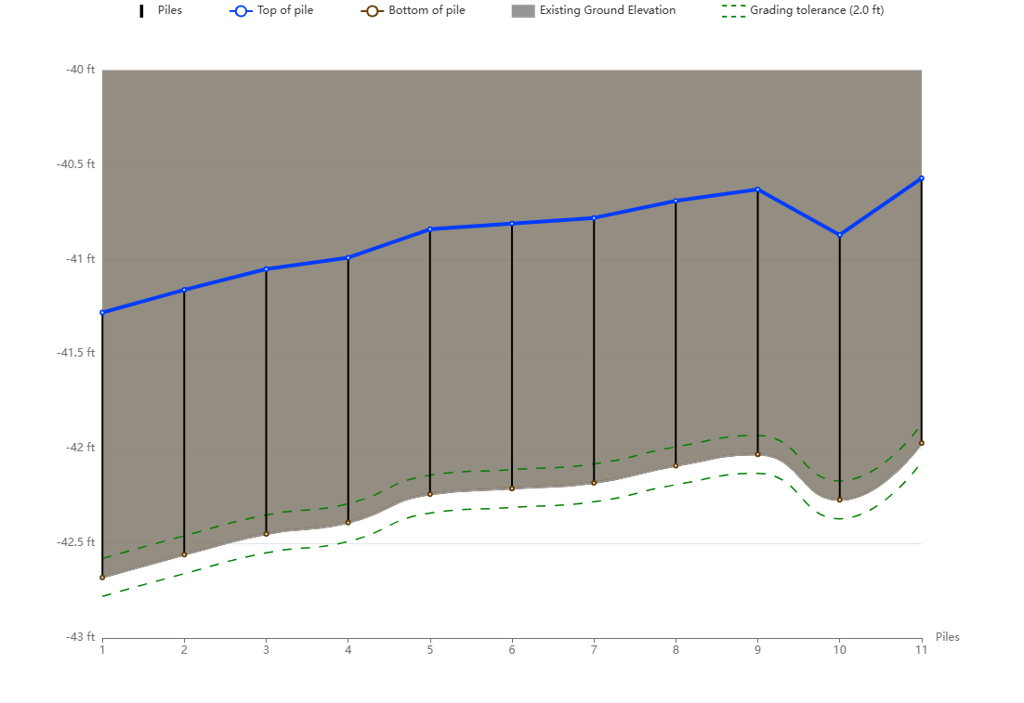
Fixed Features
GFT Rack Representation in PVC File
The Ground Fixed Tilt (GFT) racks are now correctly represented in the PVC file with the appropriate tilt angle as provided in Design Pro.