

PlantPredict
New Features & Updates!
- Improved Progress Loading Notifications- We’ve greatly improved the reliability and responsiveness of our queue position and progress loading bar notifications for prediction runs, weather file downloads and 3D shade scene calculations.
- Improved Weather File Page Responsiveness - The retrieval of weather file records from user’s weather database has been streamlined to improve speed and responsiveness. Improvements have been made in how the weather database is queried and the weather page now defaults to being filtered by “My Weather” when opened to reduce the total number of records and display the data which is typically most relevant to the user.
- Disabled Meteonorm Automated Downloads - By default, we’ve disable automated Meteonorm TMY file downloads upon new Project creation. Previously, the creation of a new Project would automatically trigger the download of a Meteonorm weather file for the project latitude and longitude. This resulted in many duplicate and unused weather files.
BUG Fixes
- Fixed several issues related to NSRDB PSM weather download errors
- Fixed an issue where cancelling a prediction when running with a legacy DC Field 3D scene leads to a prediction error.
- Fixed an issue where the SolarGIS API key for TMY and PVPlanner were not being retained upon save. These are now both retained.
- Fixed an bug related to PVC file upload errors.
- Fixed the units label (kWh/m^2) on the Block Results chart.
Terrain Pro
New features & updates!
CSV file import feature - We are excited to announce a new feature in Terrain Pro that enables users to import and process CSV files, similar to the existing functionality for DXF and Excel files. This enhancement provides greater flexibility and aligns Terrain Pro with Mercator, Terabase’s internal tool.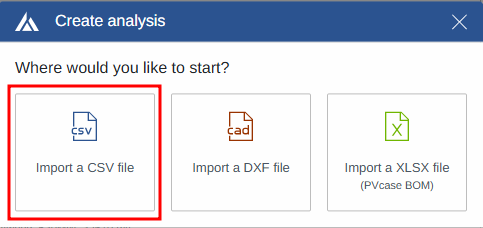
- Two-step validation process to ensure data integrity
- Support for files with 5 or more columns
- Automatic mapping configuration based on saved user preferences
- Intuitive preview and mapping modification options
- Seamless data import into Terrain Pro after validation and mapping

- Smooth and accurate heatmaps and contour lines at site layout perimeters
- Elimination of visual artifacts and noise
- More precise representations of terrain at the edges


- Increased flexibility when reading DXF files
- Improved compatibility with files generated by various tools
- More robust handling of purged or non-standard DXF files
Bug fixes
Report template update - The Terrain Pro report template has been updated to refer to the application as “Design Pro” instead of “Development Platform”.Design Pro
New features & updates!
Enhanced scenario comparison -The scenario report comparison has been updated to add into the “User inputs” section for the PV module:- Module ID
- Module name
- Inverter ID

- None
- Param Pwat or Sandia
- Param Pwat and AM

Bug fixes
GRC-Capacity Page Inverters Calculation - An issue has been resolved where the inverter quantity cell was not updating correctly when the AC capacity was provided by the user on the GRC-Capacity page. The bug has been fixed, and the inverter quantity now updates accurately based on the user-provided AC capacity.