

PlantPredict
New Features & Updates!
-
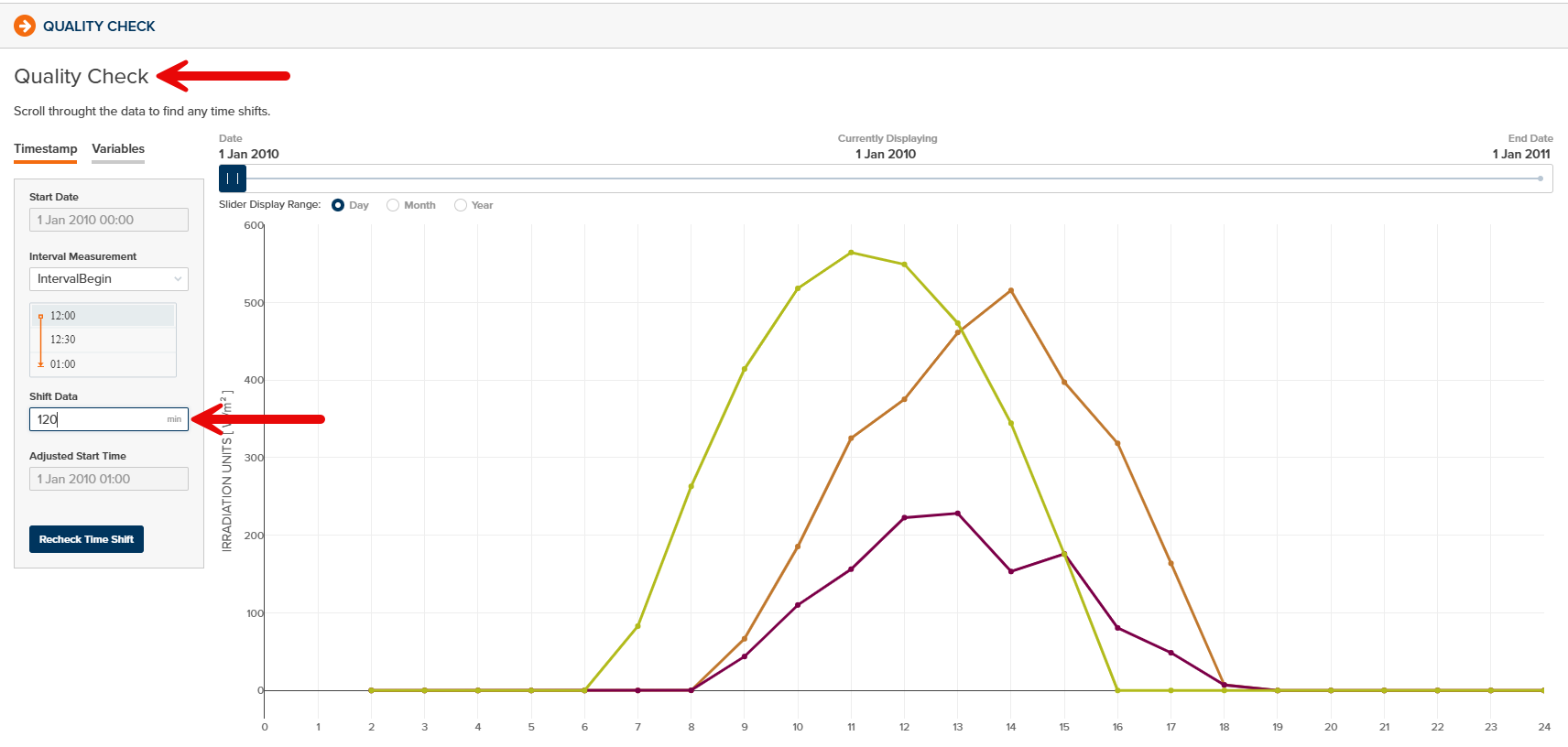
Improved Weather File Quality Check Process - All weather data in PlantPredict which is saved as Draft-Private or Draft-Shared may now be brought through the Quality Check process to visually compare against Clear Sky Model data and apply any time shifts as needed. This can be helpful if imported weather data included an undesired time shift relative to the timestamps:

Bug Fixes
- The X-Axis values of the P-Level plot on the Prediction Results Page has been corrected.
- The User Sign Out button behavior has been corrected to allow Sign Out with one click (as opposed to two).
- Failed Weather Downloads from Vendor APIs can now be deleted.
-
Improved handling of SolarGIS weather data downloads when SolarGIS API is non-responsive or access denied. A “Download Error” is now displayed:

-
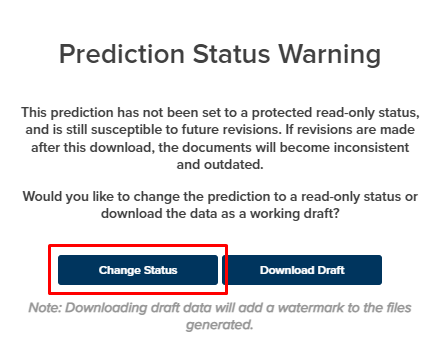
Changing the Prediction Status during report download no longer causes an error:
- Improved handling of PPD file uploads from predictions with 3D Shade Scenes defined.
Terrain Pro
New Features & Updates!
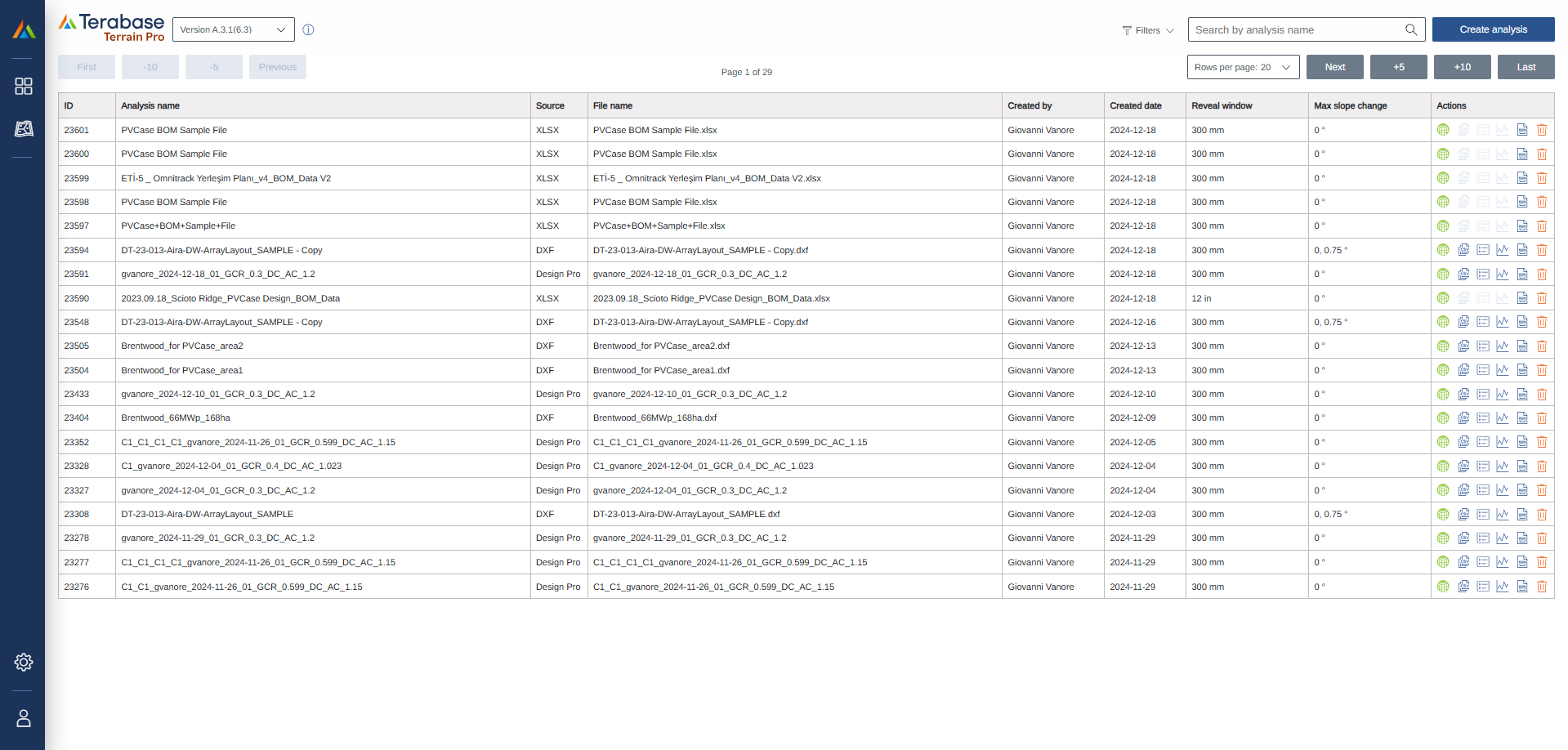
Improved Terrain Pro Homepage
The terrain Pro home page has been updated to- Enhanced user experience across different screen sizes and resolutions.
- Optimized pagination for more efficient loading of user data.
- Added navigation options to browse through desired number of pages.
- Streamlined filters to show user analysis as the default option.
- Improved responsiveness for better viewing on various devices.
Delete analysis option
A delete analysis option ahs been introduced to the Terrain Pro homepage, allowing users to permanently delete unwanted analyses from their list. This feature complement the existing archiving feature, giving users more control over their data. Please note that the deletion process is irreversible.Excel file (PVCase BOM) import
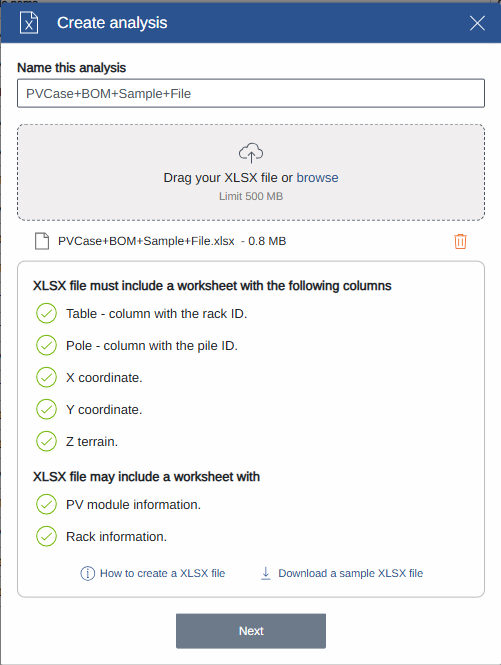
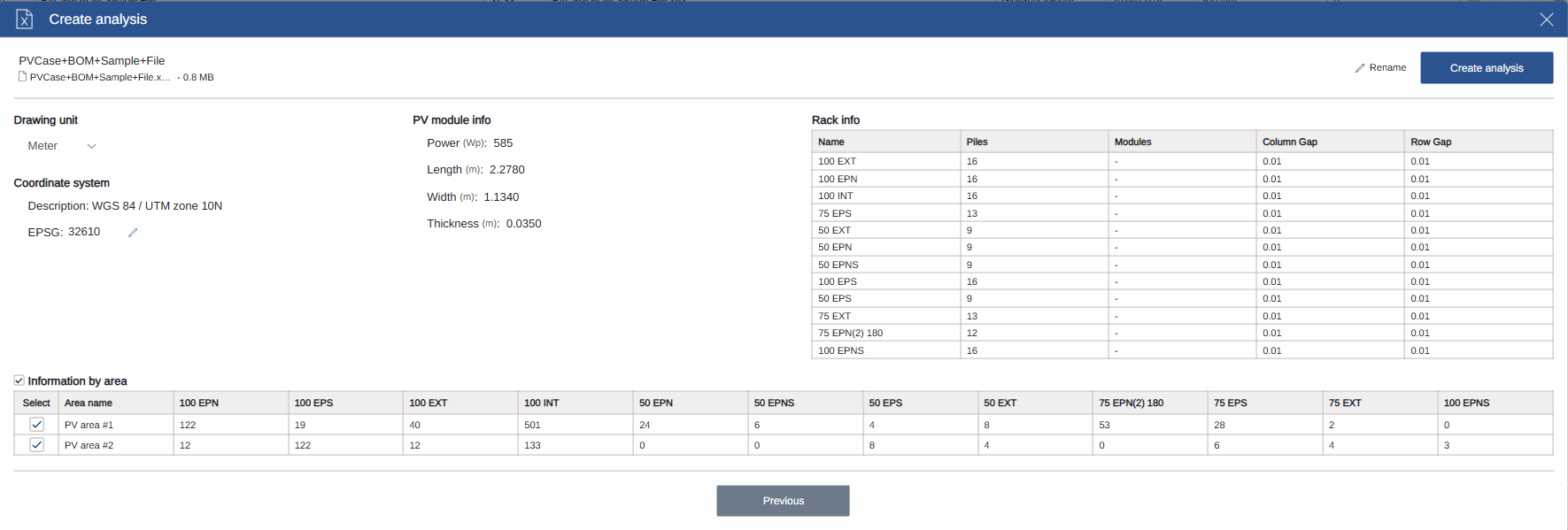
Terrain Pro now supports importing Excel files in XLSX format, in addition to DXF files. Users can import PVCase BOM output, which includes comprehensive rack information, pile coordinates, and ground elevation data, creating a streamlines data import process, enhancing the compatibility with PVCase.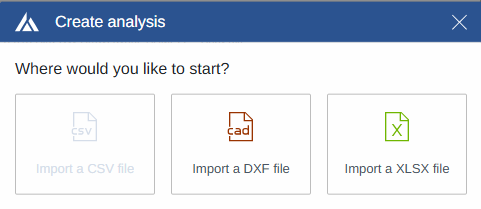
EPSG Code Validation
During both DXF and XLSX import processes, Terrain Pro now validates the EPSG code entered or edited by the user. The application verifies if the entered code is valid and displays its description to the user. Please note that there is currently no check to verify if the code entered by the user is consistent with the imported data.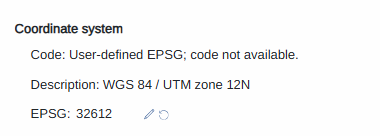
Automatic Generation of Original Surface and Rack Projection Layers
When importing data from DXF or XLSX files, Terrain Pro now automatically creates the Original Surface and Rack Projection layers during the initial data processing. These layers are available in the Terrain Pro Configuration page, even before running any configurations. By default, the application will display the Rack Projection layer when opening the Configuration page, provided no configurations have been run previously.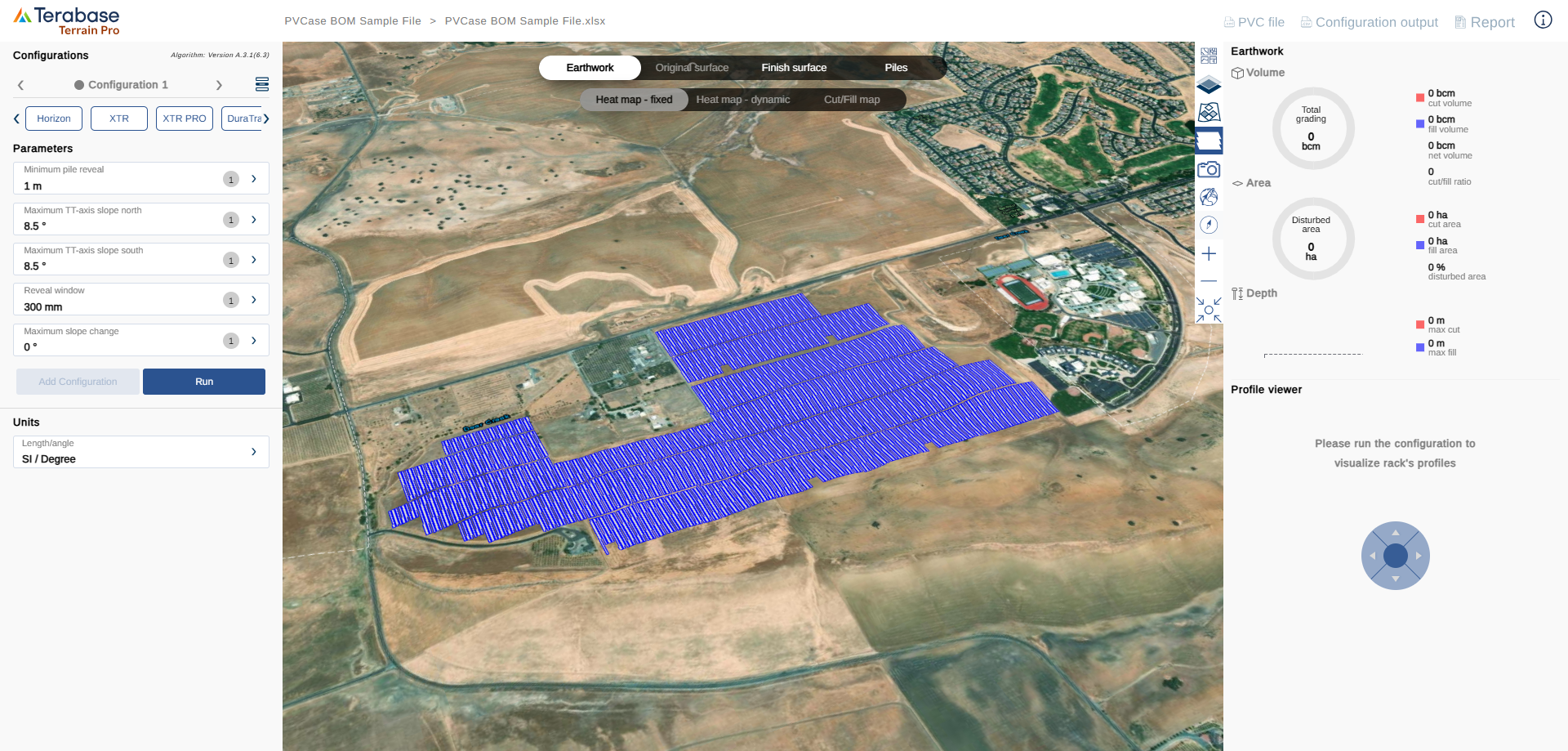
Bug Fixes
- Resolved an issue with the Reset Project Location feature in Terrain Pro, ensuring it functions as expected.