

PlantPredict
New Features and Improvements!
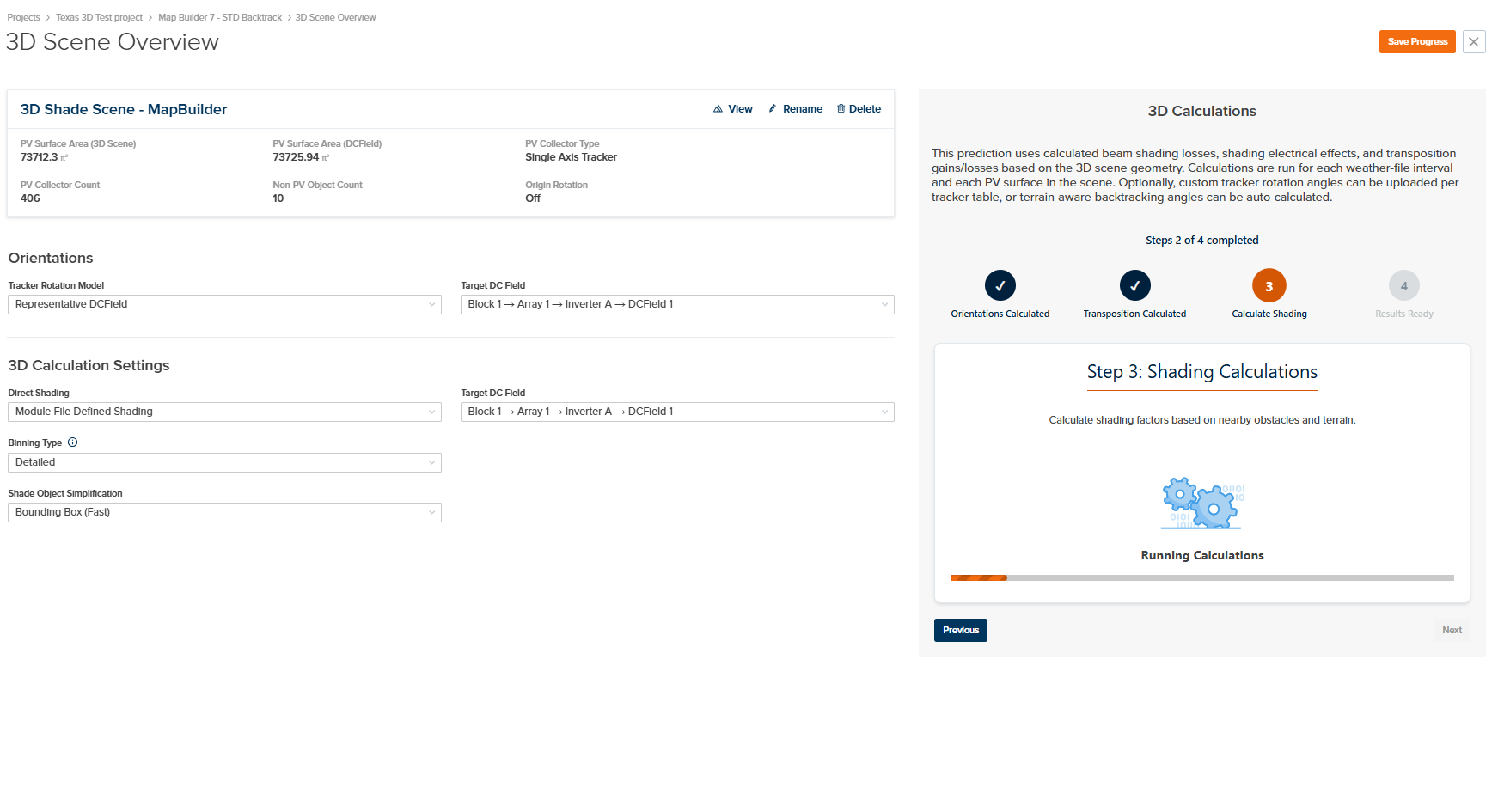
- New 3D Interface and Workflow: We’ve completely revamped our 3D workflow to simplify the user experience and put all 3D controls associated with the 3D scene and calculations on one page. You can now load custom tracker rotations or queue up terrain-aware backtracking calculations in conjunction with running 3D transposition and shading calculations. These calculations are automatically integrated into the energy yield prediction.
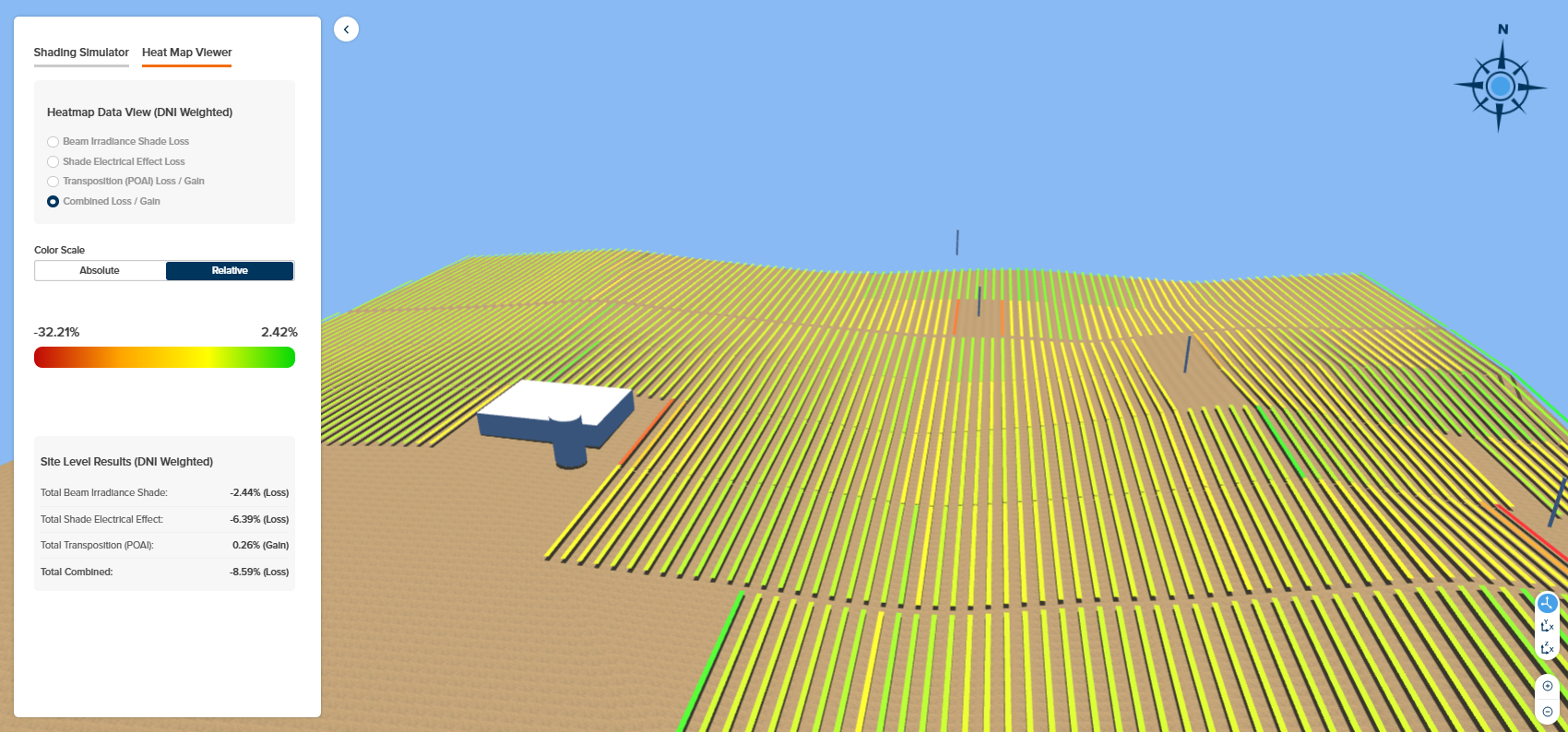
- Enhanced 3D Heatmaps: We now provide four heatmaps (DNI weighted losses/gains) which can be viewed on an absolute or relative scale:
- Beam Irradiance Shade Loss
- Shade Electrical Effect Loss
- Transposition (POAI) Loss/Gain
- Combined Loss/Gain
- 3D Transposition: A tilted plane transposition modifier is automatically calculated for each PV surface for each time interval. This is automatically integrated into the energy yield prediction and can be viewed in the DC Field Nodal Data under “Transposition Factor”.
- Improved 3D Shade Electrical Effect Calculations: The electrical effect of shade is now accounted for separately for each PV surface as opposed to the whole scene. This results in a more granular and accurate accounting of the non-linear effect of shade at the site level.
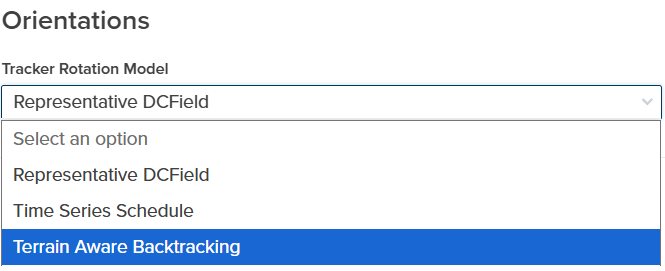
- Terrain Aware Backtracking and Custom Rotation Schedules: It is now possible to run predictions where each tracker is rotated independently. The rotation schedule can be calculated automatically to avoid row-to-row shading or can be derived outside of PlantPredict and uploaded via a custom CSV file. When independent tracker rotations are used, it is also possible to view these within the 3D scene.
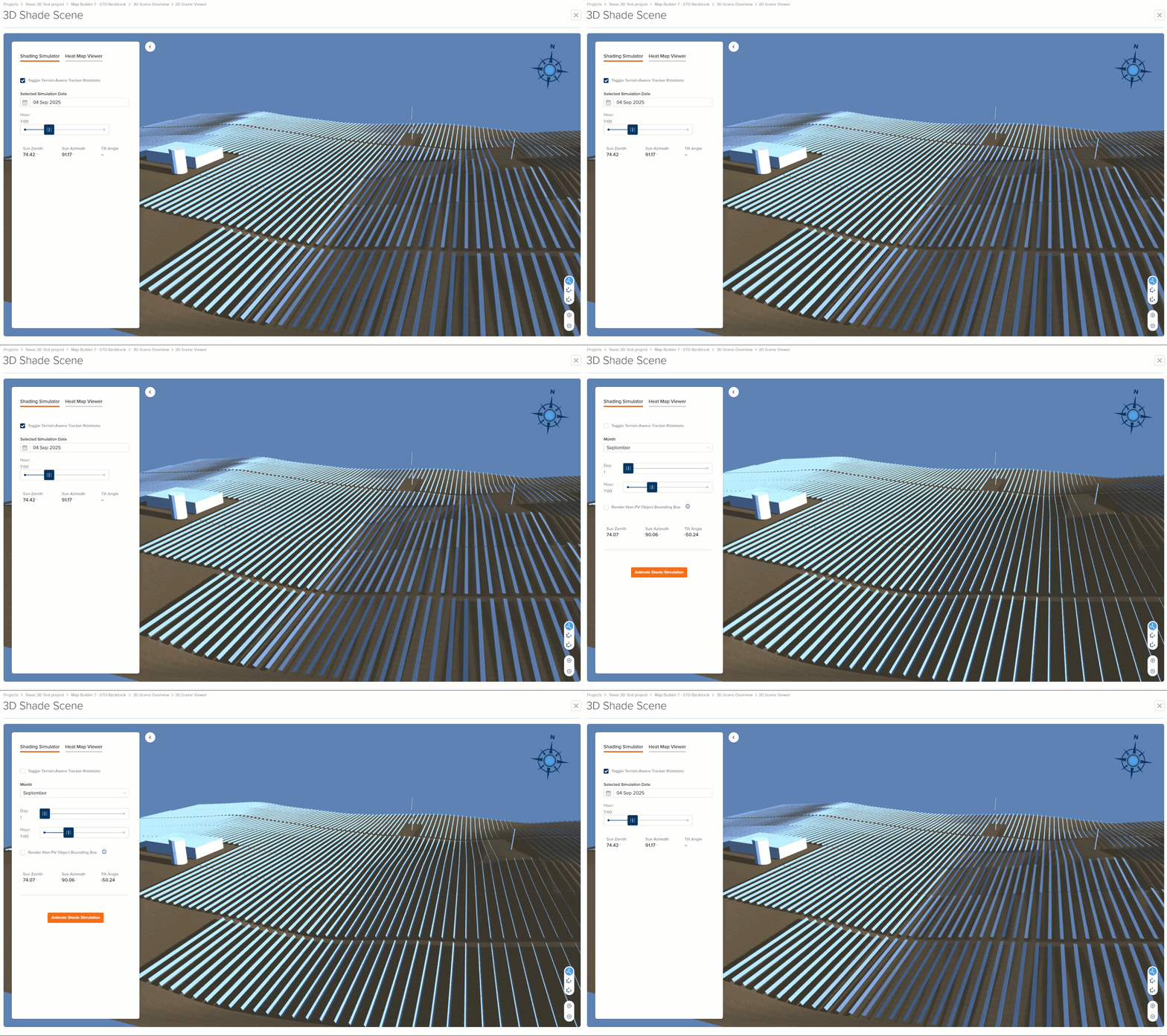
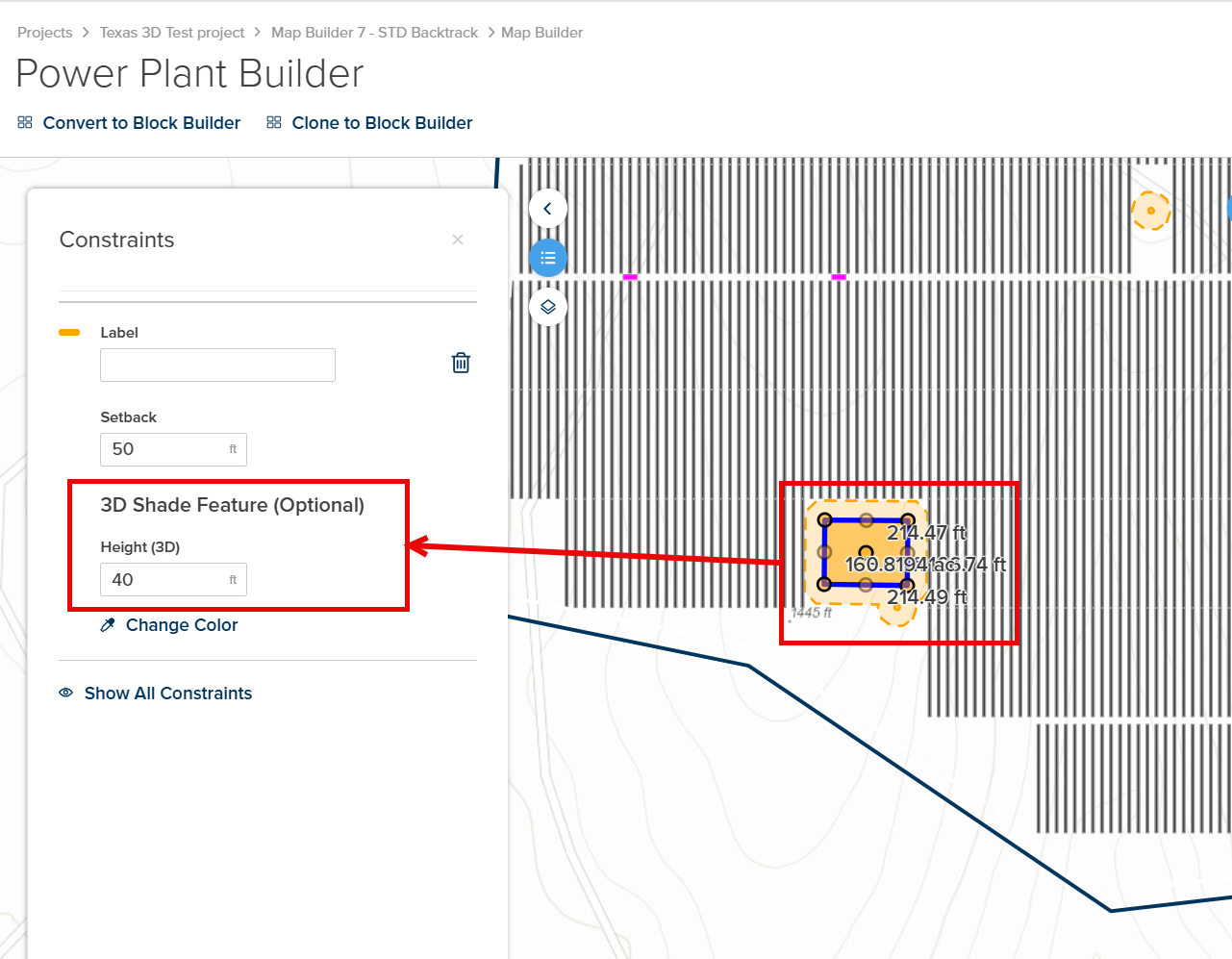
- Create 3D Shade Objects in Map Builder: It is now possible to easily create 3D shading objects within your 3D scene from within Map Builder. This can be done by editing the properties of exclusions as follows:
- Area Exclusions (height property)
- Linear Exclusion (height and width properties)
- Point Exclusion (height and width properties)
- New PVRADAR Soiling and Cleaning Extension: The PVRADAR application for module soiling and cleaning analysis can now be bundled and purchased with PlantPredict for Pro and Enterprise license customers. There are numerous integrations between PlantPredict and PVRADAR to take advantage of when you bundle. Pricing information can be found here: Pricing | PlantPredict and you can read more about these integrations and the PVRADAR application here: https://pvradar.com/partners/terabase
Bug Fixes
- Fixed an issue where predictions from other users and/or projects within the same company could briefly and temporarily show up within the wrong project. This should no longer occur.
- Fixed an issue where Company Admins were unable to generate API credentials under certain circumstances, such as when a license tier had changed.
Pro Tools
Design Pro
New Features and Improvements!
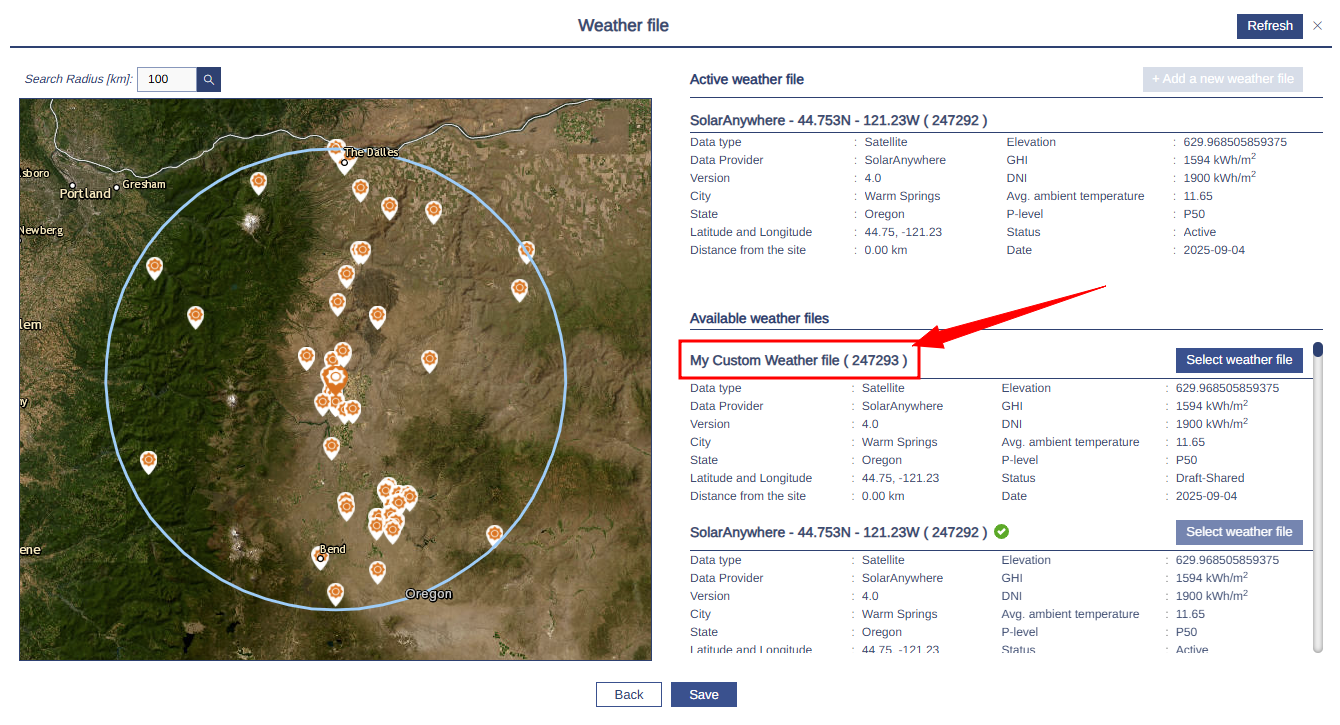
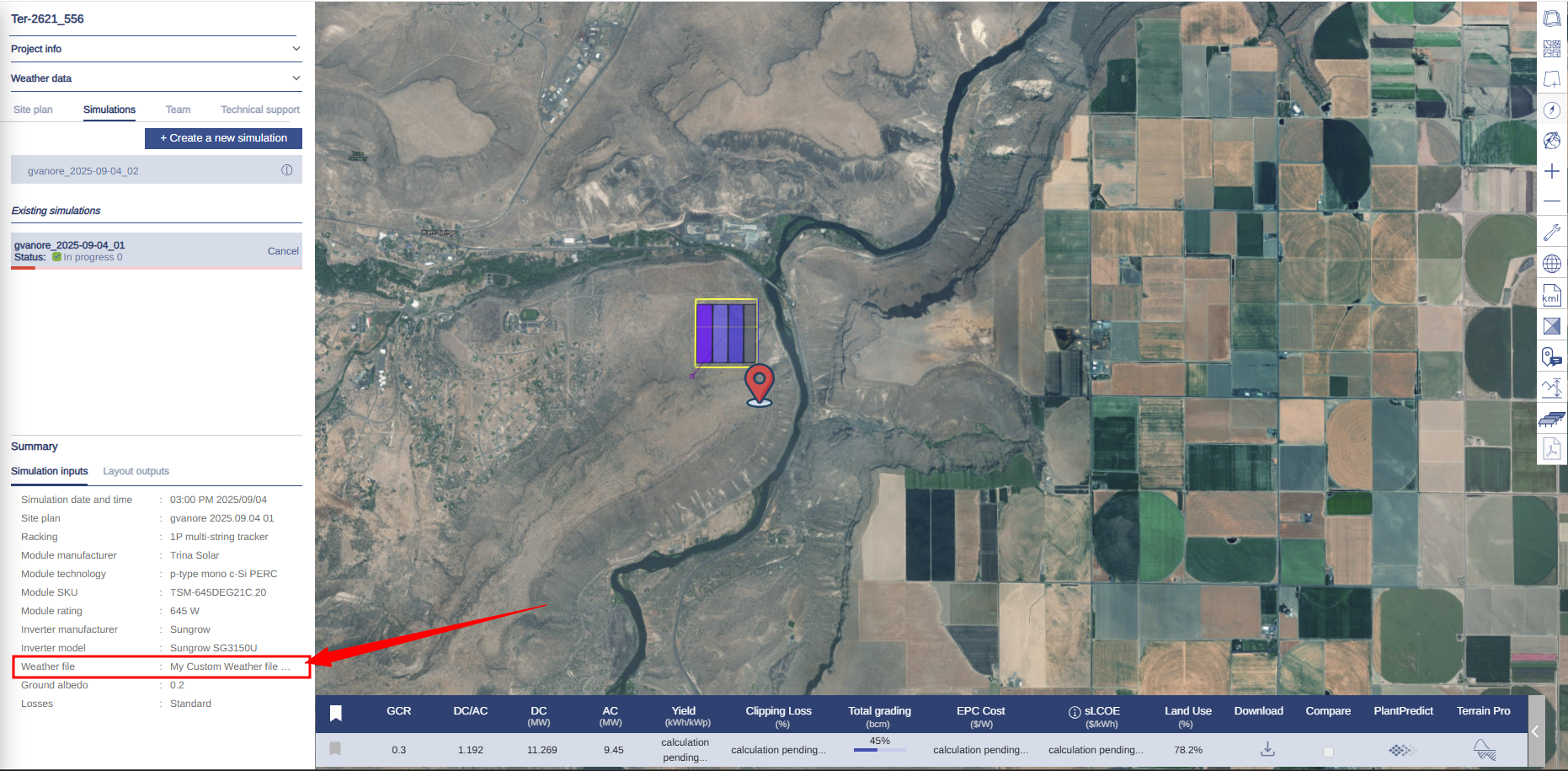
- Weather file name displayed: Weather file names from PlantPredict are now displayed consistently in Design Pro, ensuring that user-defined names carry over for improved traceability and easier identification of the correct weather datasets.
Bug Fixes
-
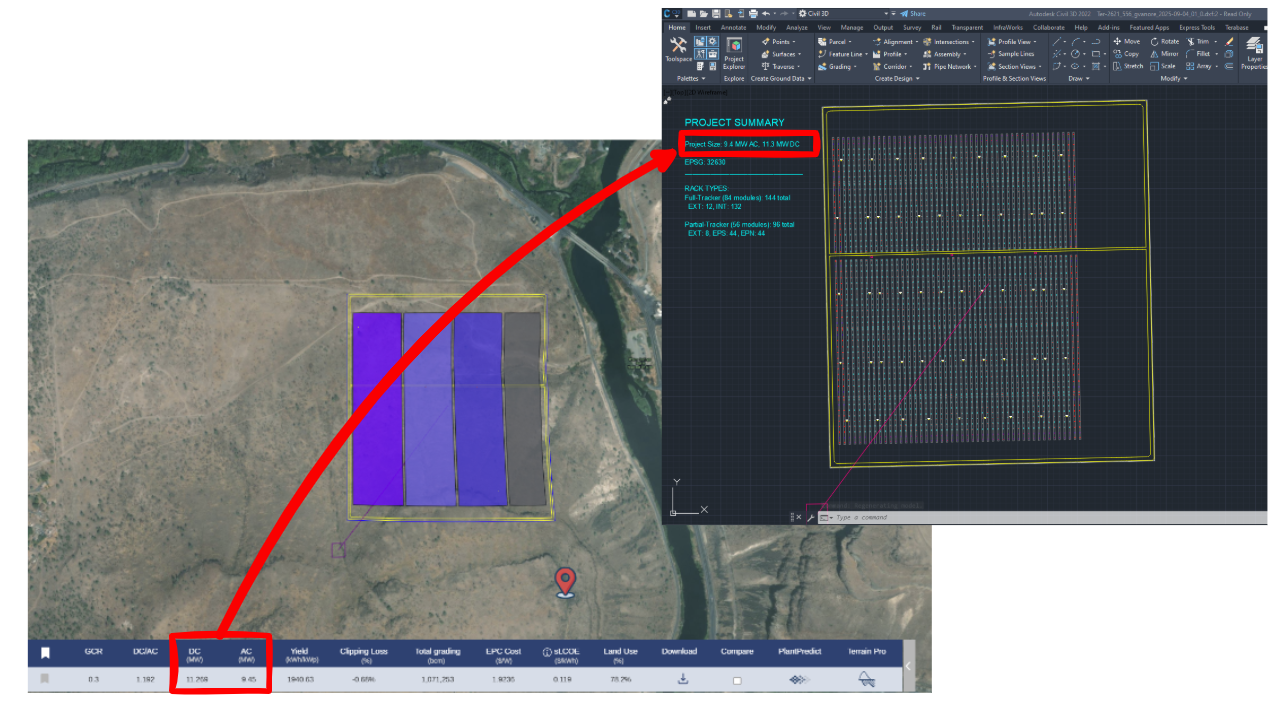
DXF Project Summary Block: Fixed an issue where MWAC and MWDC values were displayed incorrectly in the Project Summary block of exported DXF files. Values now match the simulation outputs for accurate reporting.
Terrain Pro
New Features and Improvements!
- New Viewer for Heat Maps and Layers: Terrain Pro now delivers a faster, more reliable experience when working with project visualizations. Heat maps and other layers are always available instantly without the need for periodic regeneration, making it easier to revisit and analyze projects at any time. The new viewer is optimized to handle very large datasets (including projects with over 300,000 piles) and supports rendering of advanced layers such as the pile icon layer generated from the Wind Exposure feature. These improvements make Terrain Pro more stable, efficient, and better suited for managing complex, large-scale projects.
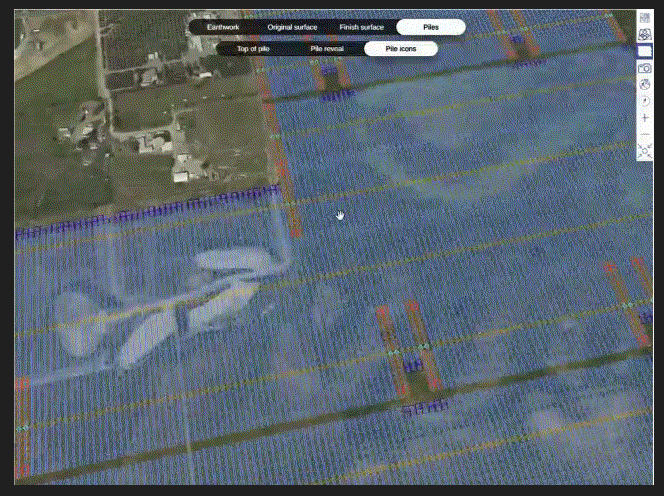
Looking ahead, this new viewer also lays the foundation for enhanced earthwork heat maps and surface layers with accurate, realistic 3D visualizations of array layouts, including pile extrusions and rack bay placement, providing a more faithful representation of the design.
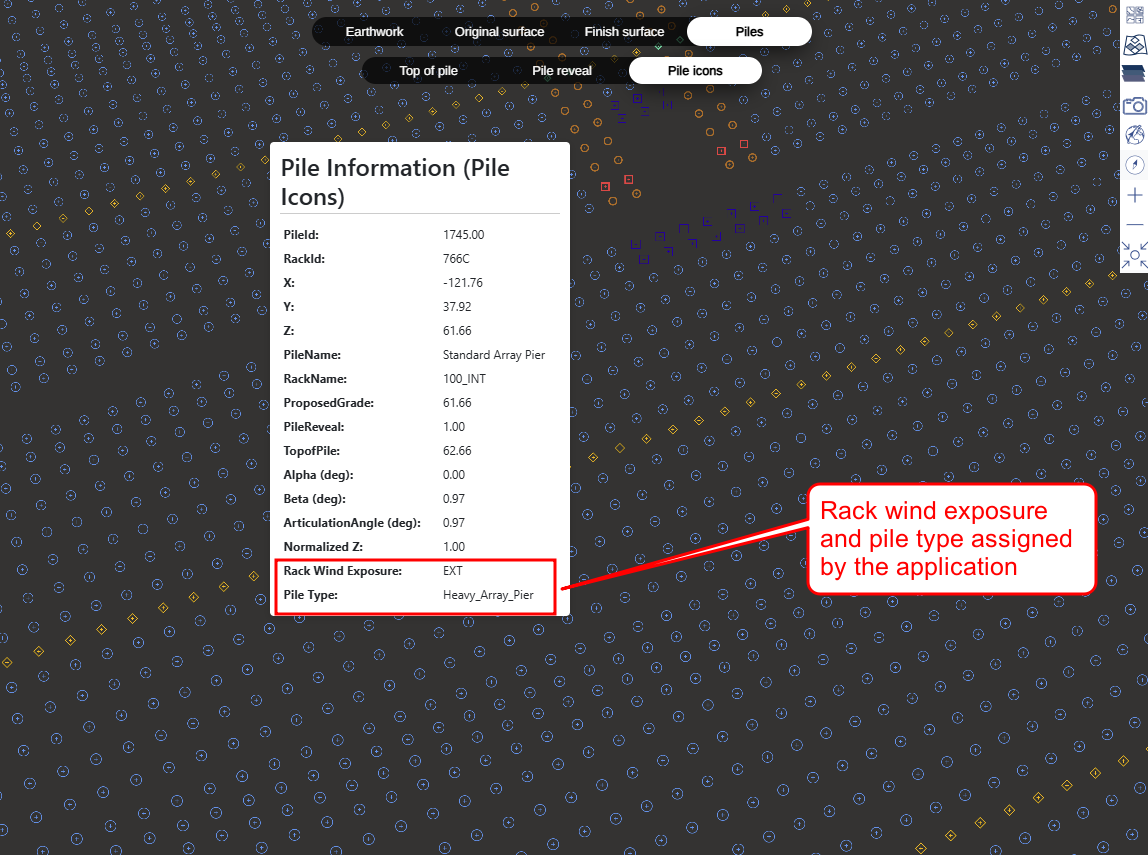
- Wind Exposure and Pile Type Assignment: Terrain Pro now automatically determines rack wind exposure and assigns pile types based on predefined configurations. The system runs the wind exposure analysis in the background using fixed parameters and applies a standard set of rack variants: Interior, Exterior, Exposed to South, Exposed to North, and Exposed to North & South. This ensures consistent and accurate pile type assignment across projects without requiring manual setup. While the input parameters and rack configurator are not yet exposed in this release, they will be introduced in an upcoming update, enabling users to customize wind exposure settings and rack type configurations for even greater flexibility.
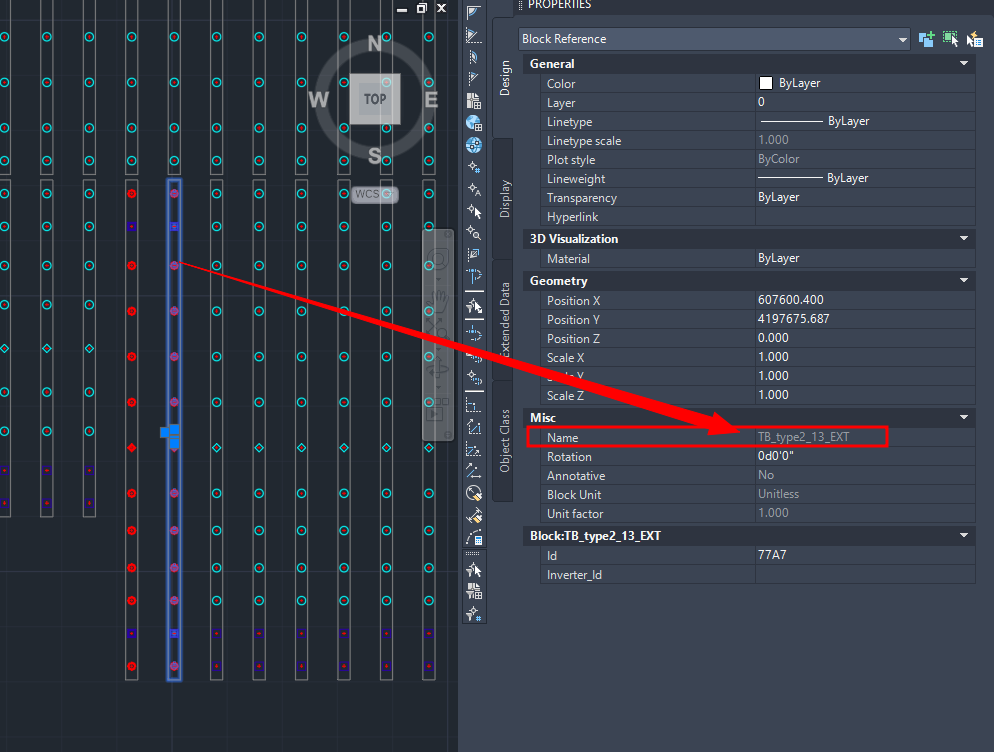
- DXF Integration – Wind Exposure Assignment and Export: Export to DXF has been extended to include projects imported directly into Terrain Pro via DXF files. Previously, DXF exports with rack blocks showing wind exposure assignments and pile blocks based on rack variants were only available for analyses created in Design Pro. With this update, the same capability is now supported for DXF-originated analyses: the exported DXF layout includes rack blocks with calculated wind exposure information and pile assignments determined from the fixed rack variant configuration. A future release will introduce a configurator to let users customize rack variants and wind exposure parameters for fully tailored DXF outputs.
Bug Fixes
- Terrain Pro / Pile Configurator: Units Mismatch: Fixed an issue where Terrain Pro and Pile Configurator displayed inconsistent units. Now, when the input configuration is in imperial (ft), Pile Configurator correctly shows values in feet.
- Terrain Pro: Heatmap Legend in PDF Reports: PDF reports generated from Terrain Pro now automatically include the heatmap legend, ensuring consistency with the in-application view. This provides clearer context and improves readability for stakeholders reviewing offline reports.
Voltage Pro
Bug Fixes
- Project Creation Loader Issue Fixed: Resolved an issue where project creation could get stuck loading indefinitely when no weather data was available for the selected location. The system now creates the project immediately, then fetches the nearest available weather file in the background. In addition, the weather file search radius has been enhanced: if no data is found within the initial range, the search radius expands stepwise up to 700 km. This ensures that projects can always be created successfully and that the closest possible weather file is retrieved, improving both reliability and user experience.