

PlantPredict
New Features and Improvements!
-
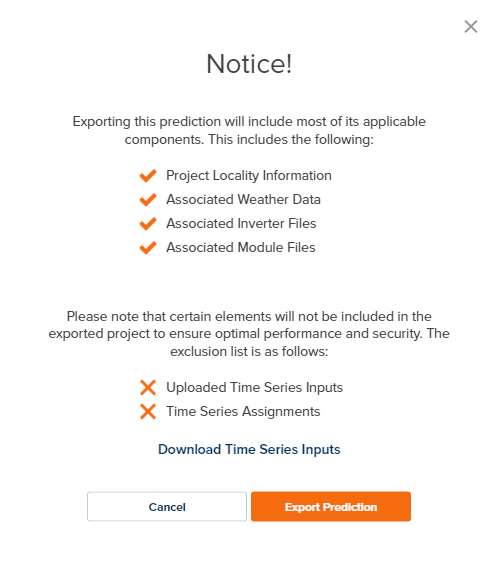
Improved Project and Prediction download messaging to inform the user what data is and is not included in the download. When time series data is present in the prediction, a link is provided in the message box to streamline download of that data separately.
- Improved warning messages to better describe missing weather data associated with certain spectral model user selections.
- In the Plant Summary 8760 download, The section heading for “First Year Results” has been updated to “Results Summary” to better reflect the contents of that section.
- Removed PVPlanner from available SolarGIS formats.
Bug Fixes
- Fixed several issues preventing successful PPD file import.
- Fixed several locations (Advanced DC Field Editor and Batch Prediction) where the azimuth field input was not being retained when progress was saved.
Design Pro
New Features!
-
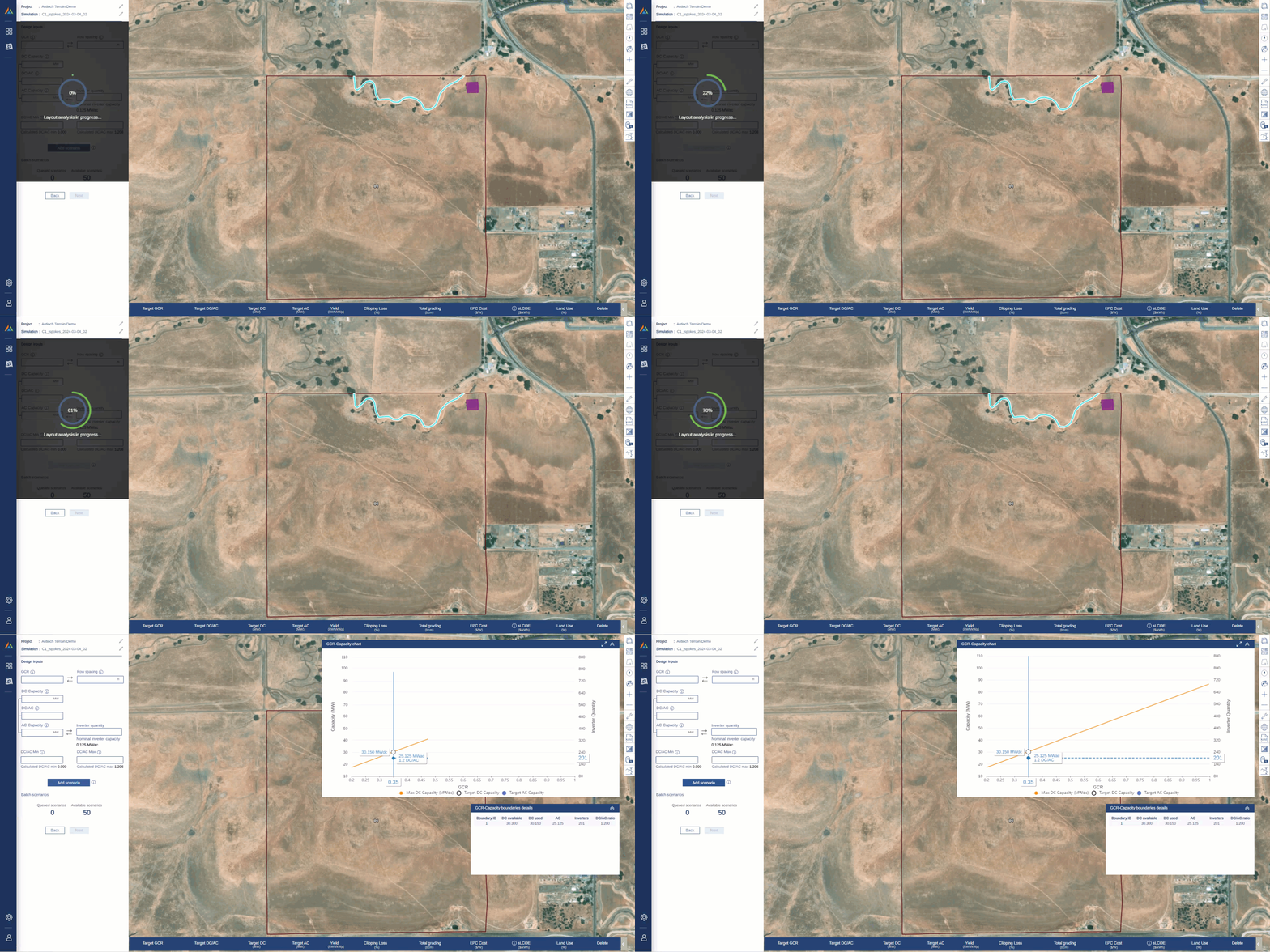
Implemented a progress loader for the Scenario Analysis page while the plot and table are loading
- Added Torque-Tube Axis Slope (Tracker) / Beam Slope (Fixed-Tilt) and Reveal Window to Design Pro company-level defaults within PlantPredict Admin page.
- Changed default embedment depth to 2m and default pile type to W6x9.
Bug Fixes
- Vmax voltage on the rack selection page has been corrected so that it now calculates dynamically with user selected string size and based on simple, linear “Method 1” approach. It previously was calculated and fixed at the default string size. Note this is not a Voltage Pro simulated string size.
- Fixed an issue where Perimeter Road Area was being reported as “0” when this data was not available due to it being a historical project prior to the implementation of this calculation. It is now reported as “-” when not available.
- Rendering of boundary visualizations have been fixed. Previously, these would sometimes not show up on the simulation page after tab switching.
Terrain Pro
New Features!
- A new earthwork heatmap view has been added. Users now have the option to view the earthwork heatmap with two different scales:
- “Fixed Scale” = +/- 2ft.
- “Dynamic Scale” = +/- Maximum Cut or Fill Depth
Bug Fixes
- Corrected an issue where disturbed area values were being incorrectly reported for metric (SI) units.