

PlantPredict
New Features!
- Easily Run Multiple Predictions - A new button has been added to the project screen labeled “Run Multiple Predictions.” This button allows users to run up to 10 predictions at a time, directly from the Predictions page without having open each prediction.

Minor Improvements and Bug Fixes:
- Informational text has been added to the weather import screen letting users know the quality control view of their data has been truncated where more than 1 years worth of data is being uploaded. The truncation only occurs for the quality control check, the full time series is always saved for the purposes of the prediction run.
Design Pro
New Features!
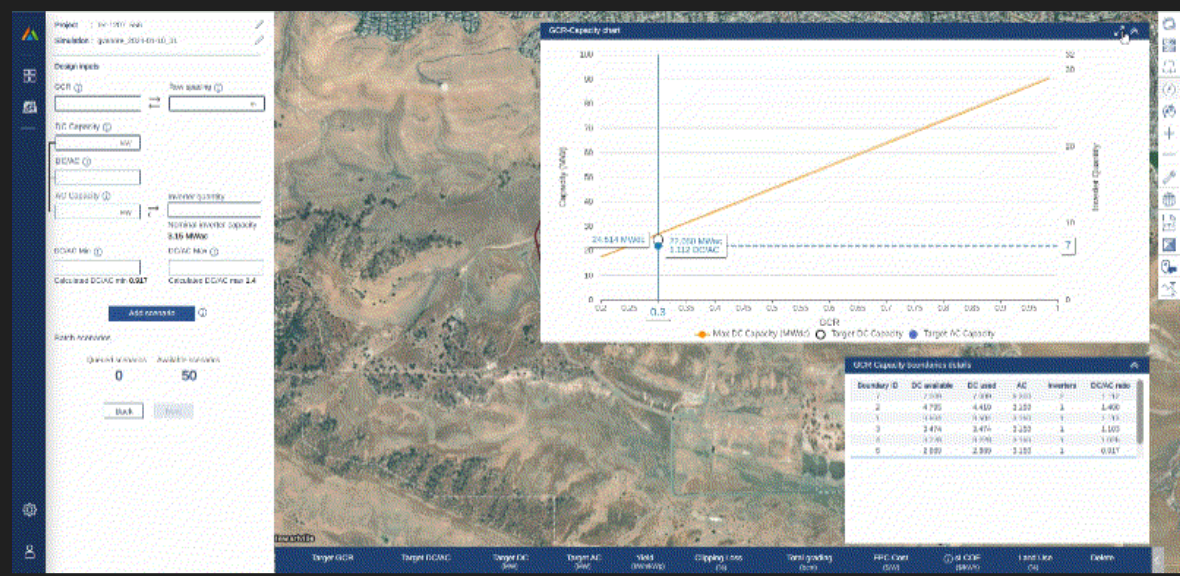
- New GCR-Capacity Boundary Details Table - The GCR-Capacity page in Design Pro (DP) has been updated, with the addition of a boundary details table and a resized GCR-Capacity chart. This new table provides detailed insights on how the user’s design input choices impact the scenario output at each boundary level. It displays, for every boundary, the available DC capacity at each Ground Covering Ratio (GCR), the DC used, the AC capacity, the quantity of inverters, and the DC/AC ratio corresponding to the user’s design inputs. Furthermore, the chart has been resized to allow users to visualize the site plan on the map more effectively, and it can be expanded if necessary.
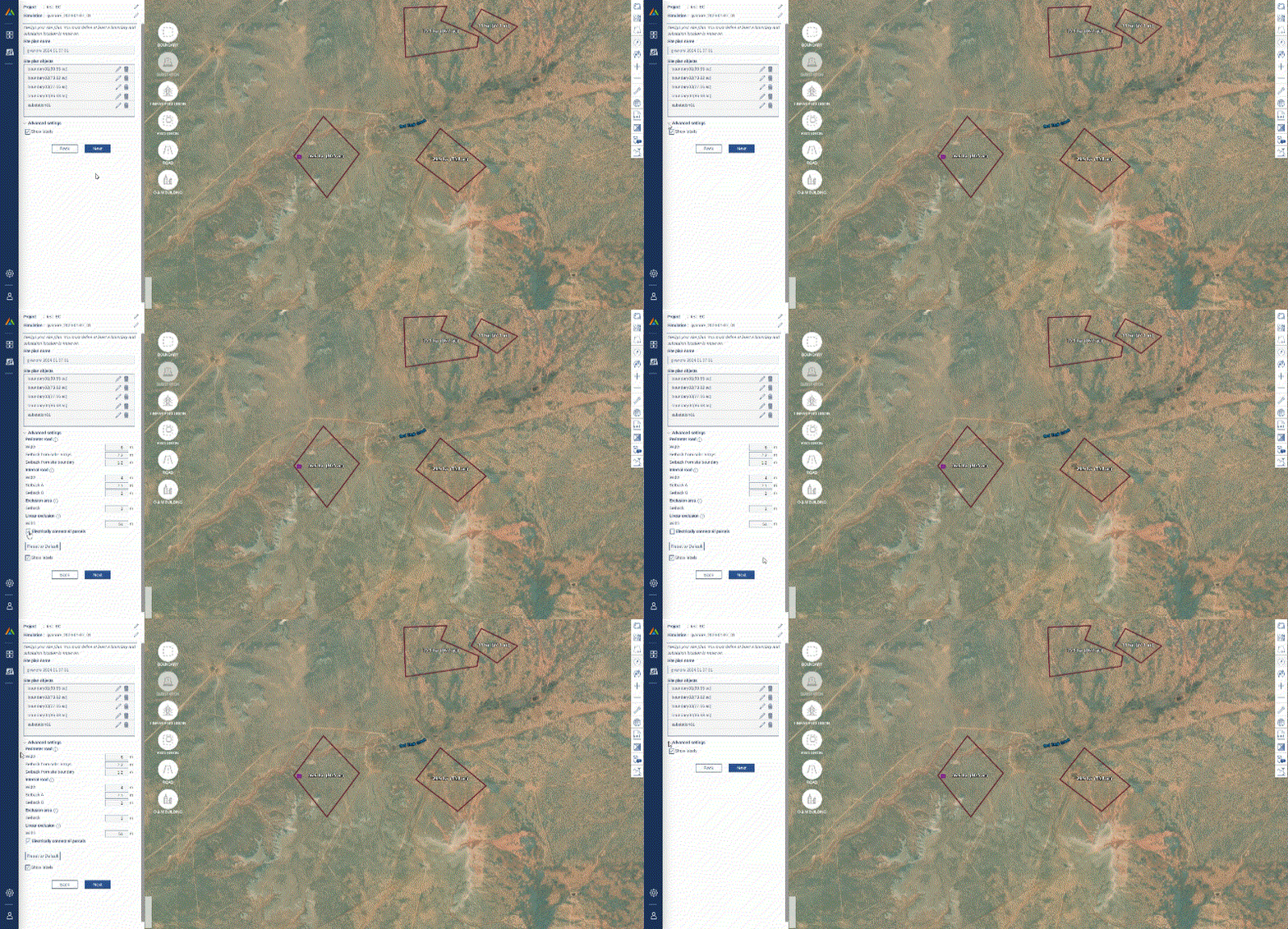
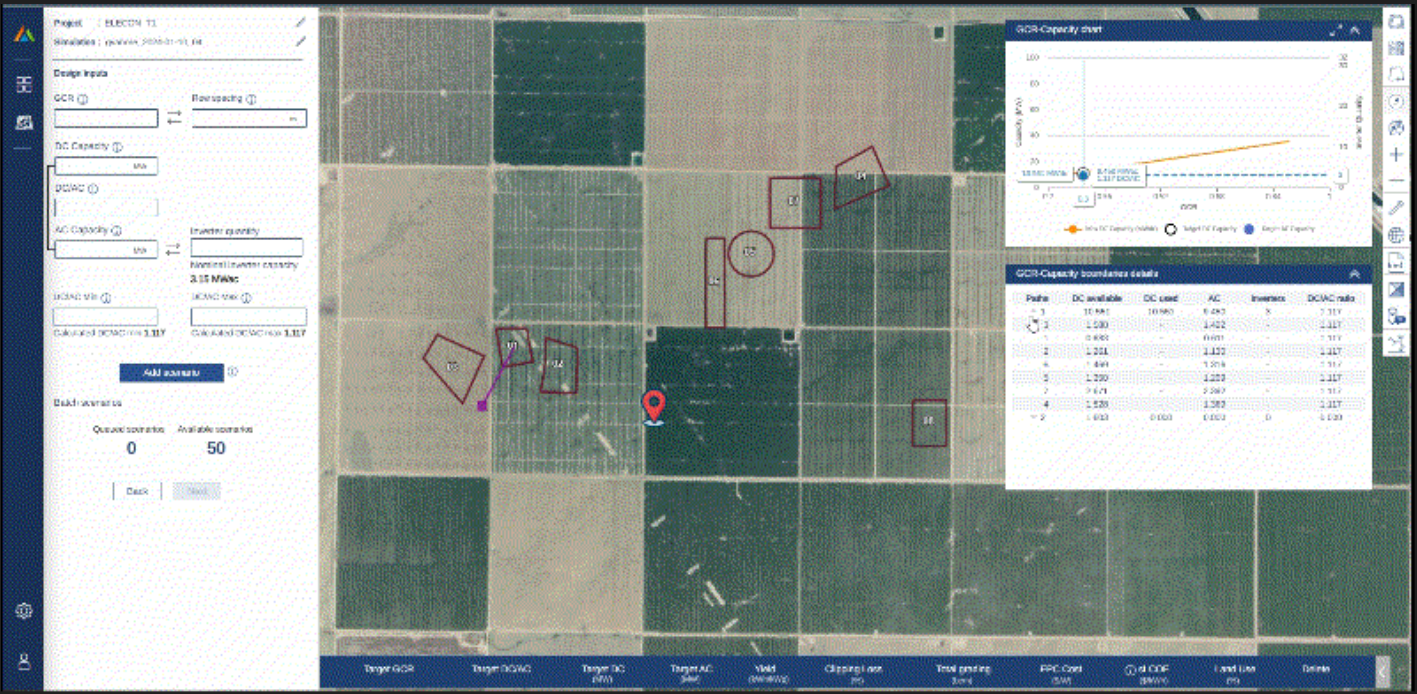
- Beta Release of Electrically Connected Boundaries - This new feature enables users to specify at the site plan level whether boundaries or parcels may be electrically connected, thus permitting the division of AC blocks among them. This feature can be used to more fully utilize available area for DC capacity, especially the smaller boundary areas which may not be able to fit a full AC block. The feature can be activated in the Site Plan section of Design Pro (DP). By default, new and existing site plans will continue to be electrically disconnected unless enabled by the user. Currently, the application assumes a maximum LV feeder loss of 3% to discern whether the distance between two adjacent boundaries may be electrically connected. The application identifies the optimal route or routes for distributing AC blocks across these boundaries or parcels. Finally, the Boundary table in the GCR-Capacity section is modified to display these optimal paths, along with the boundaries and their respective order of connection within each path. Please note this feature is currently in Beta release testing.
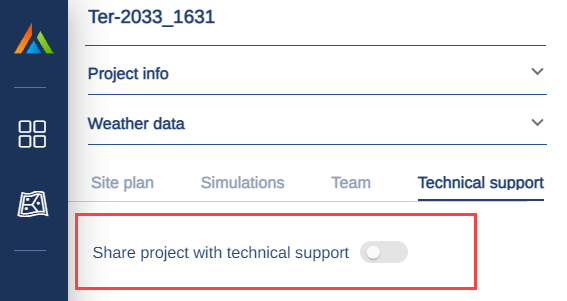
- Streamlined Project Sharing for Technical Support - We’ve streamlined the process to share and un-share a project with Terabase for the purposes of technical support. Simply toggle the switch as indicated below and the Terabase technical support team will have access to your project. Once your issue has been resolved, toggle this switch off and remove access from Terabase. Please note that this new feature only provides access to the project. It is highly recommended to send an email to support@terabase.energy to describe the issues you are having and reference the project requiring support.
Minor Improvements and Bug Fixes:
- Terabase logos have been updated across all interfaces and reports.
- Improvements to “Cancel Simulation” feature where multiple simulations are running in parallel.