

PlantPredict
New Features!
-
Map Builder Improvements
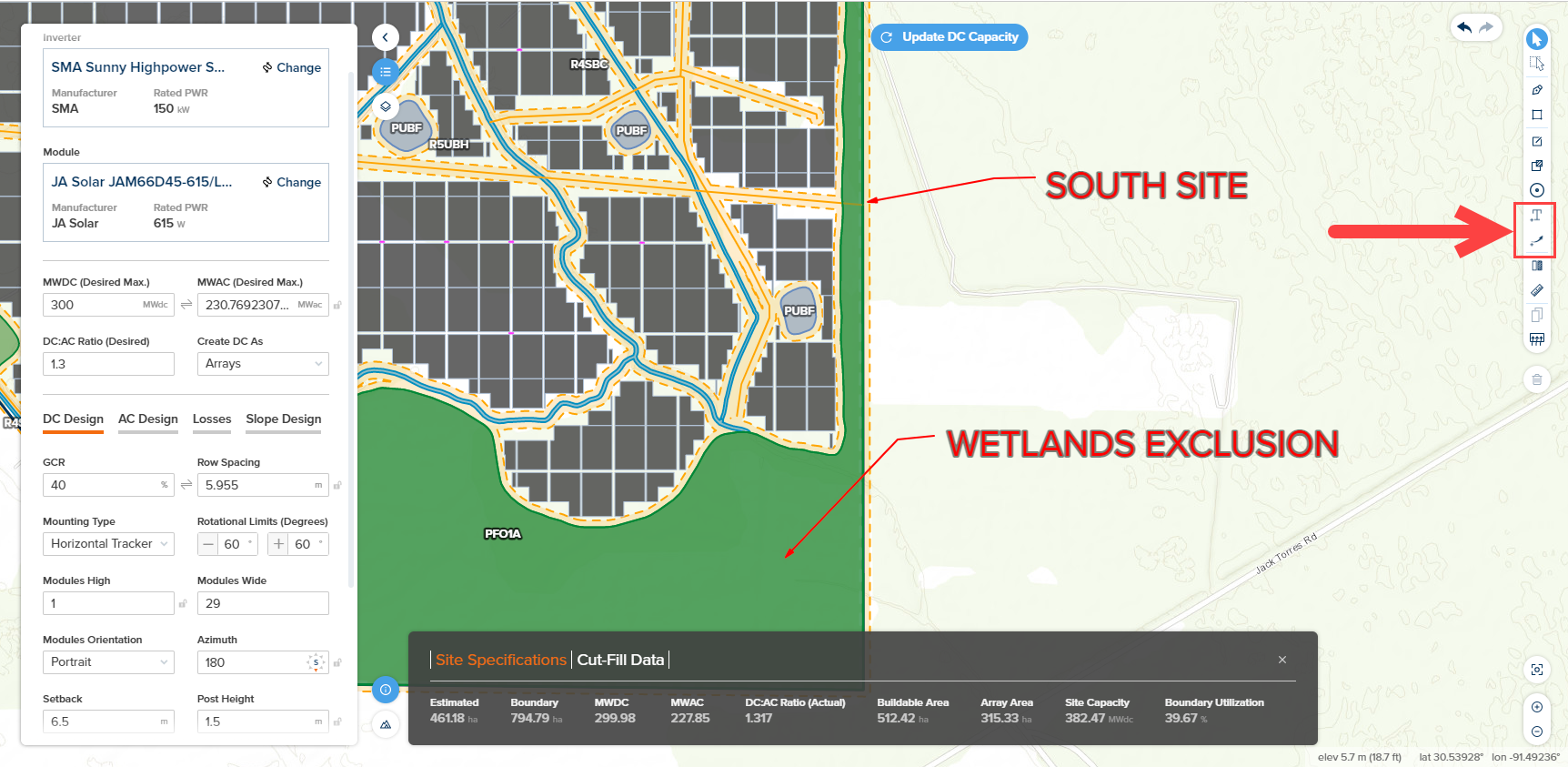
- Map Builder interface and PLP-1000 layout export can now support custom text labels and arrows which can be accessed from toolbar on right side of screen:
-
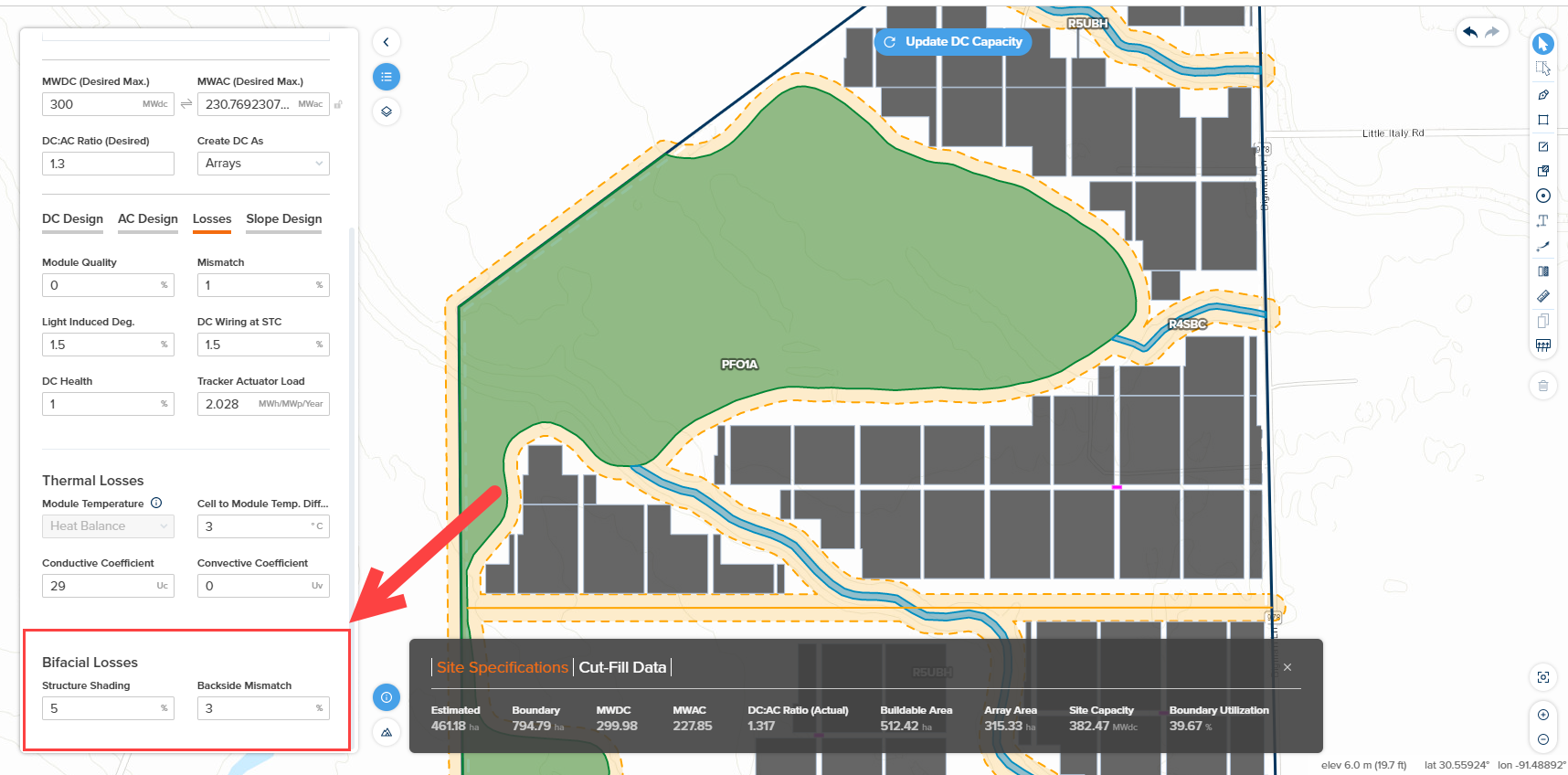
Parameters which control bifacial losses including “Structure Shading” and “Backside Mismatch” have been added to the Losses Parameters within the Map Builder Power Plant Parameters Interface. This is now aligned with the Block Builder bifacial parameters:
-
UI Improvements for Environmental Controls
- Controls which pertain to the spectral model have been moved from the Model Choices page to the Weather page (under Environmental Controls). This should improve the usability of the application and make it more clear which spectral models are being applied.
-
Resource Center Improvements
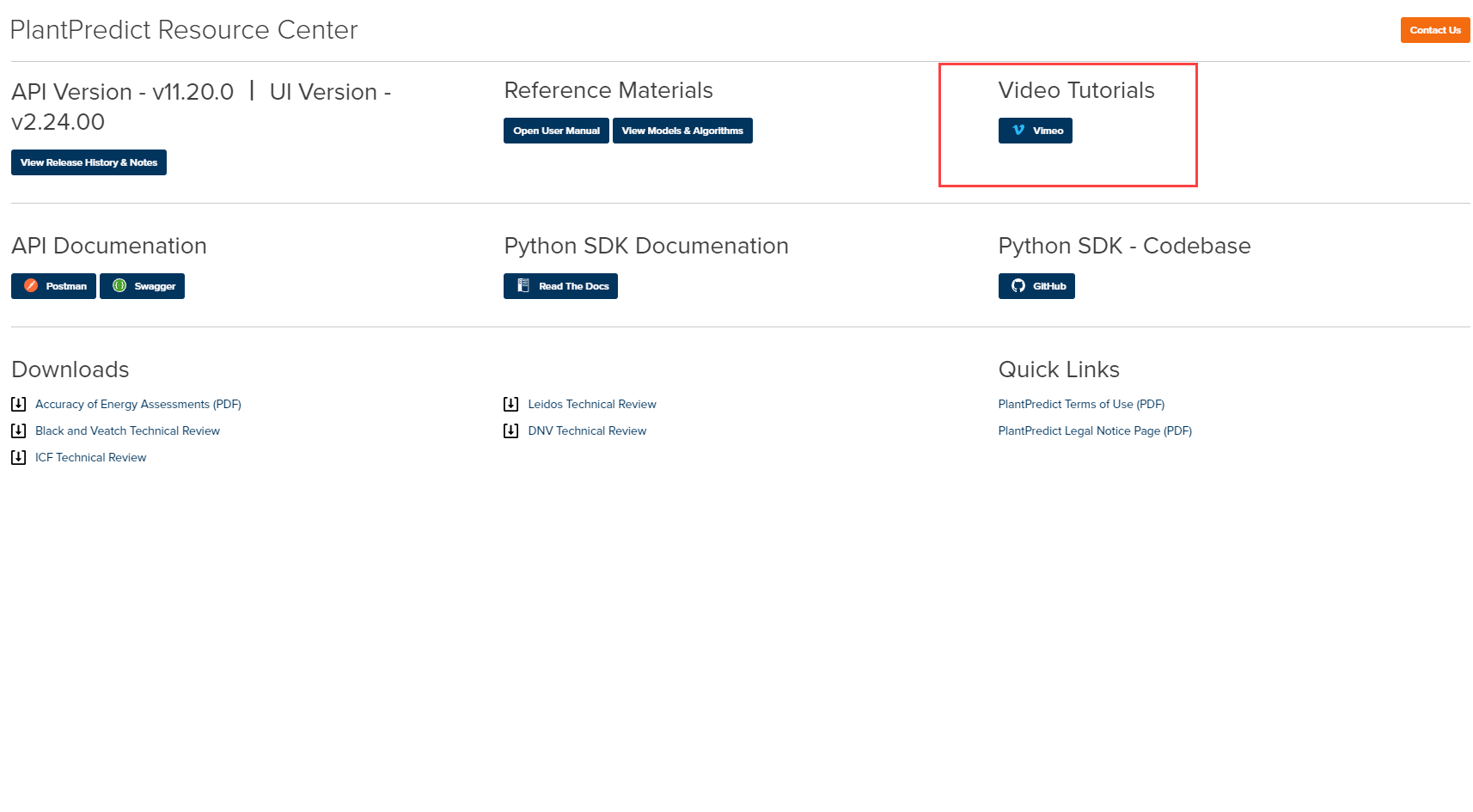
- Updated the Resource Center page to include links to PlantPredict Video Tutorial library on Vimeo
-
Added a My First Project tutorial video for new PlantPredict users when users log in for first time and haven’t yet created a project.
Bug Fixes
- Company Defaults Improvements
- Transformer parameter fields have been renamed in order to make it clear whether the field refers to the main power transformer or the medium voltage transformer.
- Miscellaneous
- Fixed an issue where exporting a project (.PPP file) would cause the application to error.
- Weather files are once again sorted by proximity by default rather than upload date
- Fixed an issue where the “Sort By” filter was appearing, even if the user clicked on something other than the filter drop down.
- Fixed a broken link to the PlantPredict user guide
- Fixed a broken link to Terabase’s vimeo page