

PlantPredict
New Features!
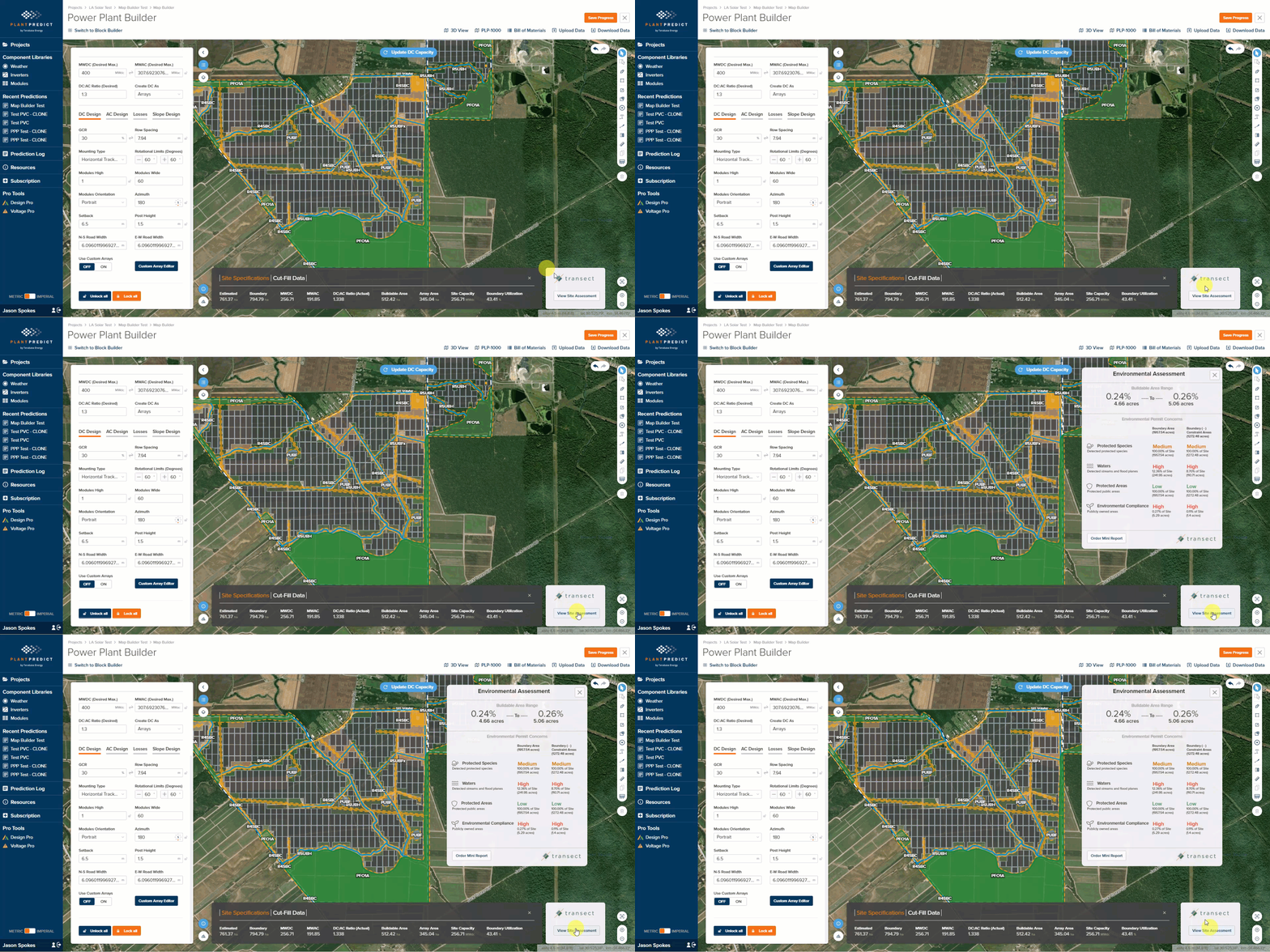
- Transect Environmental Assessment Integration within Map Builder - Users on all paid license tiers (Individual, Business, Pro and Enterprise) can now get a free, tailored, environmental assessment directly from Transect (an industry-leading provider of global, environmental permit data) for their project site with one click from within PlantPredict Map Builder. The assessment considers the land within the user-defined site boundary areas and is reported inclusive and exclusive of user-defined constraints. Four categories of environmental risk levels and cumulative areas are reported including:
- Protected Species
- Waters (Streams and Flood Planes)
- Protected Public Areas
-
Environmental Compliance (Publicly Owned Areas)
- Minor Improvements
- Added a new tooltip to the weather upload timestamp settings for easier help in navigation of the weather upload process
- OND files with one, two, or more than four efficiency curves now have more descriptive error message.
Bug Fixes
- Slope azimuth in the DC Field now saves without reverting back to 180 degrees.
- Average post height in the prediction comparison report now responds correctly to the metric vs. imperial conversions.
- Companies with a business tier subscription or above can now have up to 2 IT administrators without counting against their subscription’s maximum number of users.
- Companies with a business tier subscription or above can no longer set draft private modules or inverters as their company default.
- Moved custom module temperature upload UI element to the thermal models section of the DC field.
Design Pro
New Features!
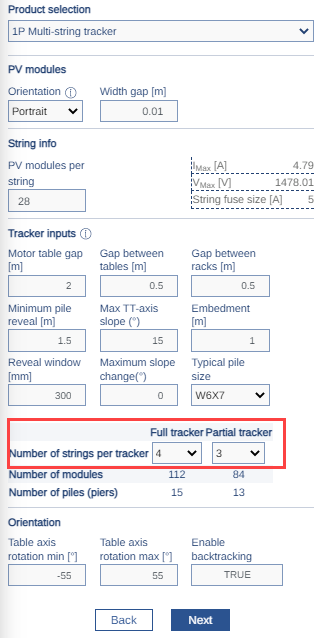
- 1P Multi-String Improvements - It is now possible for the user to specify the number of strings per rack for both full and partial racks for the 1P Multi-String tracker type. Additionally, we’ve increased the maximum string length supported by the 1P Multi-String tracker up to 36 modules per string and have increased the maximum tracker length to 120 modules.
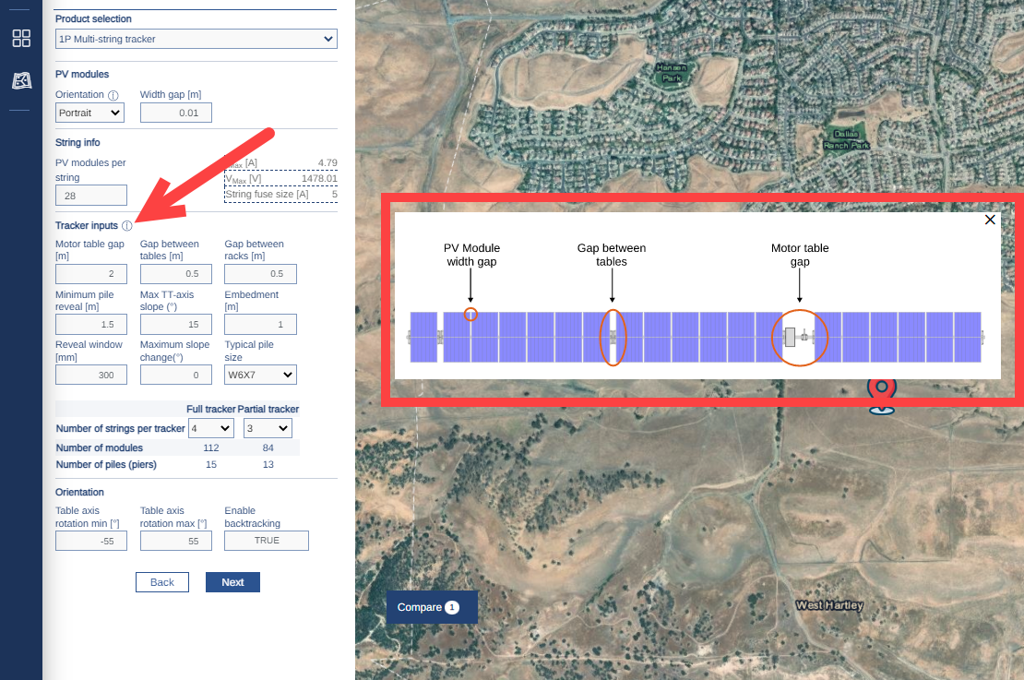
- 1P Multi-String Info Graphic - We’ve added a new info graphic to better define the tracker input parameters.
-
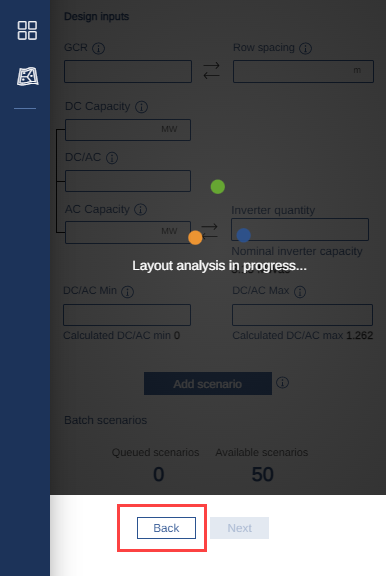
Scenario Analysis Cancel/Back Functionality - It is now possible to break out of the Layout Scenario Analysis and go back to the previous screen without having to wait for the analysis to complete.
Bug Fixes
- Fixed an issue where the scenario analysis graph loaded with no feasible layout solution (AC and DC Capacities = 0).
- Fixed several issues related to Company Default Settings in PlantPredict not carrying over correctly to Design Pro.
- Fixed an exclusion zone rendering issue when exclusion zones overlap.
- Fixed an issue where the default setting for Min Pile Reveal was not calculating correctly based on racking parameters.
- Improved rendering of the Scenario Analysis Table (previously some values were cutting off)
- Fixed an issue with the “Gap Between Racks” input parameter missing from GFT rack type and aligned the naming of this parameter across the platform.
- Improved the Scenario Comparison Table to align terminology and added Pitch and Aisle Spacing
- Fixed several issues leading to failed scenarios due to unique combinations of boundaries and technology selections.
- Fixed several UI-related issues leading to challenges entering data or navigating within the map interface.
Terrain Pro
Bug Fixes
- Fixed an issue where the earthwork cut/fill heatmap legend and color scale was incorrectly rendered. The heatmap legend and color scale range will now be fixed at <2ft to >2ft (<0.6m to >0.6m). A dynamic heatmap range will be re-introduced in the near future.