July 13th, 2023 Version 11 is Official! With today’s release, we are making Version 11 the default prediction version and removing the Beta tag from the Version 11 prediction logic. We have been running Version 11 as a Beta for the past several months and kept Version 10 as the default prediction logic so that we could collect user feedback and work out any bugs that we might have in the Version 11 prediction logic. We feel that Version 11 is stable and so we are making Version 11 the default. You can see details about the Version 11 enhancements by reading through the prior 11.X.X release notes. Here is a listing of the highlights:
  • Irradiance Optimization (Diffuse Stow)
  • Replaced the Inverter Efficiency Model with Sandia Inverter Efficiency Model
  • Circumsolar Treatment drop down in Simulation Settings
  • Improved Tracker Angle Calculations
  • Updated Perez Transposition model
  • Fixed a bug in the Module Irradiance Loss
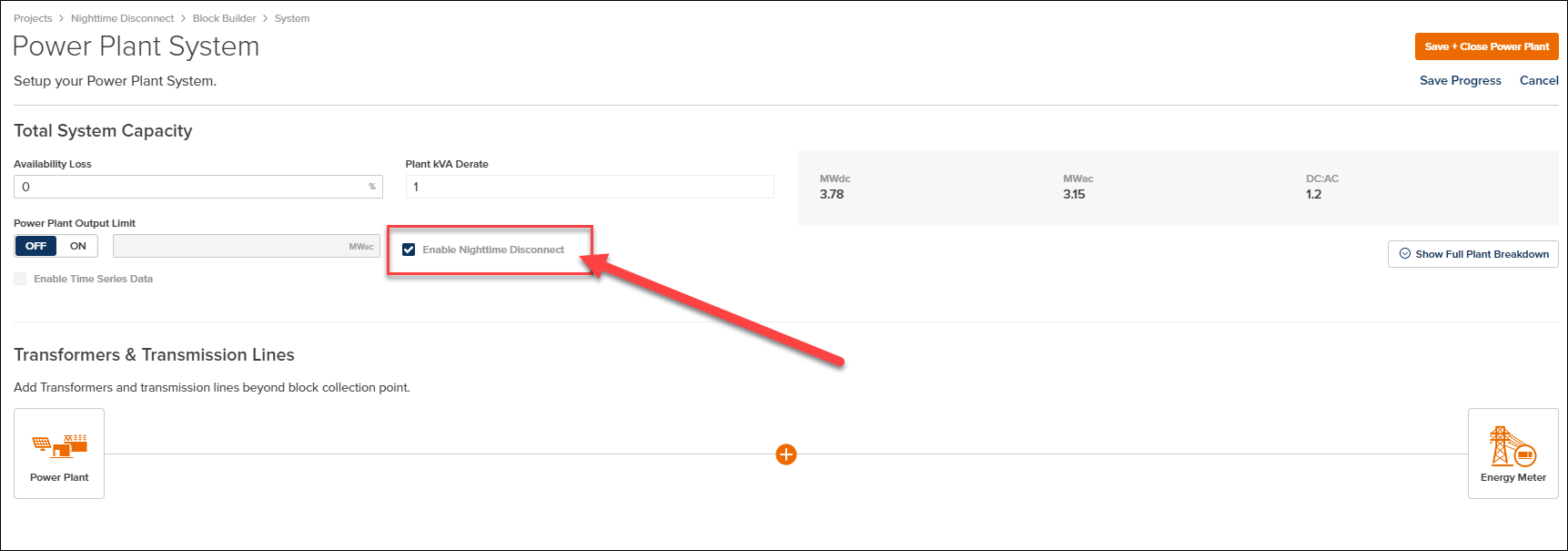
Nighttime Disconnect PlantPredict Users can now enable Nighttime Disconnect from within the System Details screen of a prediction. Night-time disconnect is a feature incorporated into some photovoltaic (PV) systems in order to reduce the amount of grid energy consumed by the system during hours where there is insufficient or no sunlight to generate electricity.
Release 11 07 0 Image1
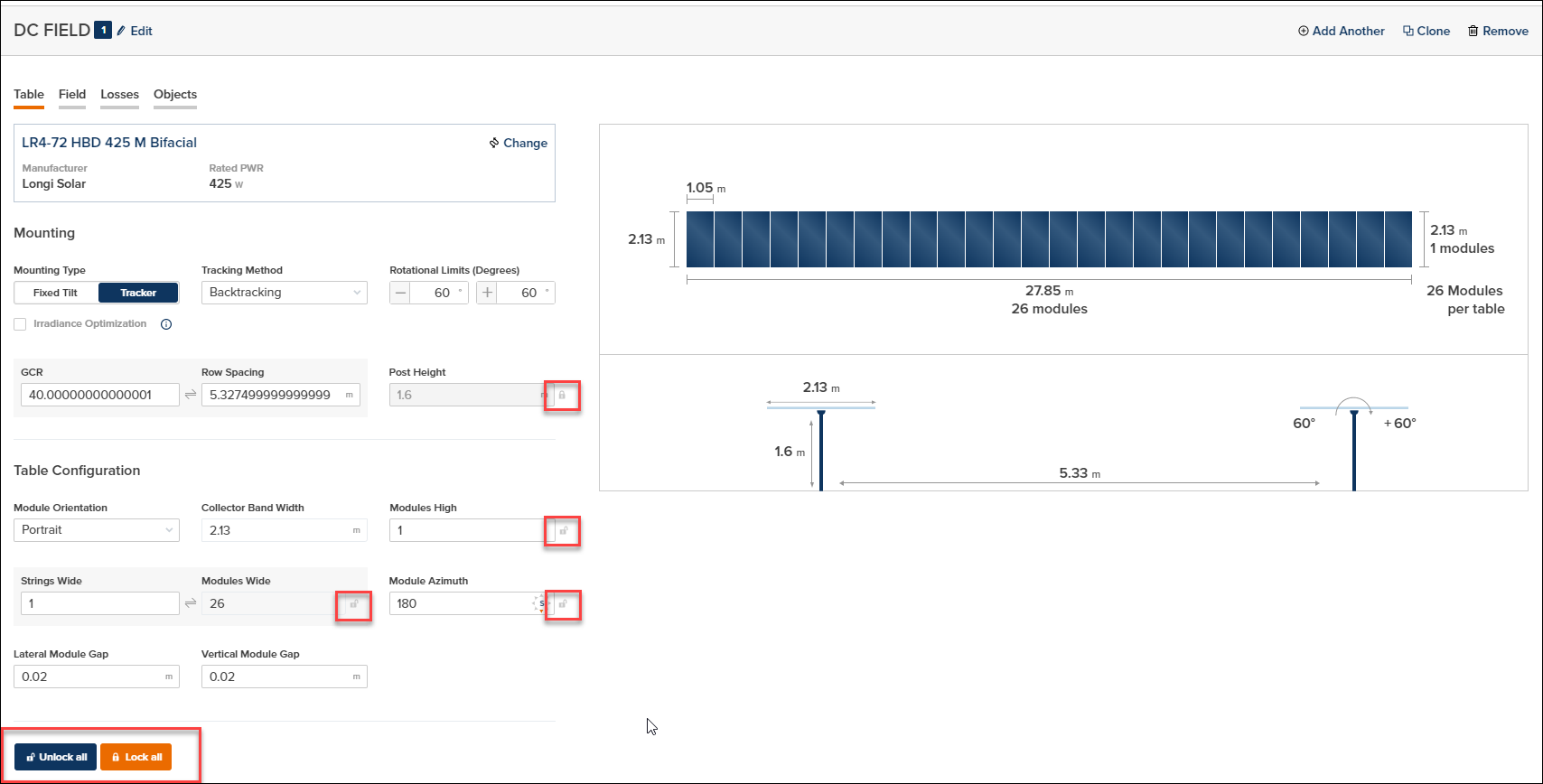
You can read more about how PlantPredict operates when Nighttime Disconnect is enabled with the following knowledge base article that is published on our Support Center: Night-Time Disconnect DC Field Locks within a Block Builder Prediction Within the DC Field screens of a Block Builder prediction, there are certain fields that get updated when a new module file is selected. We update these fields because the module attributes are likely to have an impact on these fields. Below is a listing of the fields we are referring to:
  • Post Height
  • Modules High
  • Strings Wide
  • Module Azimuth
With this release, we have added small lock icons that a user can select to lock the value in a field and prevent the default logic from applying. As an example, if a user wants to use 1.6 meters as their post height, and they don’t want that to change regardless of the module they are using, they can lock the Post Height field to accomplish this. You can also Lock All or Unlock all with a single click of a button.
Release 11 07 0 Image2
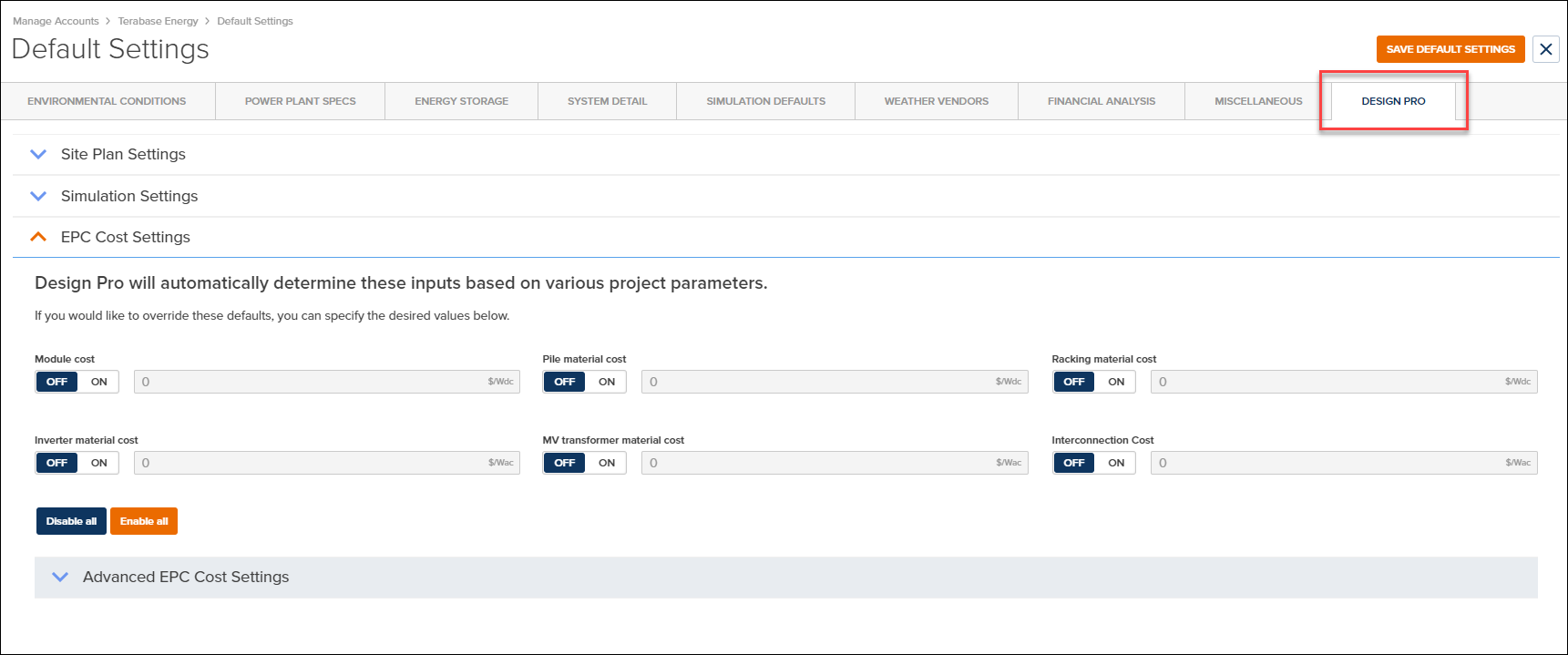
Please note that this only applies to Block Builder Predictions Design Pro Company Level Defaults Our PlantPredict Pro and Enterprise customers can now take advantage of Company Level defaults from within the Design Pro application. We have been working on this feature for several sprints in order to have a comprehensive approach to this new feature. Company Administrators can set the Company Level Defaults from within the Company Administration portal. Once these company level defaults are set, all Design Pro users within your company will have these settings applied.
Release 11 07 0 Image3
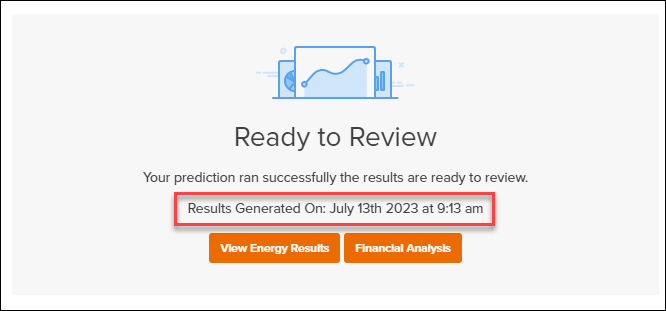
Results Generated On is now displayed on Prediction Results PlantPredict now displays the Date and Time that a Prediction Run completed on the Prediction Results screen. This is a simple enhancement that is really handy.
Release 11 07 0 Image4
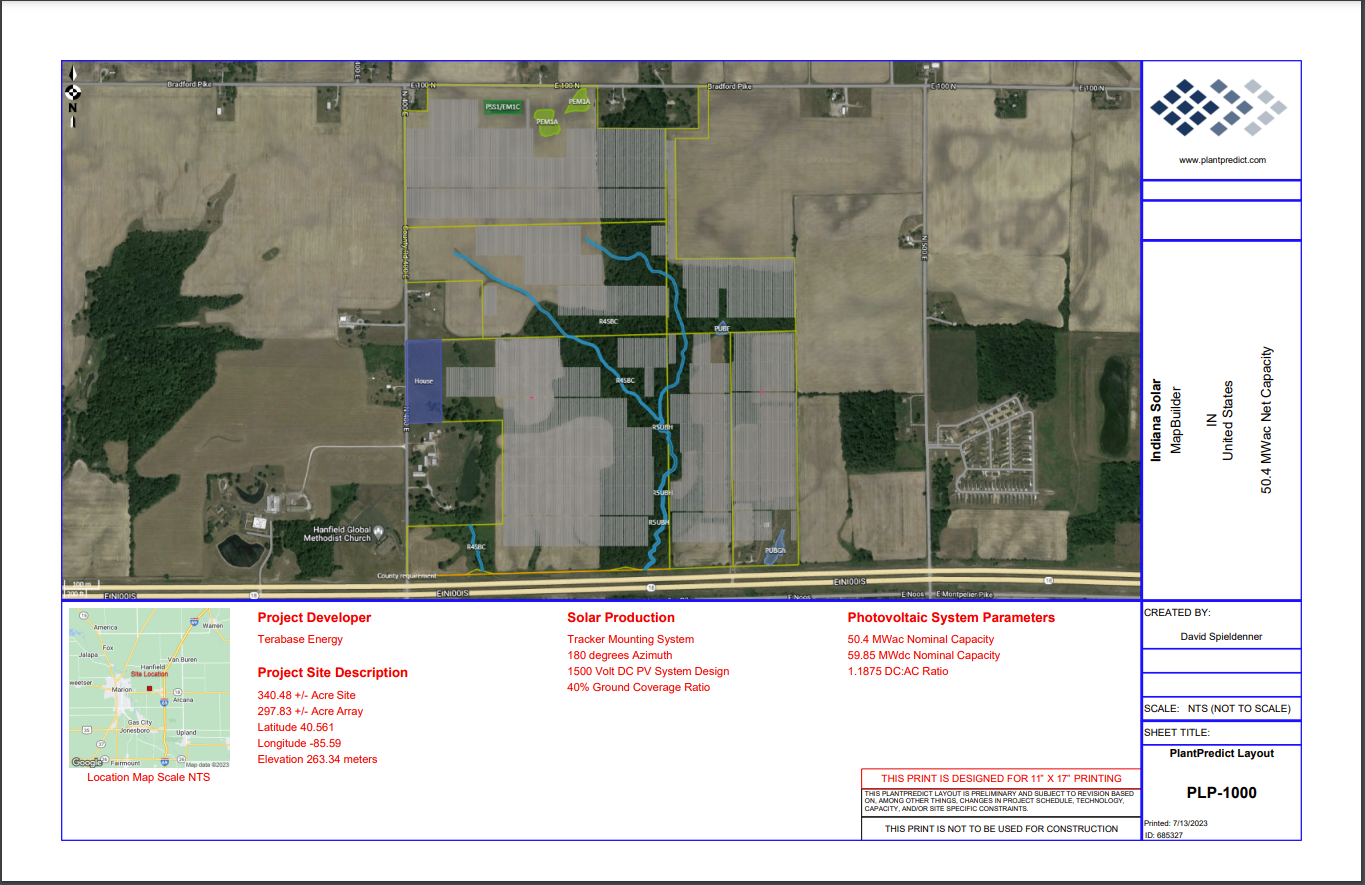
PLP-1000 Improvements We spent some time over this past sprint making some minor improvements to the PLP-1000 Layout report that can be generated from within the Map Builder screen of PlantPredict. Setbacks were not appearing when a user clicked to include the setbacks. This has been fixed. Long Customer Names, Project Names or Design Names would cause the PP-1000 to become a 2-page report that did not look good. We have fixed these fields so that they can support much longer text and will never cause the report to go to 2-pages.
Release 11 07 0 Image5