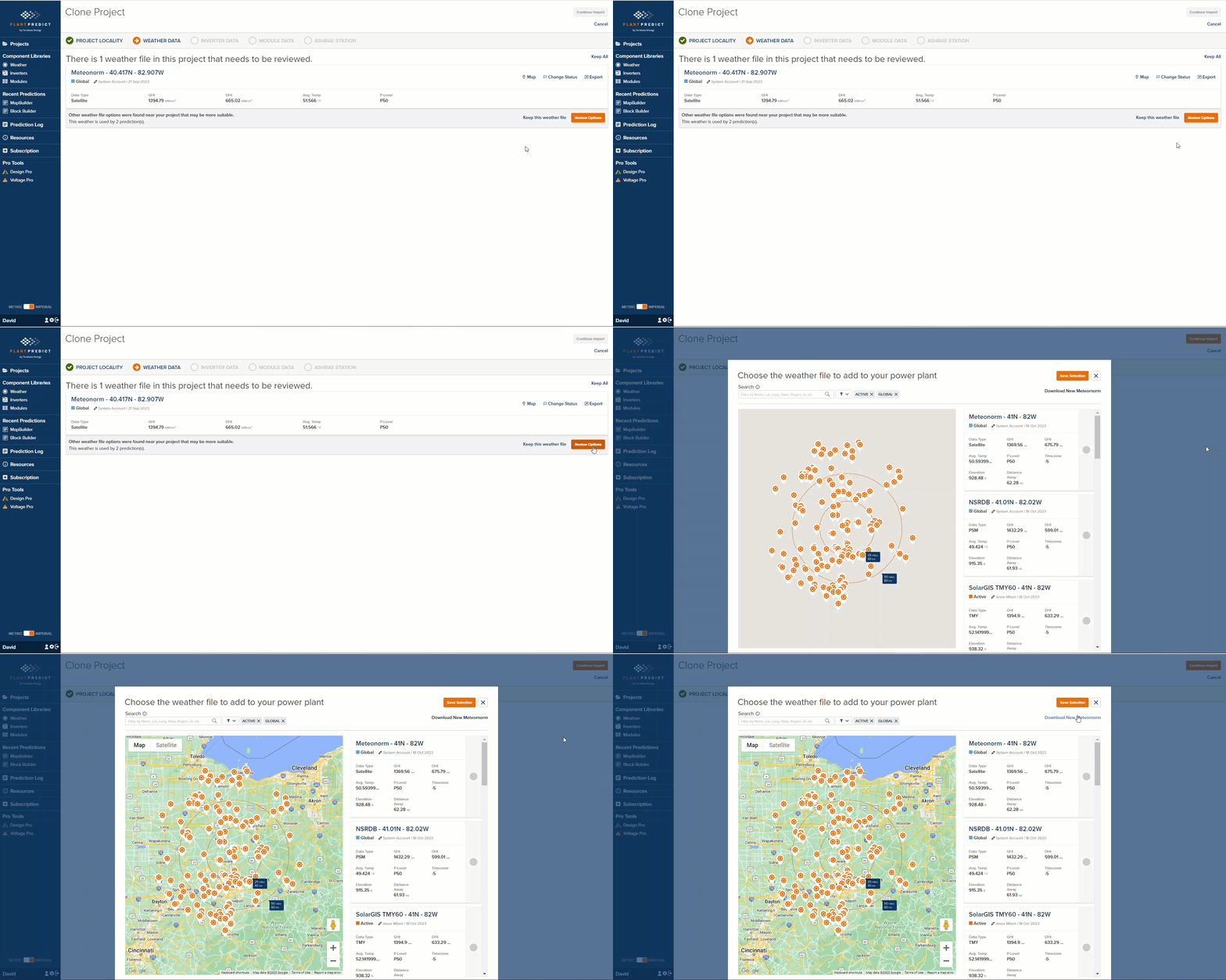
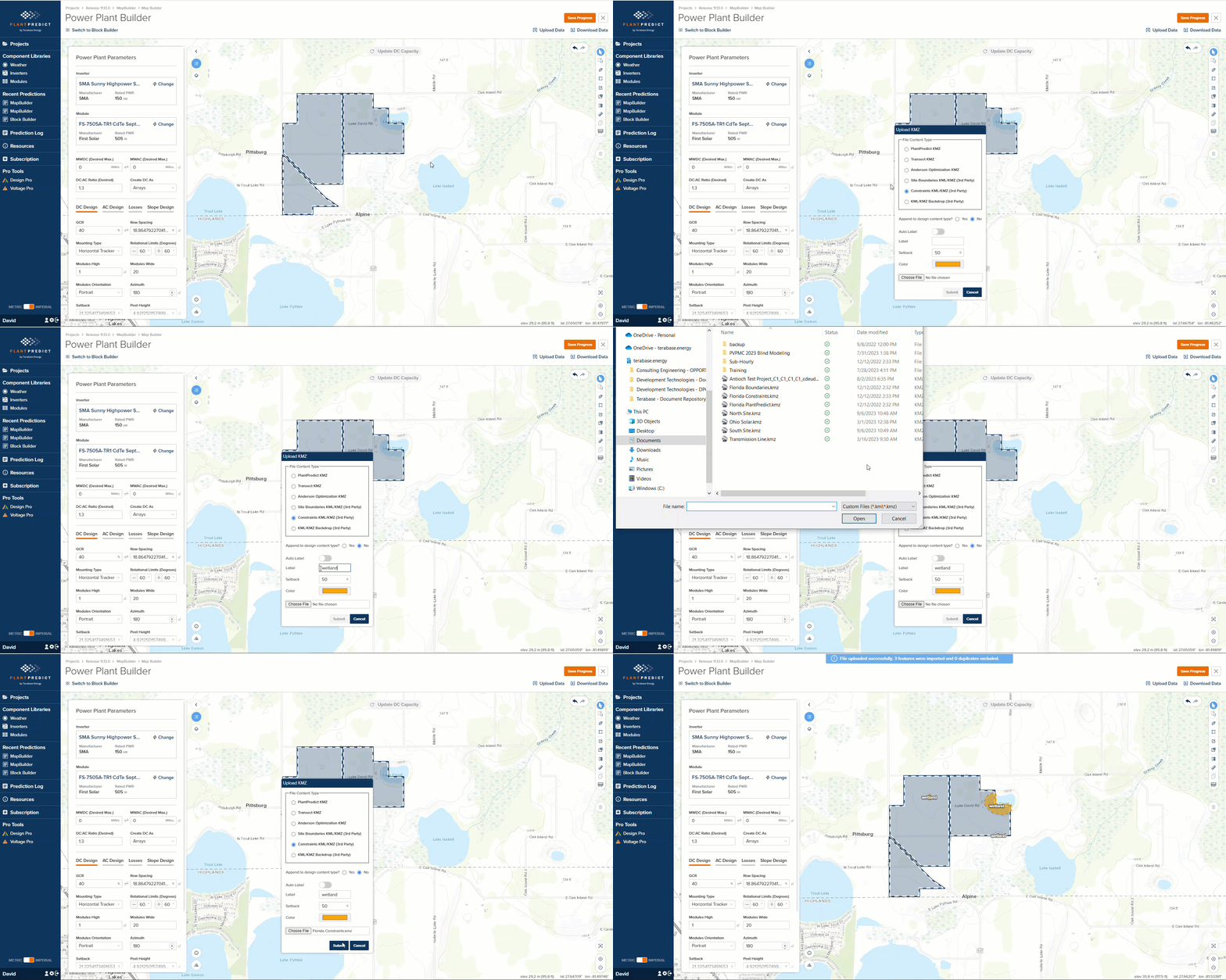
October 20th, 2023 Our last release was huge release with the launch of Terrain Pro and a long list of features. Read more about that release here RELEASE 11.12.0. This release is not as big as the team is working on a few items that are behind the scenes and will be released in the next few months. Here are the changes we made and what you can expect in the application. Cloning a Project to a new location and getting a Meteonorm weather file for that location just got easier Some users use our Clone Project functionality to move a series of BlockBuilder predictions to a new location and then run those predictions to see the results at the new location. If there is not a Meteonorm weather file at that location, the process to add a new weather file would take them out of the Clone Project process and would disrupt the flow. We made this easier by providing a Download New Meteonorm link: Release 11 13 0 Image1 Custom Label when uploading a Constraint KMZ in MapBuilder When uploading a KMZ file as Constraints, you can now add a custom label that will appear on ALL constraint shapes that are part of that KMZ file. Release 11 13 0 Image2 Minor issues and Bug Fixes
  • In the last release, we added the ability to define Default Weather File statuses. This caused Meteonorm weather files to be imported as Draft-Private or Draft-Shared, which made them difficult to find for some users. We fixed this.
  • The Array Area on the PLP-1000 was actually showing the Buildable Area. We have fixed this
  • When SDK Users create a New Prediction, their Company Level Defaults will now be applied to the new prediction.