> ## Documentation Index
> Fetch the complete documentation index at: https://docs.plantpredict.com/llms.txt
> Use this file to discover all available pages before exploring further.
# RELEASE 11.11.0
September 21, 2023
**IAM Model Updates - Physical IAM Model**
PlantPredict subscribers can now utilize the Physical IAM model published in pvlib. To use the Physical IAM model, a user must make the proper selection in the Simulation Settings → Model Choices section of their prediction.
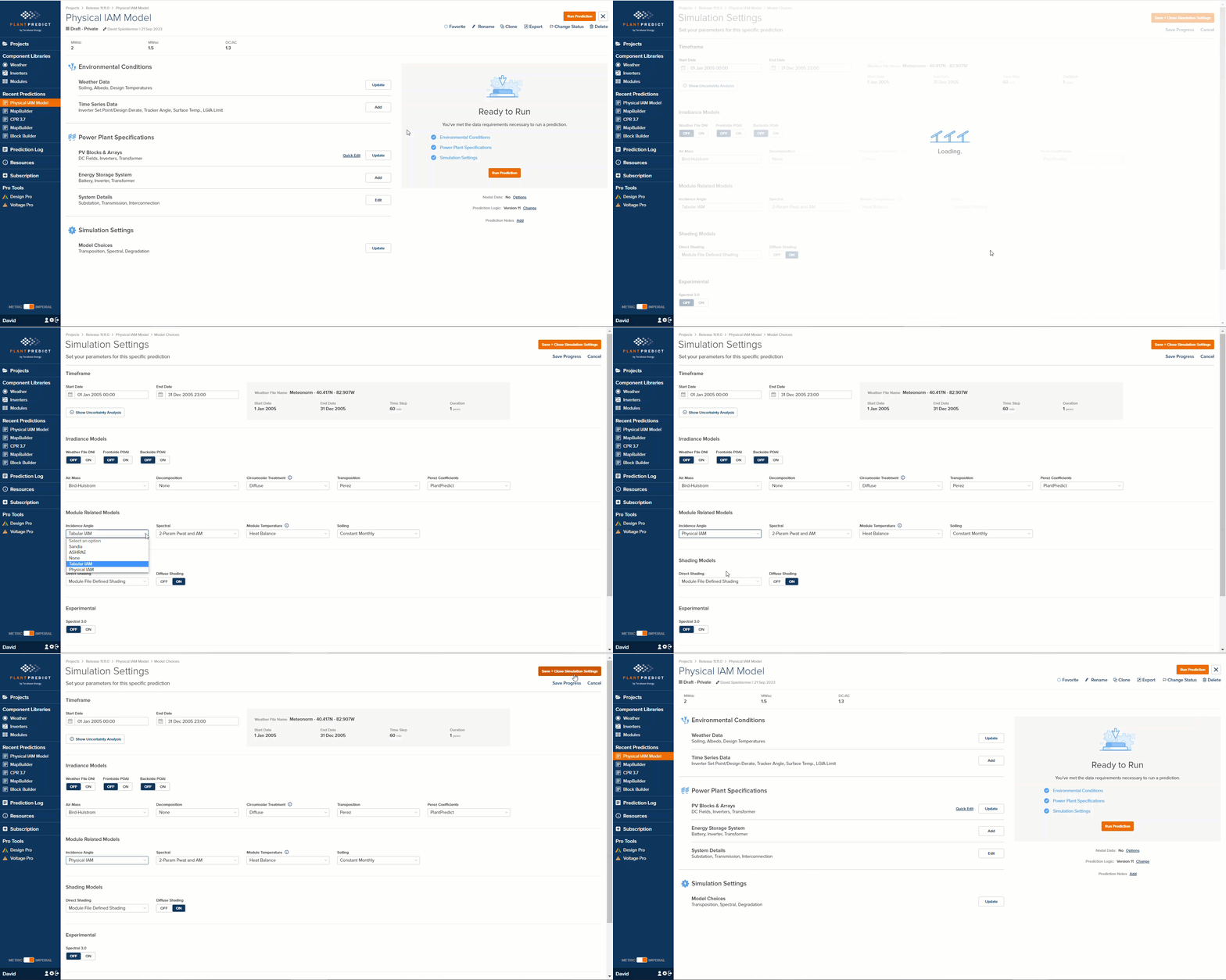 The physical IAM model resembles the Fresnel model implemented in PVSyst in that they have similar input parameters, but users should not expect the exact same results.
Documentation here: [Physical IAM Losses](/models/poa-irradiance/iam)
**Column Name Row in Weather File Import**
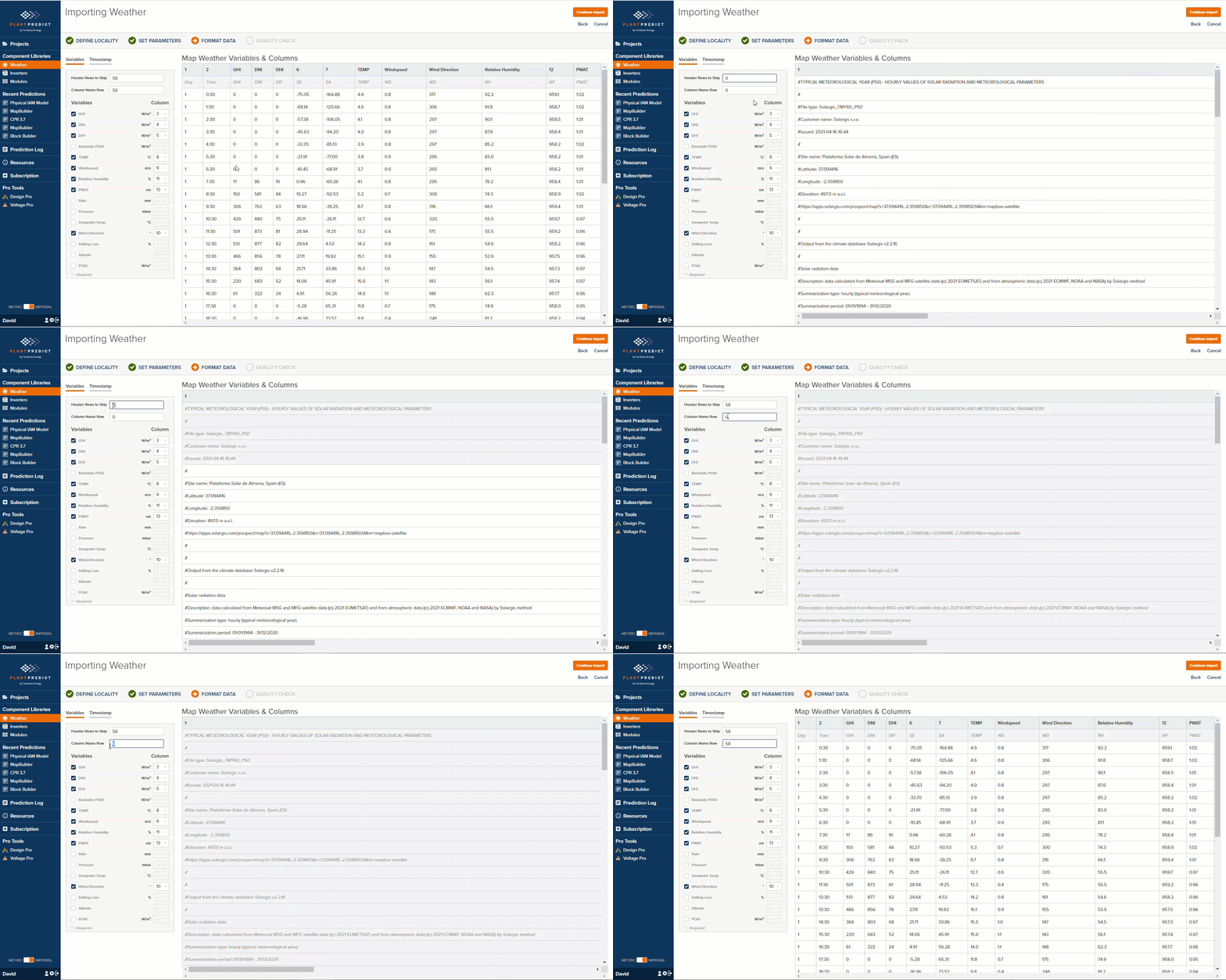
We added a new parameter called “Column Name Row”, which allows a user to specify the row in the weather file being implemented that contains the Column Names. The Format Data screen will now hide all the rows above the Column Name Row, which makes mapping the columns much easier.
The physical IAM model resembles the Fresnel model implemented in PVSyst in that they have similar input parameters, but users should not expect the exact same results.
Documentation here: [Physical IAM Losses](/models/poa-irradiance/iam)
**Column Name Row in Weather File Import**
We added a new parameter called “Column Name Row”, which allows a user to specify the row in the weather file being implemented that contains the Column Names. The Format Data screen will now hide all the rows above the Column Name Row, which makes mapping the columns much easier.
 **Block Builder Quick Edit - Diffuse Stow/Irradiance Optimization options**
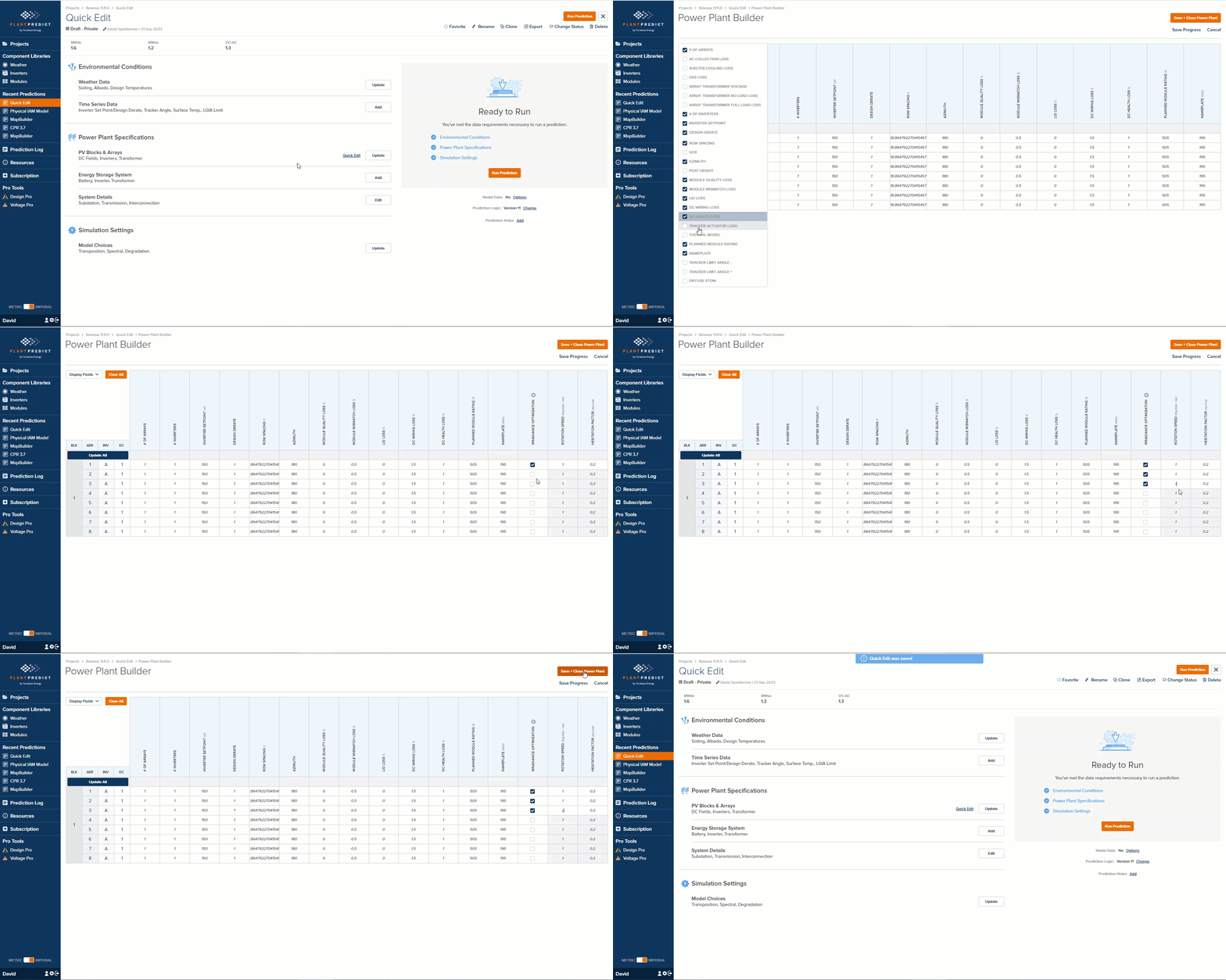
We have added the Irradiance Optimization parameters to the Quick Edit page, which is only available for Block Builder Predictions. Now you can quickly and easily modify the Irradiance Optimization settings for all your DC Fields.
**Block Builder Quick Edit - Diffuse Stow/Irradiance Optimization options**
We have added the Irradiance Optimization parameters to the Quick Edit page, which is only available for Block Builder Predictions. Now you can quickly and easily modify the Irradiance Optimization settings for all your DC Fields.
 **Custom Array Builder can build arrays with DC as Tables**
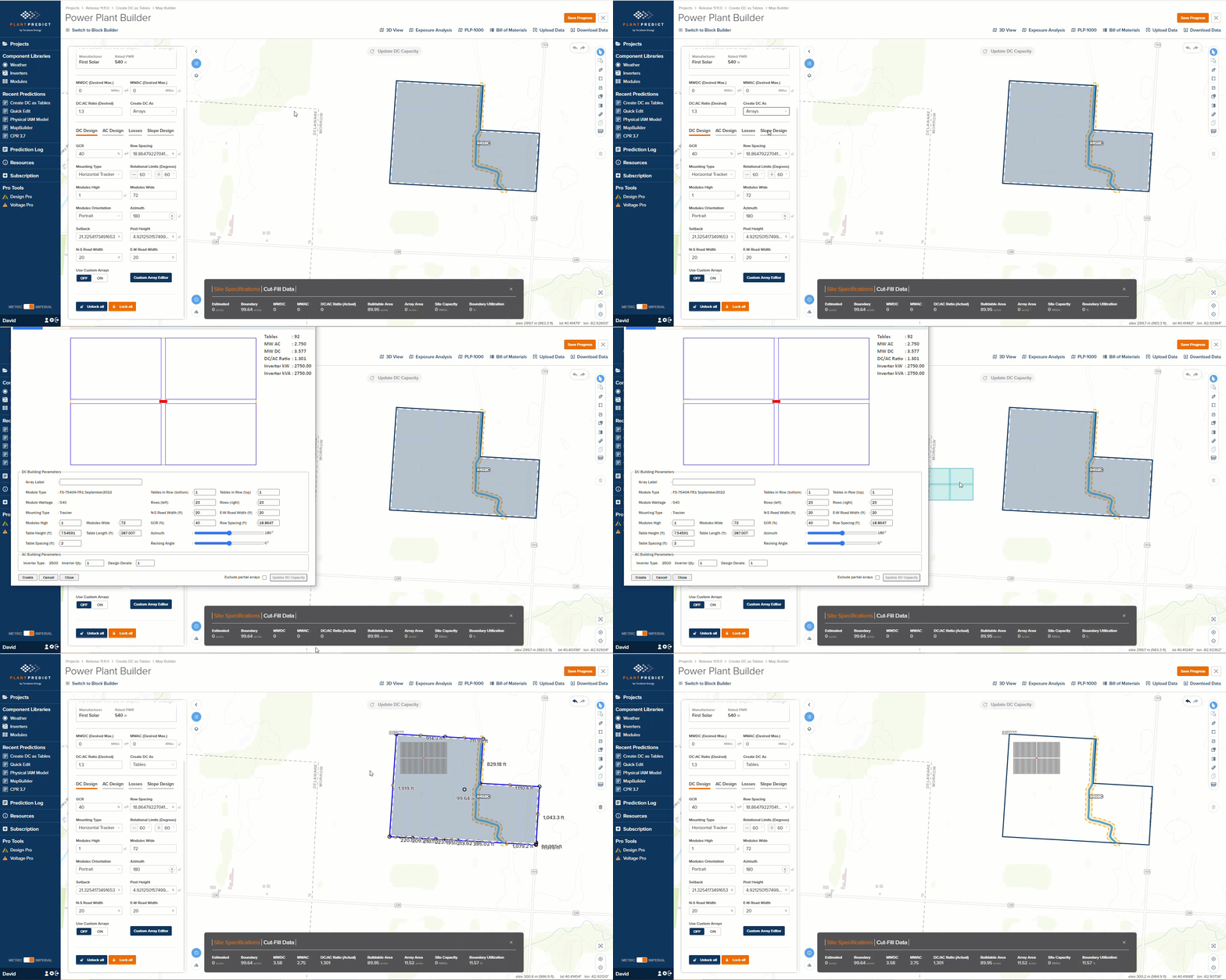
If the “Create DC as” field is set to Tables, when you create a custom table using the Custom Array Editor in a Map Builder prediction, the DC will be created with table shapes instead of array shapes.
**Custom Array Builder can build arrays with DC as Tables**
If the “Create DC as” field is set to Tables, when you create a custom table using the Custom Array Editor in a Map Builder prediction, the DC will be created with table shapes instead of array shapes.
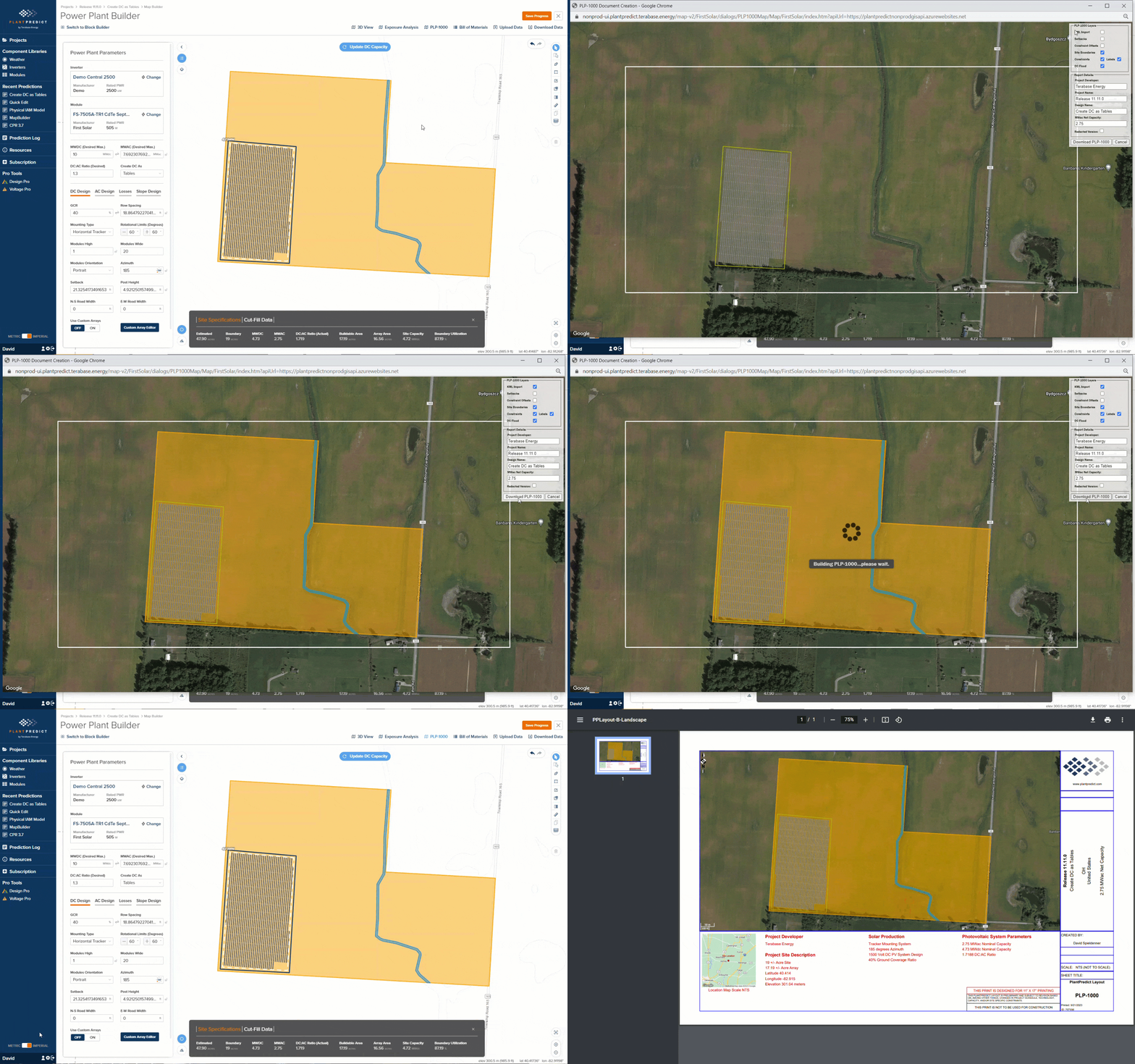
 **KMZ Backdrops are now displayable on PLP-1000**
If you have imported a KMZ as a backdrop, and you want those shapes to appear in your PLP-1000, that is now possible.
**KMZ Backdrops are now displayable on PLP-1000**
If you have imported a KMZ as a backdrop, and you want those shapes to appear in your PLP-1000, that is now possible.
 **SDK Updates**
The SDK now supports JSON only requests on top of existing functionality. This should make the SDK easier and more intuitive to use, especially for software developers not coming from a Python background.
The SDK now support the upload of PAN and OND files
* Added new support in the SDK to allow parsing and uploading of both .PAN and .OND files. For example usage, check out our ReadTheDocs section on these changes here: [Example Usage — plantpredict-python 1.0.20 documentation](https://plantpredict-python.readthedocs.io/en/master/example_usage.html#upload-a-module-pan-file)
* Updated the \_enumerations \_class to include the \*\*new \*\*Physical IAM model choice.
To keep up to date on our SDK releases, check out our GitHub Release page:
[Releases · plantpredict/python-sdk](https://github.com/plantpredict/python-sdk/releases)
**Minor enhancements and Bug Fixes**
* Fixed a bug where prediction statistics were not showing up in an expandable UI element. This expansion was redundant and has been removed.
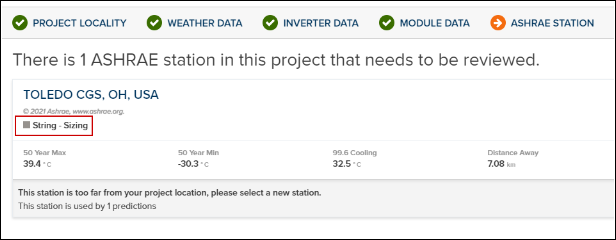
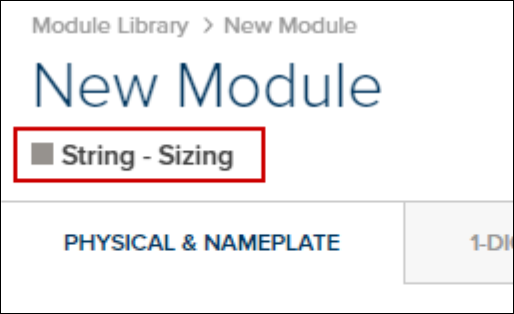
* The asset type of “StringSizing” is displayed for at least 2 different assets incorrectly. Ashrae stations during project/prediction import and new module forms.
**Import Project → Import From .PPP → Ashrae Station**
**SDK Updates**
The SDK now supports JSON only requests on top of existing functionality. This should make the SDK easier and more intuitive to use, especially for software developers not coming from a Python background.
The SDK now support the upload of PAN and OND files
* Added new support in the SDK to allow parsing and uploading of both .PAN and .OND files. For example usage, check out our ReadTheDocs section on these changes here: [Example Usage — plantpredict-python 1.0.20 documentation](https://plantpredict-python.readthedocs.io/en/master/example_usage.html#upload-a-module-pan-file)
* Updated the \_enumerations \_class to include the \*\*new \*\*Physical IAM model choice.
To keep up to date on our SDK releases, check out our GitHub Release page:
[Releases · plantpredict/python-sdk](https://github.com/plantpredict/python-sdk/releases)
**Minor enhancements and Bug Fixes**
* Fixed a bug where prediction statistics were not showing up in an expandable UI element. This expansion was redundant and has been removed.
* The asset type of “StringSizing” is displayed for at least 2 different assets incorrectly. Ashrae stations during project/prediction import and new module forms.
**Import Project → Import From .PPP → Ashrae Station**
 **Add Module → Create Blank Template**
 * Updated our Contact Us link to utilize our new Support Contact us screen.
* Project Import now filters for \*.ppp files, making this process a little easier
* Fixed an issue with the .SHP File export. Boundaries with holes in them, were causing strange results.
* Updated our Contact Us link to utilize our new Support Contact us screen.
* Project Import now filters for \*.ppp files, making this process a little easier
* Fixed an issue with the .SHP File export. Boundaries with holes in them, were causing strange results.