> ## Documentation Index
> Fetch the complete documentation index at: https://docs.plantpredict.com/llms.txt
> Use this file to discover all available pages before exploring further.
# RELEASE 11.03.0
May 04, 2023
Our Version 11 Beta enhancements continue to be rolled out! This release includes some very major improvements to our Tracker algorithm. If you want to take advantage of these enhancements, or if you just want to test and compare the results vs Version 10, you must update the Prediction Logic Version that your prediction is using. You can do this on the Prediction Screen by changing the “Prediction Logic” to Version 11 Beta as shown below:
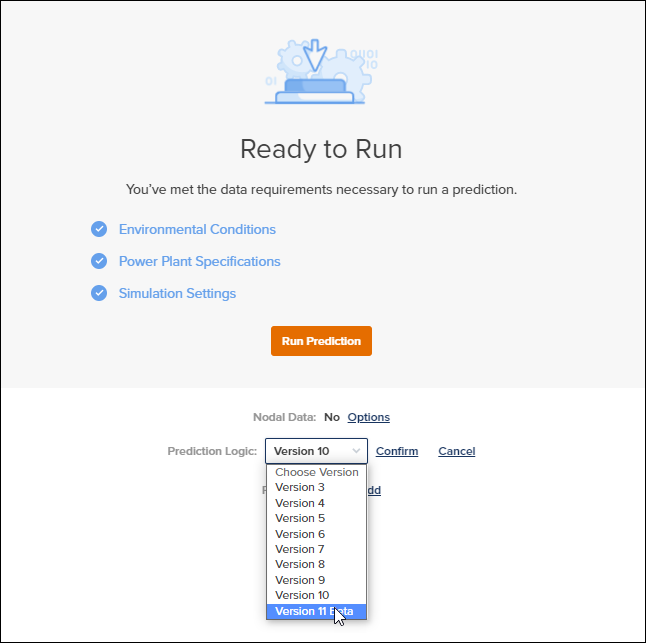 Switching to Version 11 Beta is what will enable the below capabilities.
**Irradiance Optimization (Diffuse Stow)**
Switching to Version 11 Beta is what will enable the below capabilities.
**Irradiance Optimization (Diffuse Stow)**
 * This is ONLY available with Block Builder Predictions using Version 11 Beta Prediction Logic
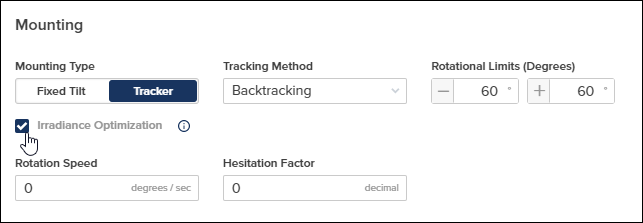
* Irradiance optimization is now available. The irradiance optimization function will rotate trackers to a plane which increases the amount of energy it receives on the front side relative to the angles calculated by a default true-tracking or backtracking algorithm.
* The rotation speed and hesitation factor parameters can be used to reduce the ideality of the model in order to better model actual tracker performance.
* Further documentation can be found here: [PlantPredict Irradiance Optimization](/models/tracking/irradiance_optimization)
**Updated Tracking Angles Calculations**
* In previous versions of PlantPredict, tracker rotation was computed in a left handed coordinate system. This has been updated to a right handed coordinate system, in line with PVLIB.
* A bug in the calculation of tracker surface angles has been fixed
* A bug in the calculation of tracker rotation angles when a custom timeseries of tracker angles was uploaded has been fixed.
**Updated Perez Model**
* The Perez transposition model in v11 has been updated in order to take non-pressure corrected airmass into account instead of pressure corrected airmass. This change makes PlantPredict’s Perez model implementation closer to the implementation from PVLIB.
In addition to the Version 11 features discussed above, we have also rolled out some very cool additional features that work on all versions of PlantPredict
**Floodplain Layer is now selectable and can be automatically converted to a constraint**
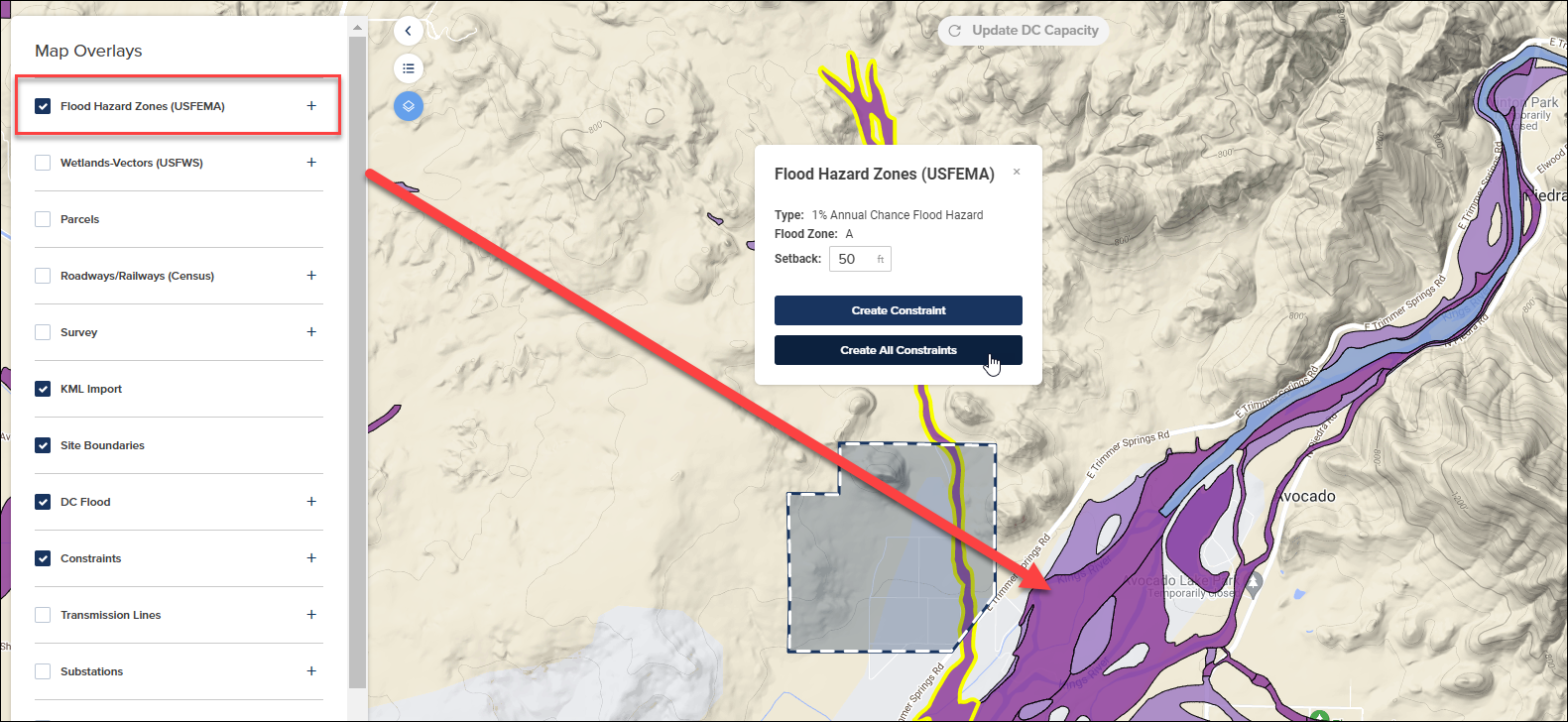
Similar to how wetlands, transmission lines, roads and pipelines work, PlantPredict paid subscribers can now turn on the FEMA Floodplain data layer in Map builder and with a simple click of a button have the Floodplains that effect your site boundary automatically drawn as a constraint.
* This is ONLY available with Block Builder Predictions using Version 11 Beta Prediction Logic
* Irradiance optimization is now available. The irradiance optimization function will rotate trackers to a plane which increases the amount of energy it receives on the front side relative to the angles calculated by a default true-tracking or backtracking algorithm.
* The rotation speed and hesitation factor parameters can be used to reduce the ideality of the model in order to better model actual tracker performance.
* Further documentation can be found here: [PlantPredict Irradiance Optimization](/models/tracking/irradiance_optimization)
**Updated Tracking Angles Calculations**
* In previous versions of PlantPredict, tracker rotation was computed in a left handed coordinate system. This has been updated to a right handed coordinate system, in line with PVLIB.
* A bug in the calculation of tracker surface angles has been fixed
* A bug in the calculation of tracker rotation angles when a custom timeseries of tracker angles was uploaded has been fixed.
**Updated Perez Model**
* The Perez transposition model in v11 has been updated in order to take non-pressure corrected airmass into account instead of pressure corrected airmass. This change makes PlantPredict’s Perez model implementation closer to the implementation from PVLIB.
In addition to the Version 11 features discussed above, we have also rolled out some very cool additional features that work on all versions of PlantPredict
**Floodplain Layer is now selectable and can be automatically converted to a constraint**
Similar to how wetlands, transmission lines, roads and pipelines work, PlantPredict paid subscribers can now turn on the FEMA Floodplain data layer in Map builder and with a simple click of a button have the Floodplains that effect your site boundary automatically drawn as a constraint.
 **Nominal Operating Cell Temperature (NOCT) Model is now available**
We rolled out a new Module Temperature model
**Nominal Operating Cell Temperature (NOCT) Model is now available**
We rolled out a new Module Temperature model
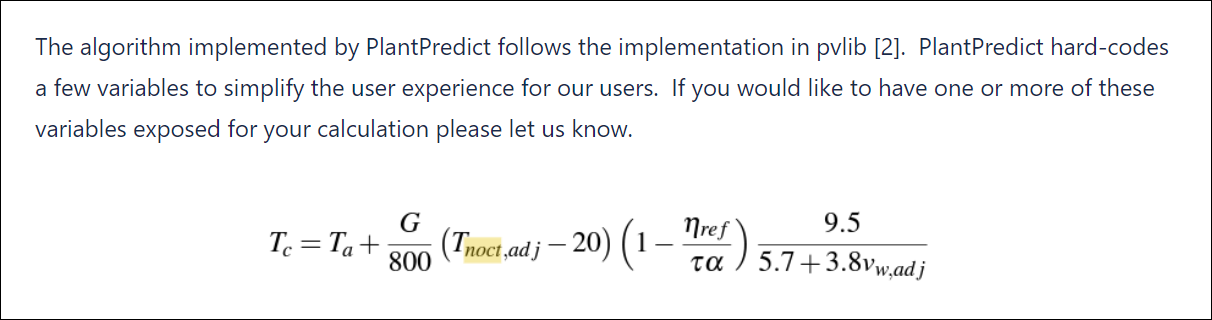 Learn more by reading our post about the [NOCT model](/models/dc-performance/temperature_noct_sam) in our Models and Algorithms section of our documentation.
**Bang Wong Color Palette is now available for users who struggle with color blindness**
There are an estimated **300 million** people in the world with color vision deficiency. 1 in 12 men are color blind (8%). 1 in 200 women are color blind (0.5%).
To help with this, we have added an Accessibility section to our User Settings page, and give users the option to use either the Bang Wong Palette or the Default Color Palette. You can get to the User Settings by clicking the small silhouette icon near your name in the lower left corner of the screen.
Here is the Accessibility Options tab:
Learn more by reading our post about the [NOCT model](/models/dc-performance/temperature_noct_sam) in our Models and Algorithms section of our documentation.
**Bang Wong Color Palette is now available for users who struggle with color blindness**
There are an estimated **300 million** people in the world with color vision deficiency. 1 in 12 men are color blind (8%). 1 in 200 women are color blind (0.5%).
To help with this, we have added an Accessibility section to our User Settings page, and give users the option to use either the Bang Wong Palette or the Default Color Palette. You can get to the User Settings by clicking the small silhouette icon near your name in the lower left corner of the screen.
Here is the Accessibility Options tab:
 This will change the color pallet used in certain charts around the application
Bang Wong:
This will change the color pallet used in certain charts around the application
Bang Wong:
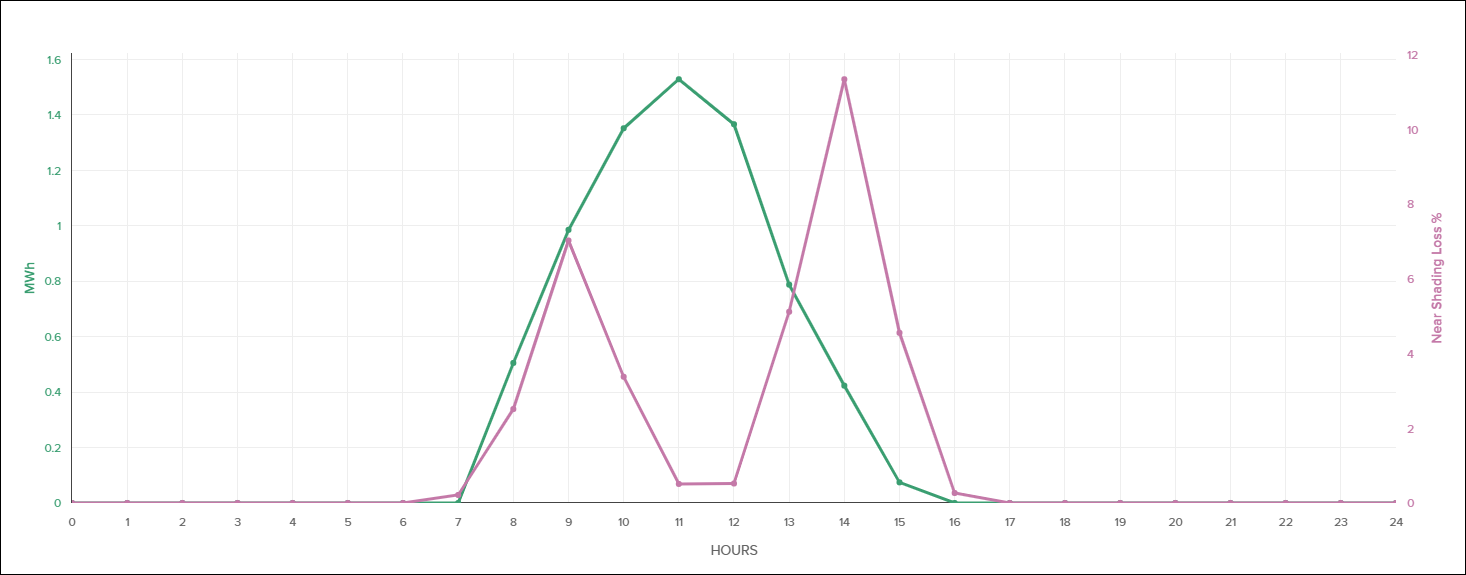 Default: